A video can live in your media library and on several channels at once. Keeping track of where it is live, which details each channel shows, and who changed what can become a job of its own.
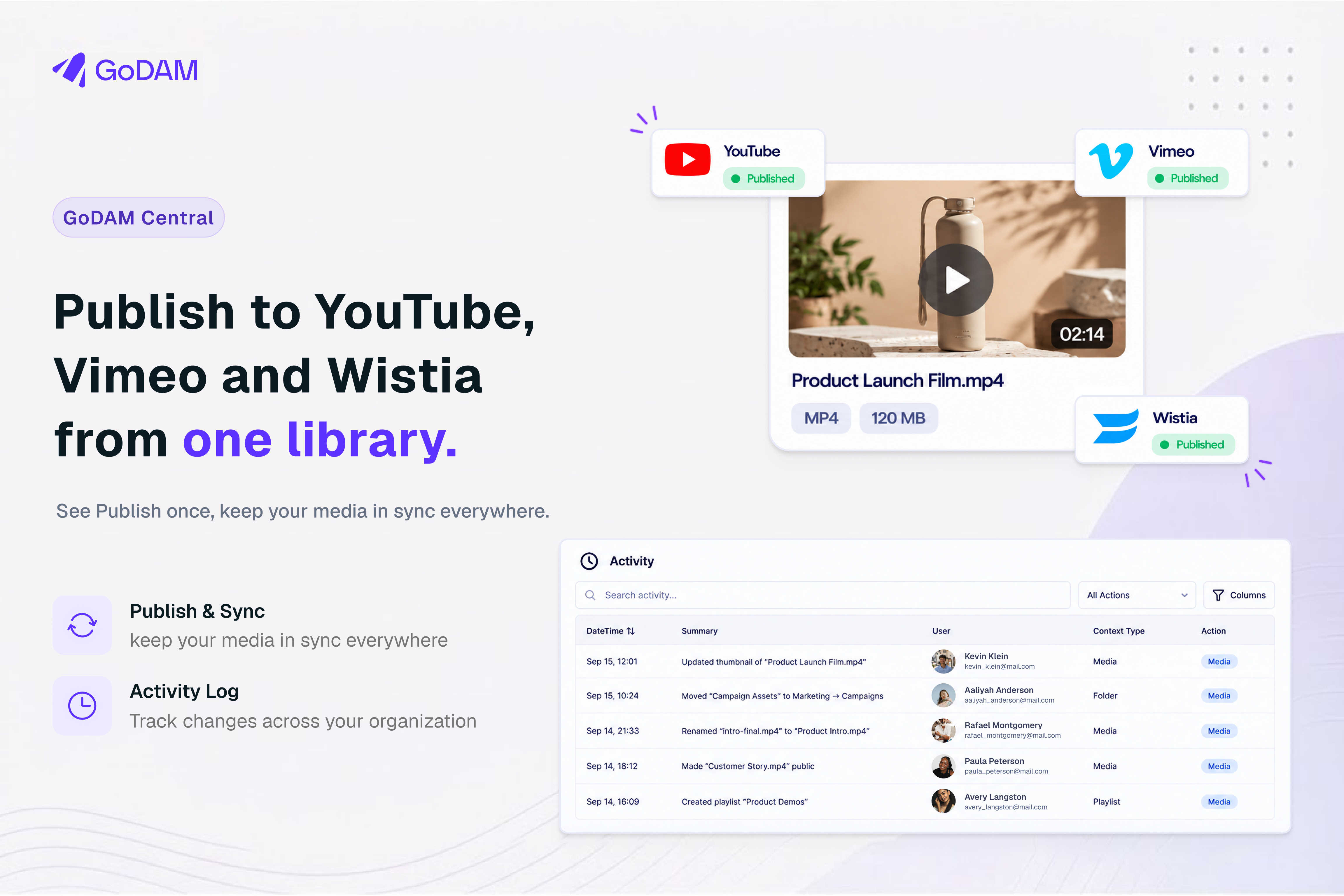
With GoDAM Central 2.4.0, you can publish a video from your library to YouTube, Vimeo and Wistia. Connect your accounts, choose the channels, and sync supported changes when you’re ready.
We also added an activity log on the Activities page. Owners, Admins and Managers can review recorded changes in their organization, then use the Publish tab to check where videos are live.
Publish from GoDAM Central
An Owner or Manager connects your accounts in Settings → Integrations, under Social. YouTube connects with a Google sign-in. Vimeo uses your own Vimeo developer app, and Wistia uses an API token and a webhook secret. The setup guide walks through each one. You can connect more than one account per platform, such as two YouTube channels, and each shows up as its own choice when you publish.
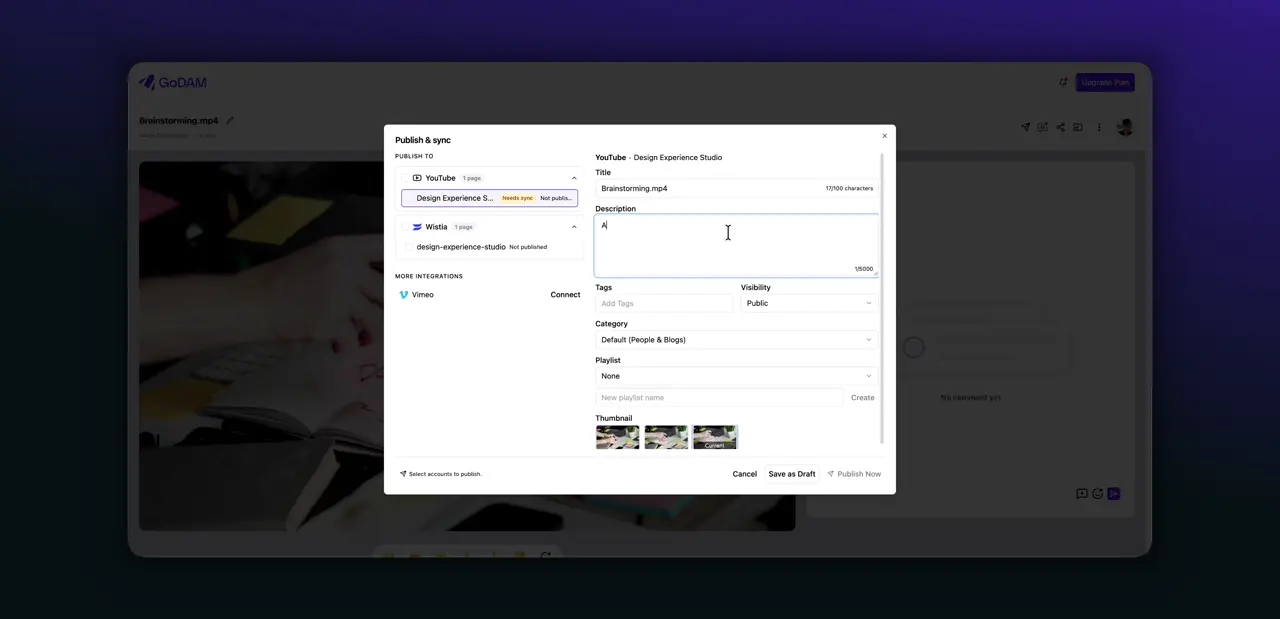
Once a video uploaded to GoDAM has finished processing, choose Publish from its menu. Select the accounts to publish to, then review the details for each one: title, description, thumbnail and captions, plus tags and visibility where the platform supports them.
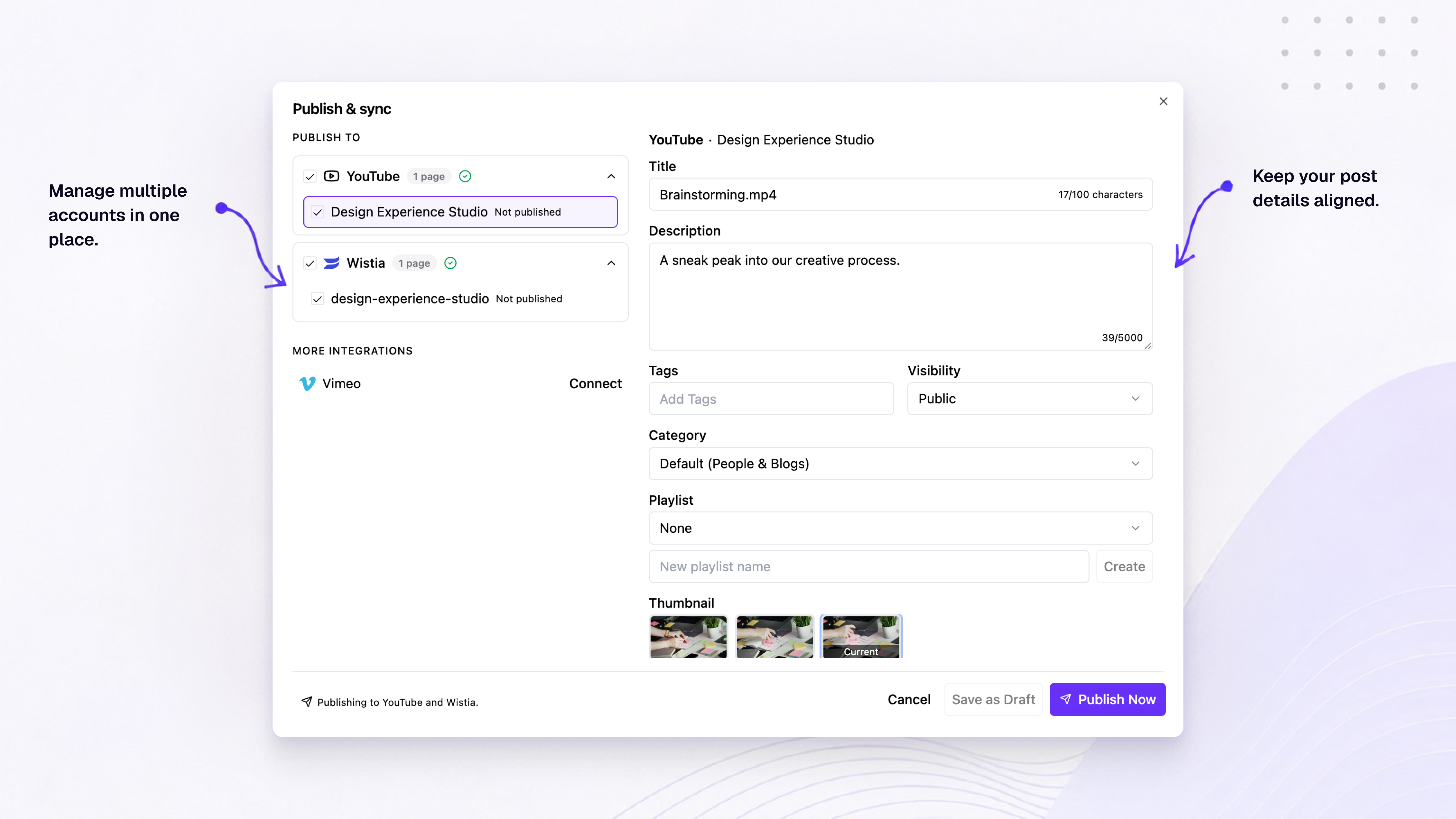
Publishing runs in the background. The dialog closes once you start, uploads carry on even if you leave the page, and your team gets a notification when the video goes live or an account fails.
You can publish a GoDAM playlist as a YouTube playlist, Vimeo showcase or Wistia project, too. Videos already on that account are added without a new upload, and the rest publish in the background. Large playlists go in batches: the first 10 videos start right away, and the rest follow over the next few hours. (A Wistia video lives in one project, so moving an already-published one into the new project is something an Owner or Manager opts into.)
Decide when channel details change
Each connected account keeps its own publishing details. To change what a channel shows, edit that account’s details in the Publish & sync dialog and choose Sync changes. Saving a draft doesn’t touch the live copy, and renaming a video in your library doesn’t change the channels it’s already on. Captions are the exception: edit a transcript in GoDAM and the account shows Needs sync.
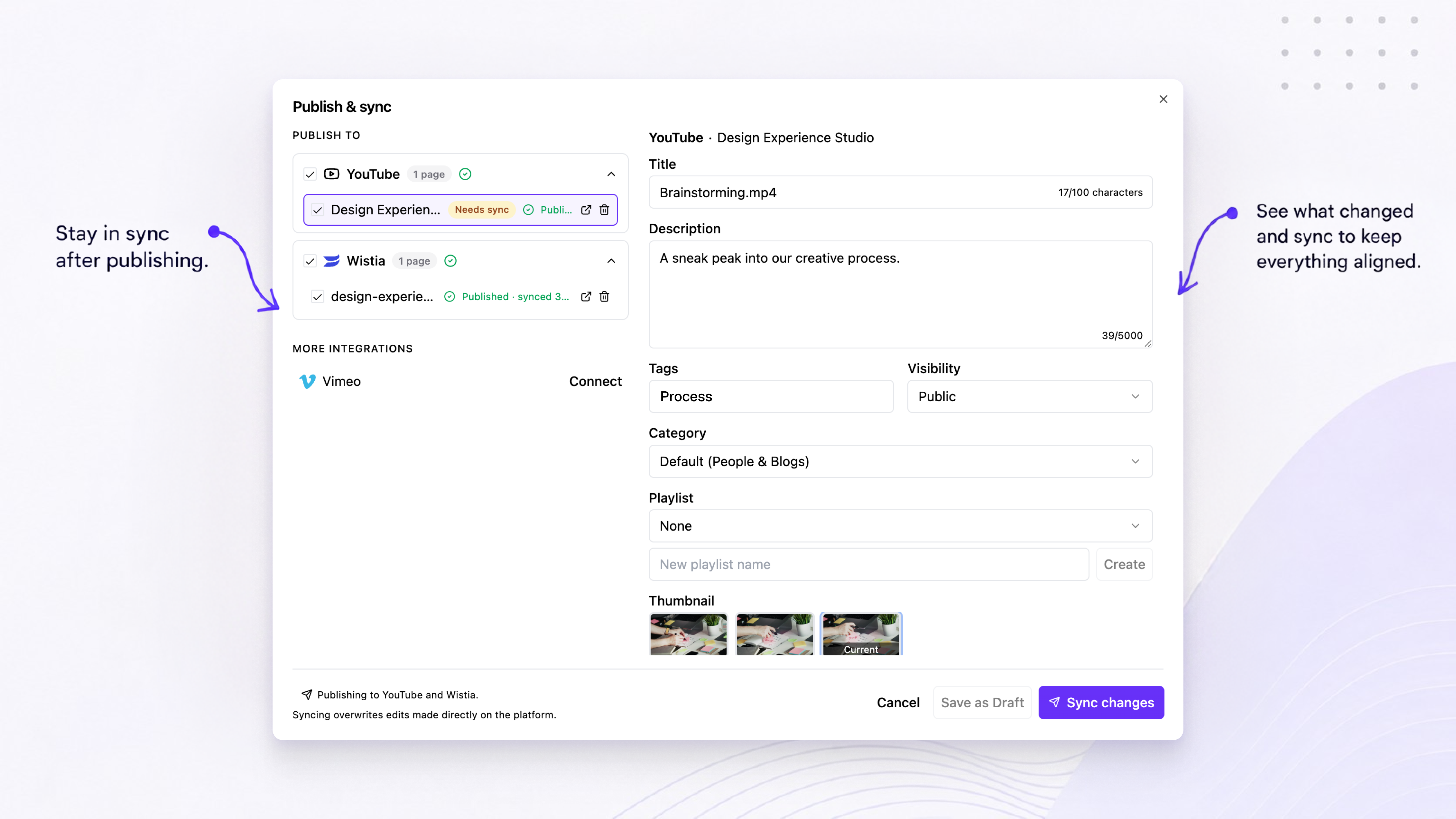
Sync goes one way, from GoDAM to the platform, and it overwrites edits made directly on YouTube, Vimeo or Wistia. So before you sync, GoDAM checks the platform. If the title, description or other details changed there, it shows what changed and asks you to Keep GoDAM’s values or Pull into GoDAM. Available fields vary by platform.
New video versions work differently per platform. When a new version goes live in GoDAM, GoDAM replaces the file on Vimeo and Wistia automatically, and the published video keeps its ID, URL and embeds. YouTube doesn’t support replacing a file in place, so GoDAM leaves that copy as it is and notifies you. An Owner or Manager can also remove a video from a platform in the same dialog. That deletes it there, views and comments included, while the GoDAM copy stays.
See who changed what
The new Activity Log, in the sidebar below Settings, gives organization Owners and Managers a readable history of changes. For example, it shows when someone renamed or moved a media item, published it to a channel, or changed organization settings. Entries cover the organization you have selected and go back 90 days.
Use the Activity tab to search the history and narrow it with the All Actions filter. The Publish tab shows where each video is published across your connected accounts, with its status, and lets you retry a failed publish.
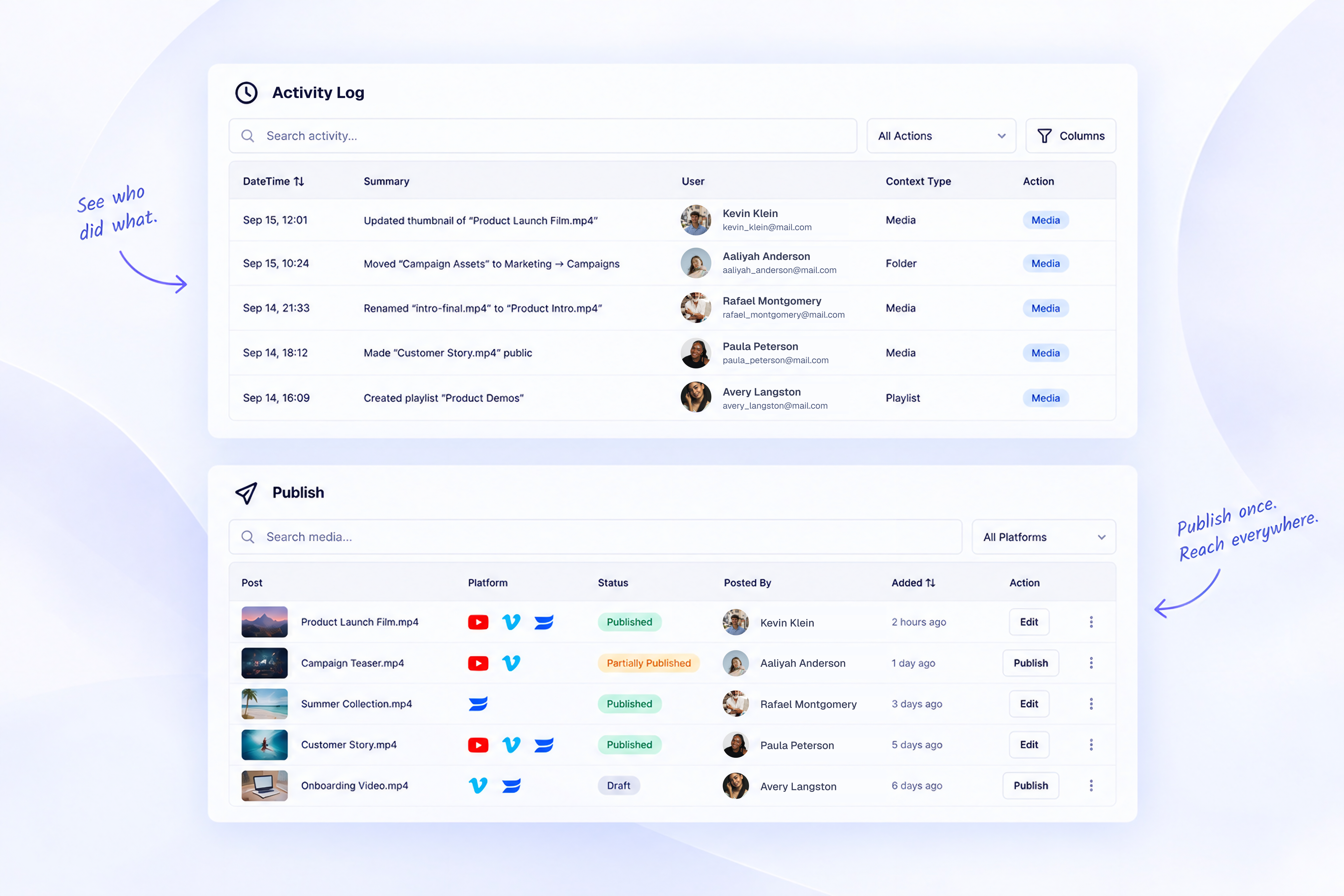
It records publishing, syncs, removals and failures. Changes that come in from a connected WordPress site, such as plugin uploads, show the person’s name when GoDAM knows it, and otherwise show as a WordPress user, with the site they came from.
Try it in GoDAM Central
Publishing and the Activity Log are included in every GoDAM plan. Open GoDAM Central, connect an account in Settings → Integrations, and publish a video from your library.
If you have any questions, please reach out to us at team@godam.io. We read every email!
Links : Publishing to YouTube, Vimeo and Wistia | Activity Log | GoDAM Central documentation