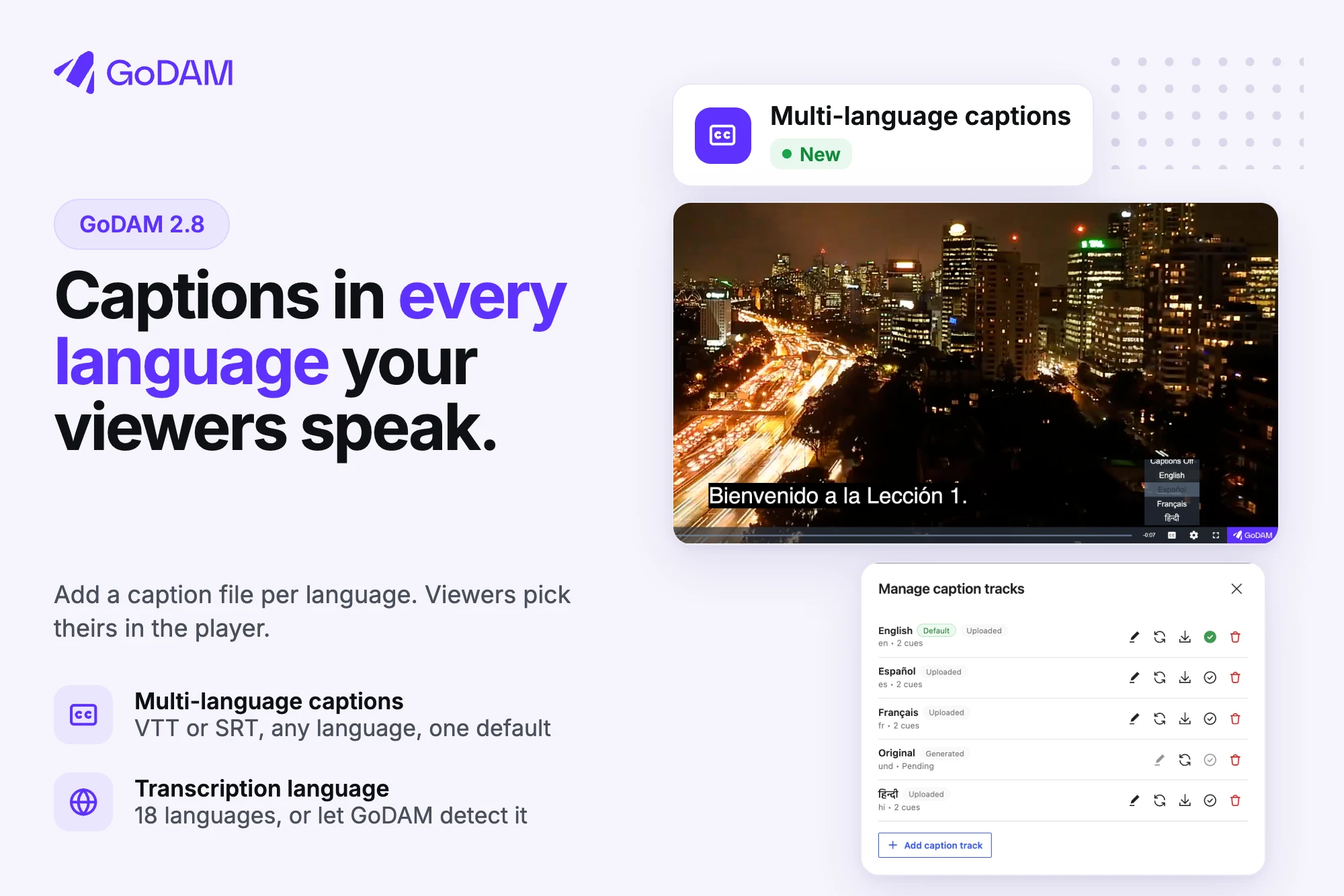
Your viewers don’t all speak the same language. Learners in an online course, customers watching a product demo, a team in another office, an audience in another country: until now, a GoDAM video showed one set of captions, so reaching all of them meant a separate copy of the video for each language.
GoDAM 2.8 fixes that. One video can now carry captions in as many languages as you need, and each viewer picks theirs from the player. For a course, that is one lesson for every learner. For any other site, it is one video for every audience.
Add captions in more languages
Open a video in GoDAM > Media Editor and go to the Transcription tab. Click Manage caption tracks, then Add caption track. Choose the language, type the name visitors will see in the menu, and pick a VTT or SRT file.
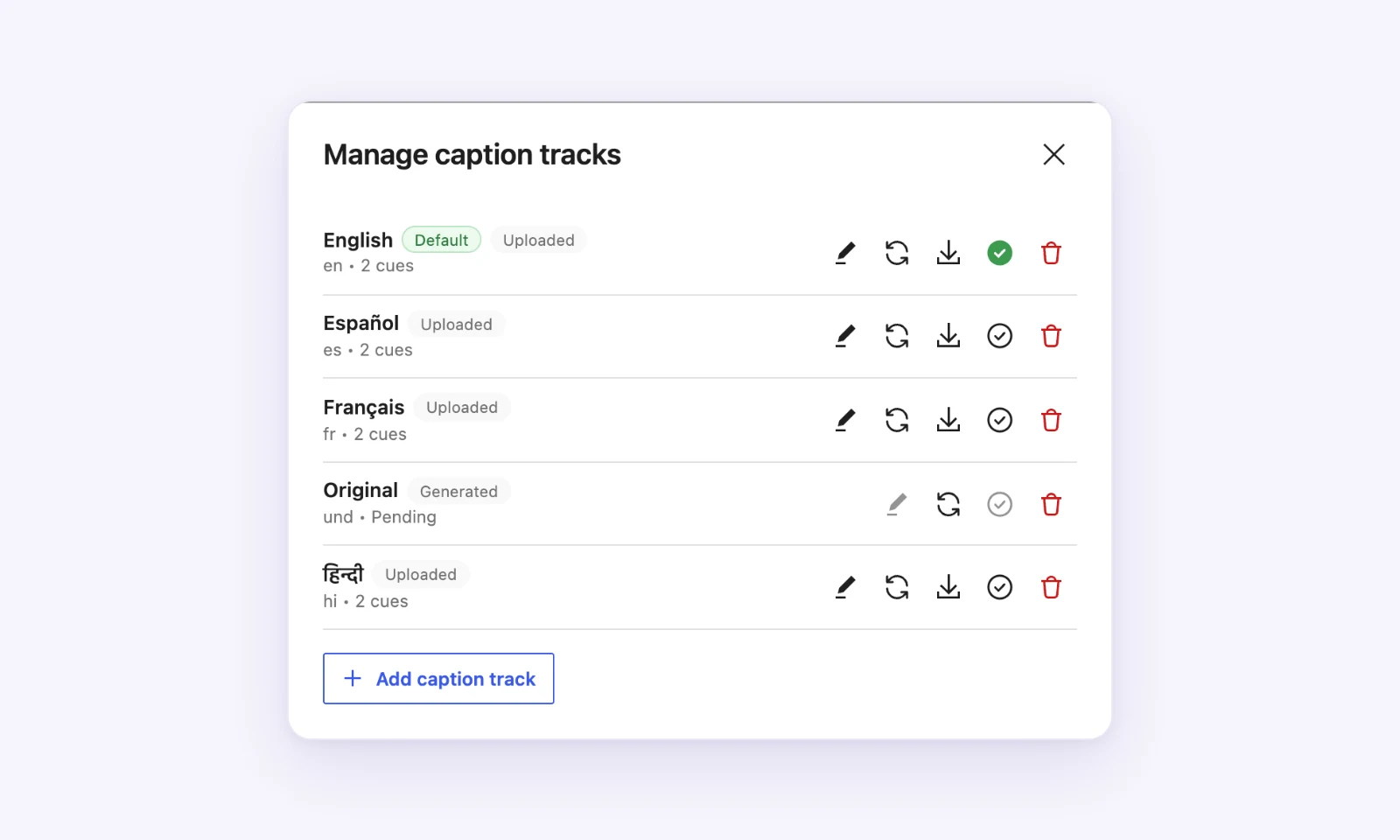
Each caption shows whether GoDAM generated it or you uploaded it. You can fix a word in the caption text, replace the file, download it, or choose which language the player turns on by default.
Viewers see every language in the player’s subtitles menu and can switch at any point in the video.
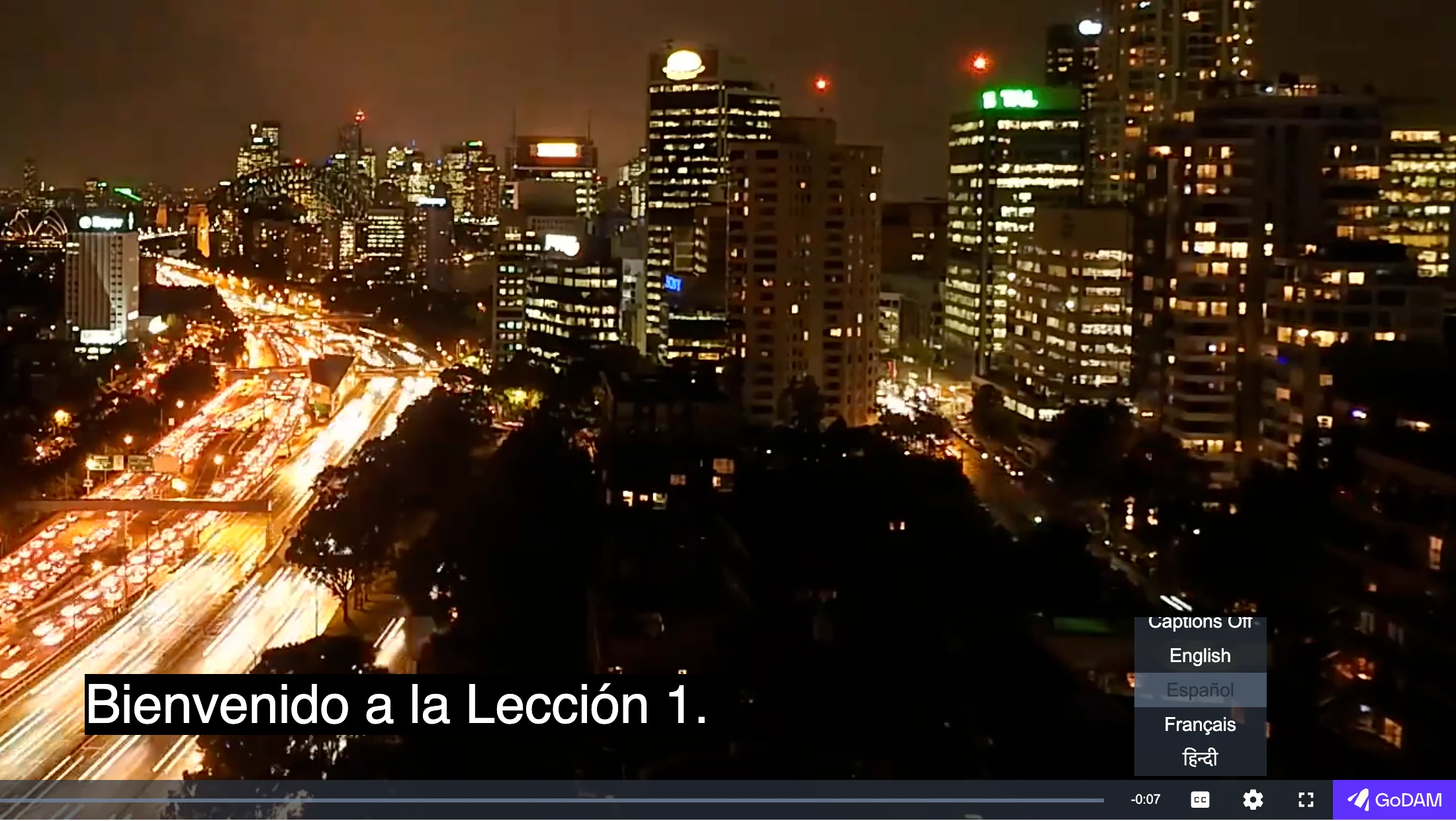
Captions are stored in GoDAM, so every site and page that plays the video gets them, and they show up in GoDAM Central too. Multi-language captions are part of the paid plans.
Tell AI transcription which language to listen for
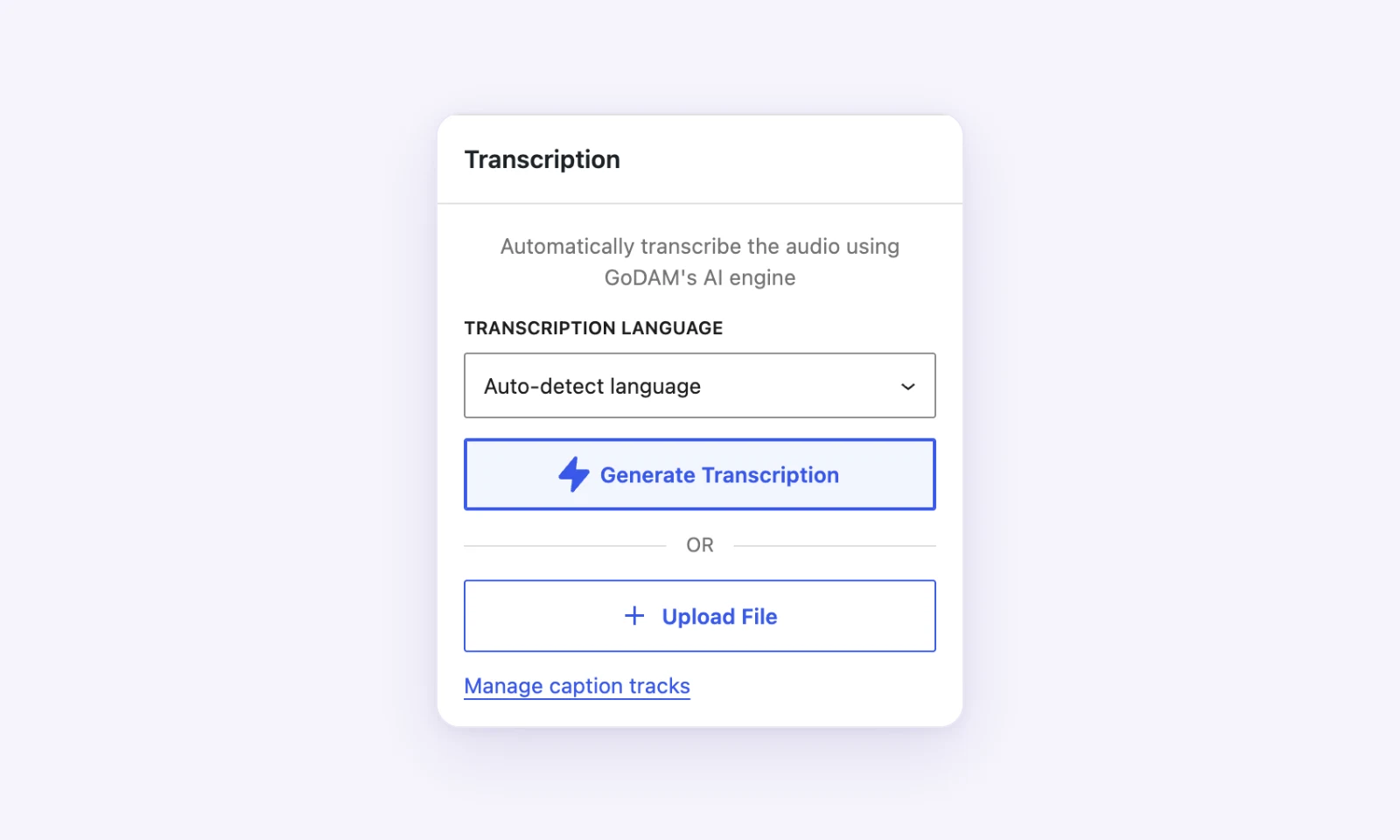
When you generate a transcription, you can now choose the language spoken in the video from 18 languages. Not sure? Let GoDAM detect it. If speakers switch languages mid-video, choose Multiple languages.
Analytics that wait for consent
If your site uses a consent banner that supports the WP Consent API, such as Complianz, Cookiebot, CookieYes or iubenda, GoDAM now waits for the visitor’s statistics consent. Until they choose, GoDAM stores nothing in their browser and sends nothing. If they accept, the views from before are counted, with no reload. If they refuse, nothing is sent.
Sites without a banner are not affected. If your banner doesn’t use the WP Consent API, one filter and one JavaScript call connect it; see Wait for cookie consent.
Pages also stop including the visitor’s IP address or the signed-in user’s ID for analytics. If you use a page cache, purge it after updating.
For WooCommerce stores
GoDAM for WooCommerce 2.3.1 makes product videos, Reel Pops and sale credit follow the same consent. It also fixes notices with WPBakery 9.1, and a critical error when saving a product that is a hotspot in an embedded video. Update both plugins together.
Also in 2.8
The Vimeo migration tab now links straight to the screen in GoDAM Central where you connect Vimeo. Security fixes. We recommend updating.
Already using GoDAM? Update from your Plugins screen, then read Captions and transcription to add your first languages.
New to GoDAM?
GoDAM hosts and plays your videos right inside WordPress. Start free for 60 days, then install the GoDAM plugin from WordPress.org and connect it to your account. Multi-language captions are part of the paid plans.