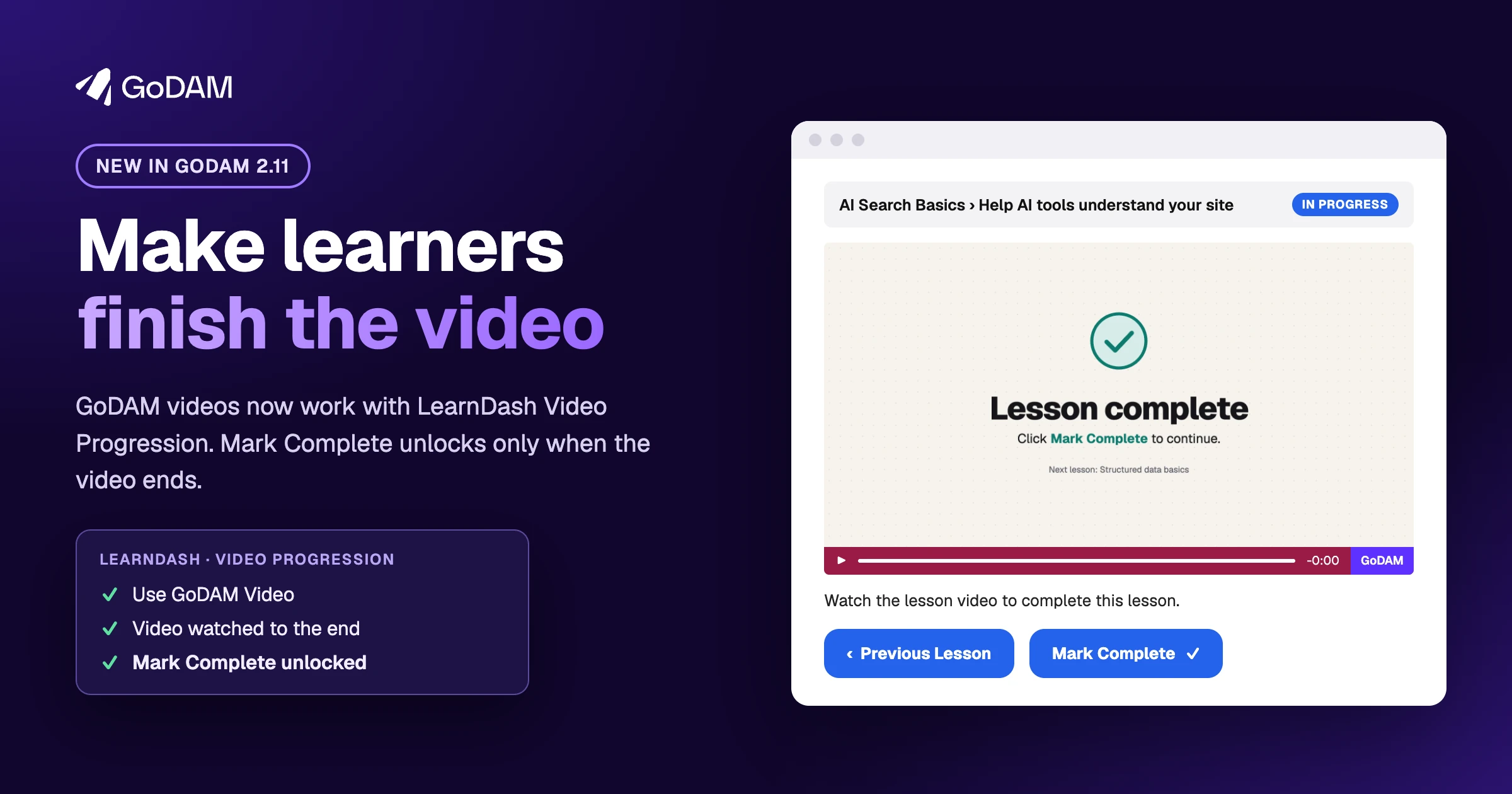
A lesson video only teaches if learners actually watch it. LearnDash has a setting for that, Video Progression: it keeps the Mark Complete button locked until the lesson’s video ends. But LearnDash couldn’t tell when a GoDAM video ended, so a course built on GoDAM videos couldn’t use it. Learners could mark a lesson complete without pressing play.
GoDAM 2.11 fixes that. Your GoDAM videos now work with LearnDash Video Progression on lessons and topics, so learners finish the video before they move on.
Lock Mark Complete until the video ends
In the lesson’s Settings tab, turn on Video Progression, then the new Use GoDAM Video switch, and click Select video. Pick any video from your Media Library or the GoDAM tab, and it becomes the lesson’s video.
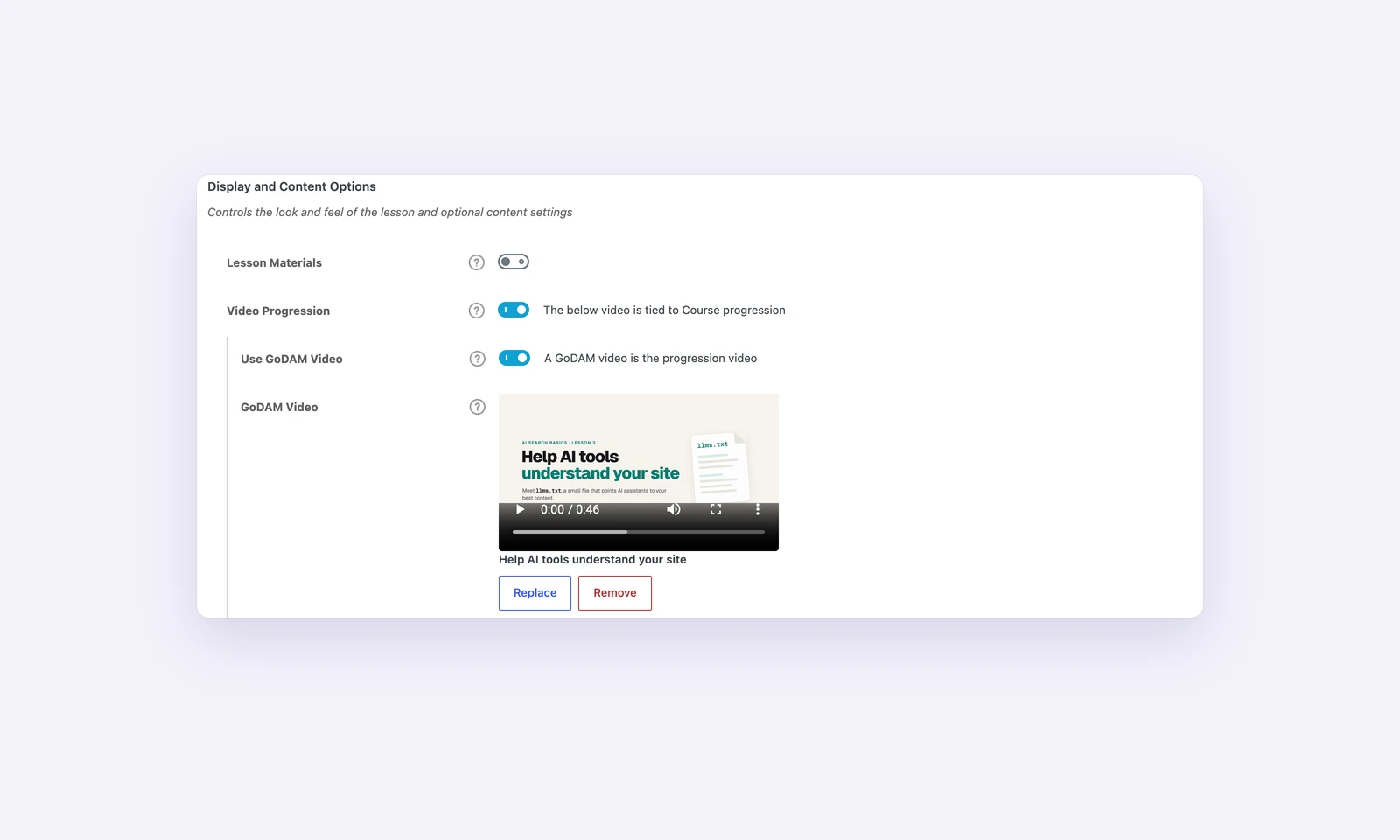
Already have a GoDAM Video block in the lesson? Leave the picker empty and GoDAM uses that block. You can also paste a GoDAM video link into LearnDash’s Video URL field.
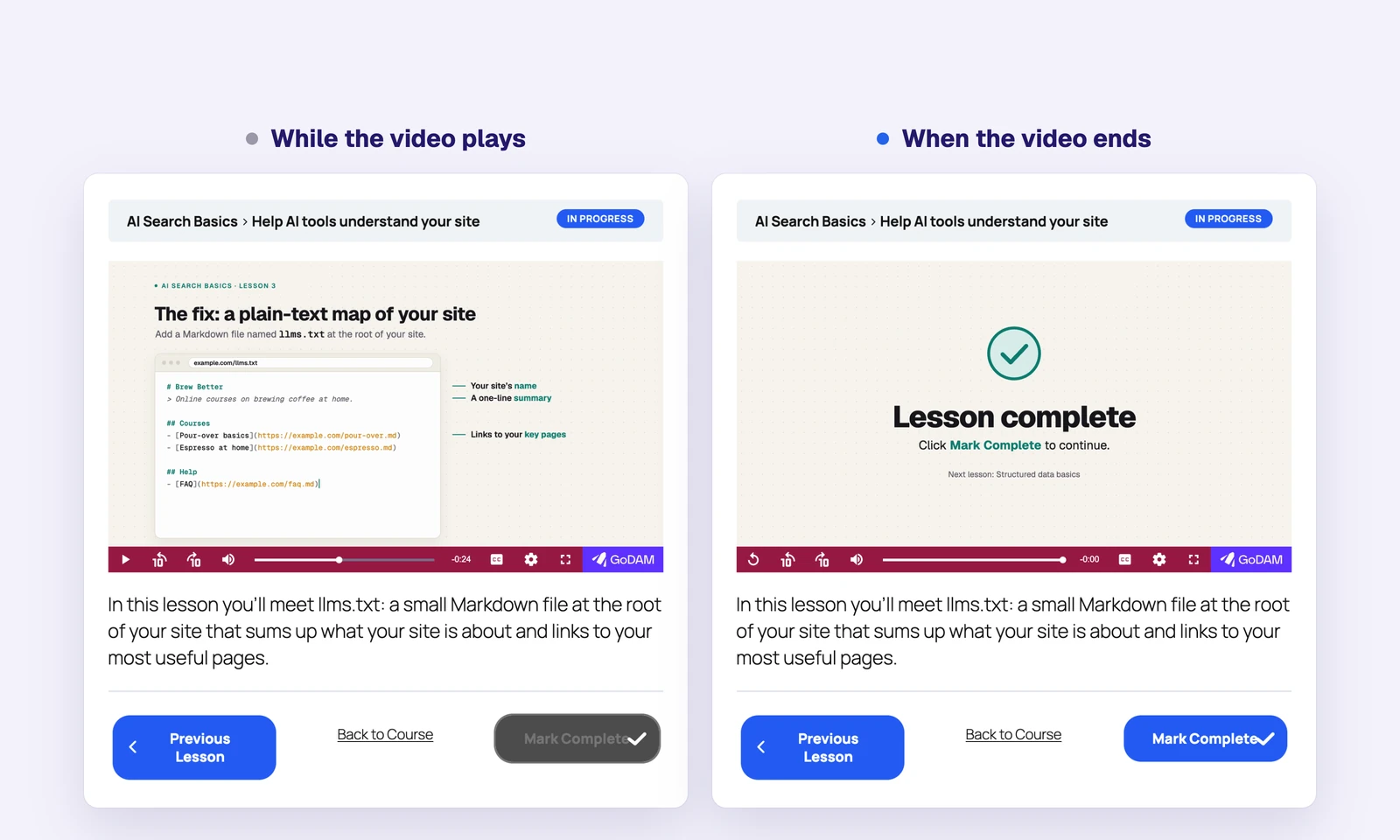
Learners see Mark Complete greyed out while the video plays. When it ends, the button turns on. LearnDash checks on the server too, so the lesson can’t be completed early from the browser.
Your LearnDash video settings still apply
The GoDAM player follows the settings you already know from LearnDash: show the video before or after the lesson’s topics, complete the lesson automatically when the video ends, start it on page load, hide the controls so learners can’t skip ahead, pause it when they switch tabs, and resume where they left off. The LearnDash integration guide walks through every option.
Also in GoDAM 2.11
- Clear transcoding errors: when a video fails to transcode, the Media Library now says why and what to do next. This needs GoDAM Central 2.12.1.
- Trial and renewal at a glance: the GoDAM dashboard and Media Library show how many days are left in your trial, with a link to upgrade. When a plan has expired, GoDAM offers to renew it.
- Privacy controls: a new Track visitors setting in GoDAM › Settings › General turns visitor tracking off, and GoDAM suggests privacy-policy text in WordPress’s Policy Guide.
- Fixes: recorder uploads, video likes and comments work on pages served from a full-page cache; Fluent Forms and Ninja Forms recorder uploads accept only audio and video;
[video]shortcodes for files other than.movplay again; and images from GoDAM’s CDN no longer show cropped to a square or soft on large screens.
Update to GoDAM 2.11
Update GoDAM from Dashboard › Updates in WordPress. For the LearnDash integration, LearnDash needs to be active; we tested it with LearnDash 5.3.1. GoDAM for WooCommerce needs no update for this release.
New to GoDAM?
GoDAM hosts and plays your videos right inside WordPress. Start free for 60 days, then install the GoDAM plugin from WordPress.org and connect it to your account. The LearnDash integration is part of the free plugin.