HubSpot
Show HubSpot Forms Inside Your Videos
Add a HubSpot form layer to any GoDAM video. Viewers fill it in without leaving the player, each entry is saved in HubSpot, and GoDAM sends viewing milestones for known contacts to HubSpot.
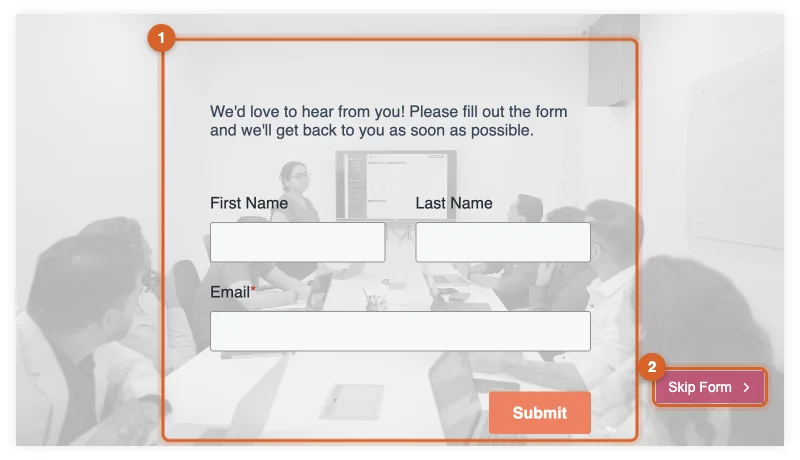
HubSpot Forms Inside the Video
The video pauses at the moment you pick and your HubSpot form appears over it.
Entries Saved in HubSpot
Each entry is saved in HubSpot as a form submission, under Marketing > Forms.
Milestones for Known Contacts
Play start, 25%, 50%, 75% and 100% go on the contact’s timeline in HubSpot.
Add a Form at Any Moment
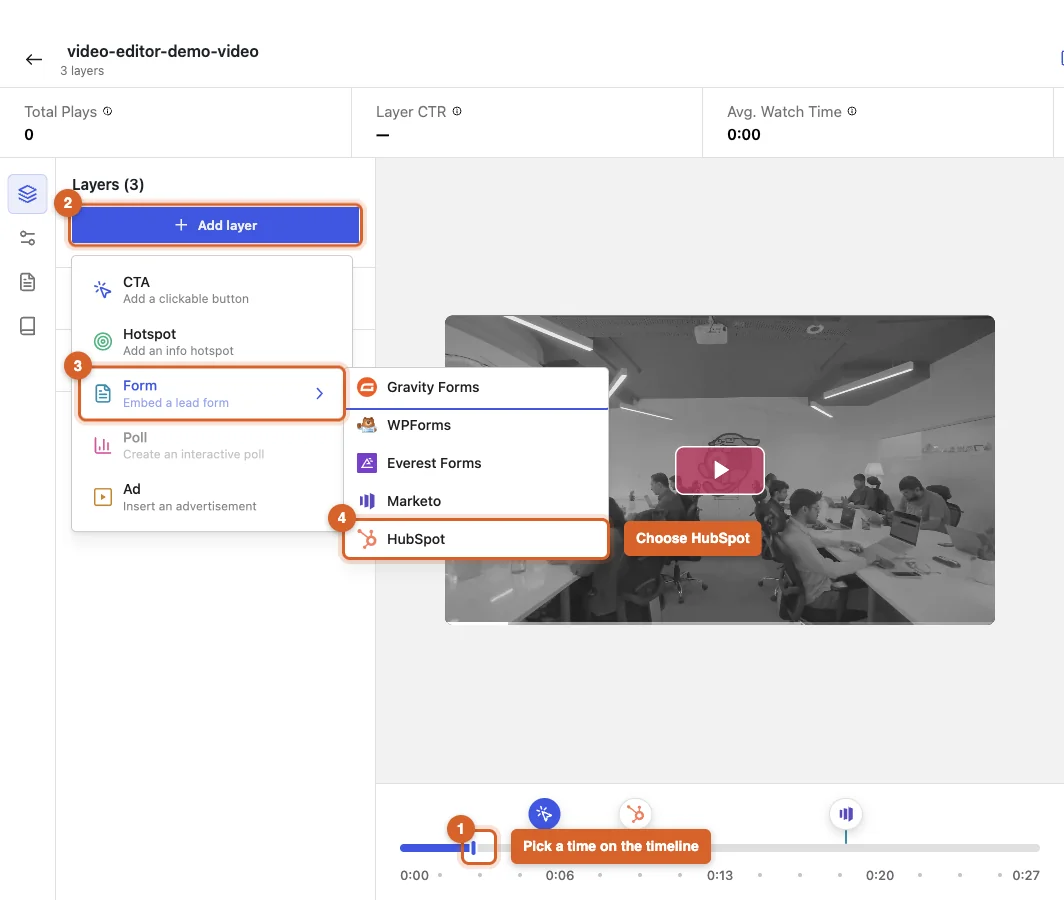
Click the timeline where the form should appear, then choose Add layer > Form > HubSpot. GoDAM lists the forms in your connected HubSpot portal, so you pick one by name.
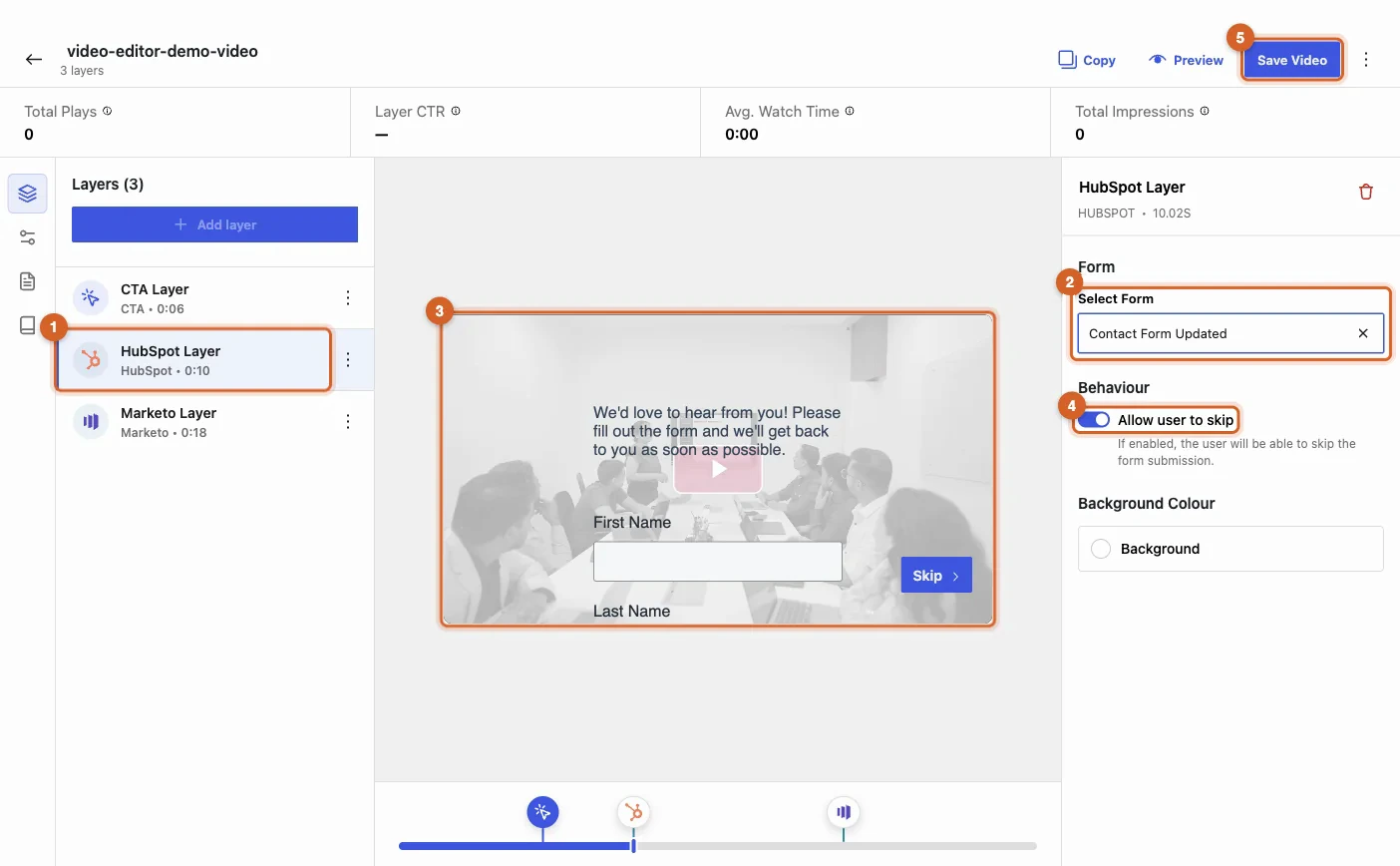
See the Real Form While You Edit
The form previews over the video as you set it up. Turn on Allow user to skip to let viewers carry on watching without submitting, and pick a background colour.
Viewing Milestones for Known Contacts
GoDAM sends viewing milestones for known contacts to HubSpot: play start, 25%, 50%, 75% and 100%. They appear as a GoDAM video view event on the contact’s timeline, ready for lists, workflows and reports. Only watched time counts, and views show only on contacts HubSpot already knows.
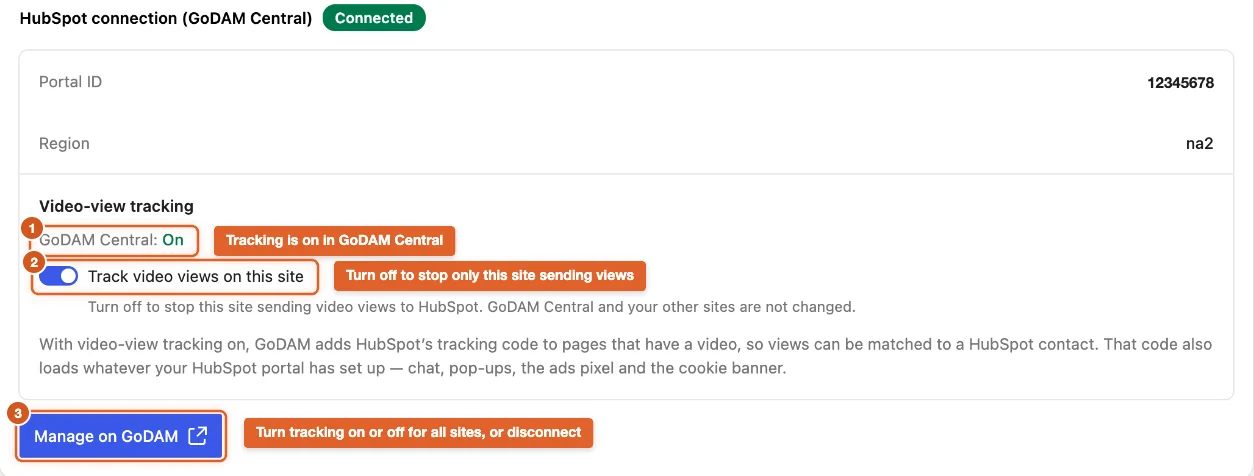
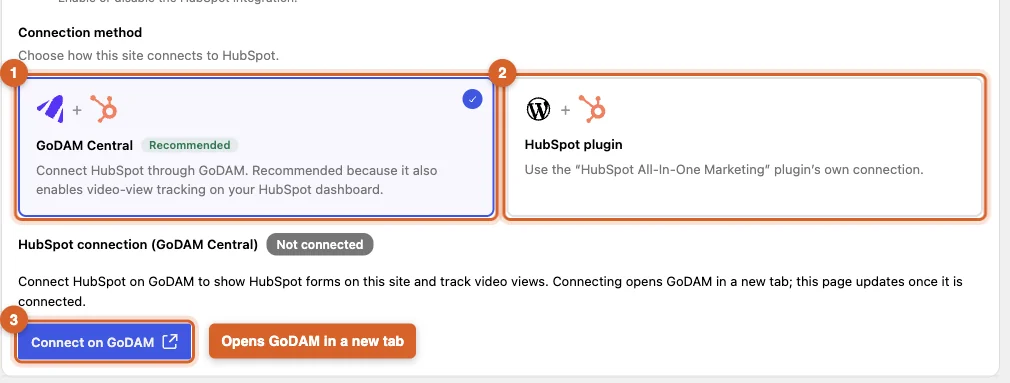
Connect Once Through GoDAM Central
Connect HubSpot on GoDAM and every site on your licence shares the connection, so your HubSpot credentials never sit on your WordPress site. Already use the HubSpot WordPress plugin? GoDAM can use its connection for forms.
Set Up HubSpot in Three Steps

Connect HubSpot
Turn on HubSpot in GoDAM > Settings > Integrations and connect your account on GoDAM.

Add a Form Layer
Open a video in the editor and add a HubSpot form layer where it should appear.

Publish the Video
Add the video to any page. Full steps are in the HubSpot setup guide.
FAQs
Frequently Asked Questions
What you need to know before you connect HubSpot to your GoDAM videos.
Who is the HubSpot integration for?
B2B marketing teams that run HubSpot and publish videos on WordPress. Form entries from your videos land in HubSpot, and your known contacts’ viewing shows up where you already build lists and workflows.
What do I need to get started?
The GoDAM plugin, version 2.6.0 or later, connected to GoDAM with an API key, and a HubSpot account with at least one form.
Which HubSpot plan do I need?
Video-view tracking records each view as a HubSpot custom event, so it needs a HubSpot plan that includes custom events (not Free or Starter). Forms work on every HubSpot plan.
Can I see anonymous viewers in HubSpot?
No. GoDAM sends each view with HubSpot’s own visitor cookie, and HubSpot shows it only on a contact it already knows. Anonymous viewers are still counted in GoDAM’s own analytics.
What exactly is sent to HubSpot?
When a known contact plays a video, GoDAM records the start and 25%, 50%, 75% and 100%. Skipping ahead does not count. Each view includes the video’s name and ID, the percent viewed, the page it was watched on and the video’s length.
How do I control tracking and visitor consent?
Turn tracking on or off for all your sites in GoDAM Central, and switch it off for any single site. GoDAM respects the browser’s Global Privacy Control signal and HubSpot’s opt-out cookies, and developers can hold HubSpot’s tracking code until a visitor consents.
Do I need the HubSpot WordPress plugin?
No. GoDAM connects through GoDAM Central by default. If the HubSpot All-In-One Marketing plugin is active, you can use its connection instead, but that gives you forms only: video-view tracking needs the GoDAM Central connection.
Does it work outside WordPress?
Yes. Embed the video with the GoDAM Embed Code on any website that also has your HubSpot tracking code, and views from known contacts are recorded there too. A plain iframe embed plays the video but is not tracked. See HubSpot and Marketo on GoDAM Central.
More INTEGRATIONS
Connect GoDAM with Your Favorite WordPress Tools
Integrate GoDAM with popular WordPress plugins to capture leads, engage viewers, and extend your video workflows.
Jetpack
Enhance video-powered WordPress sites with security, performance optimization, backups, uptime monitoring, and traffic insights.
WPForms
Create user-friendly contact forms, surveys, registrations, and payment forms that seamlessly integrate with interactive video experiences.
SureForms
Build AI-powered forms with smart field suggestions, conversational workflows, and streamlined data collection.
Fluent Forms
Capture leads through fast, lightweight forms, quizzes, surveys, and payment forms integrated into engaging video journeys.
Elementor
Design custom landing pages and interactive video experiences using Elementor’s drag-and-drop builder and flexible design controls.
Contact Form 7
Connect one of WordPress’s most popular form builders to videos for lead capture, inquiries, registrations, and customer engagement.
Put Your HubSpot Forms Inside Your Videos
Connect HubSpot, add a form layer, and send viewing milestones for known contacts to HubSpot.