AI agents · MCP
Build Sites at the Speed of Thought
Connect Claude Desktop, Cursor or another AI agent to your WordPress site. Ask it to import video, add interactive layers and place GoDAM media on your pages, and it does the work in GoDAM, within your WordPress permissions.
Runs as your WordPress user
The agent signs in as a WordPress user and can only do what that user can. An Author’s agent can change only that Author’s media, and sees the library like any Author.
You decide what it can change
Turn off changes in Settings > Writing to keep agents read only, or turn MCP off entirely in GoDAM > Settings > General.
Your API key stays private
Agents never see or change your GoDAM API key, and they cannot delete your media.
From Prompt to Published Page
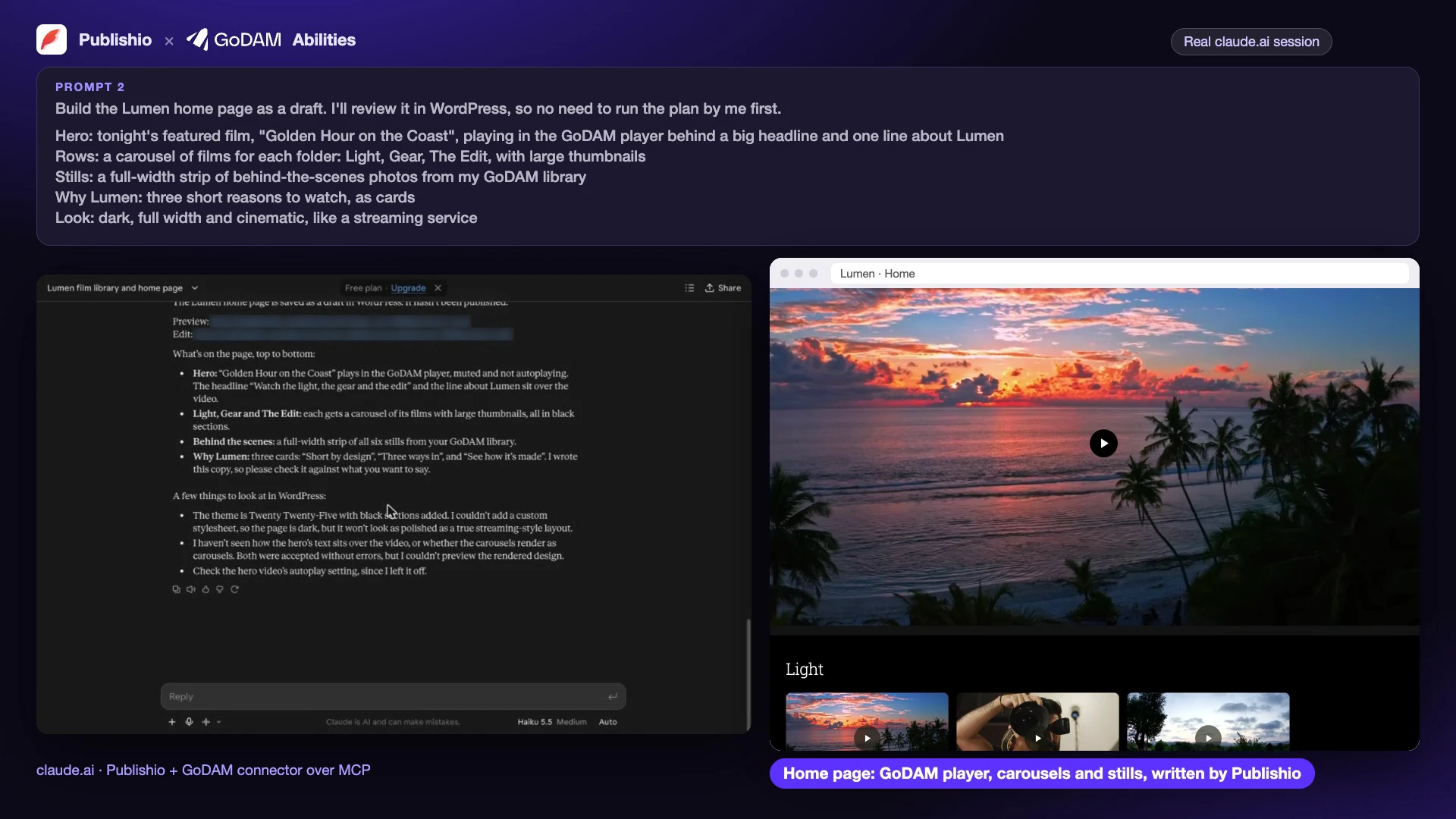
Say what you want: “Put the Golden Hour film in the GoDAM player at the top of the home page, with a gallery of films below.” Your agent does each step in GoDAM, the same way you would in the screens, and everything it creates stays editable.
CTAs, Forms, Polls and Hotspots from a Prompt
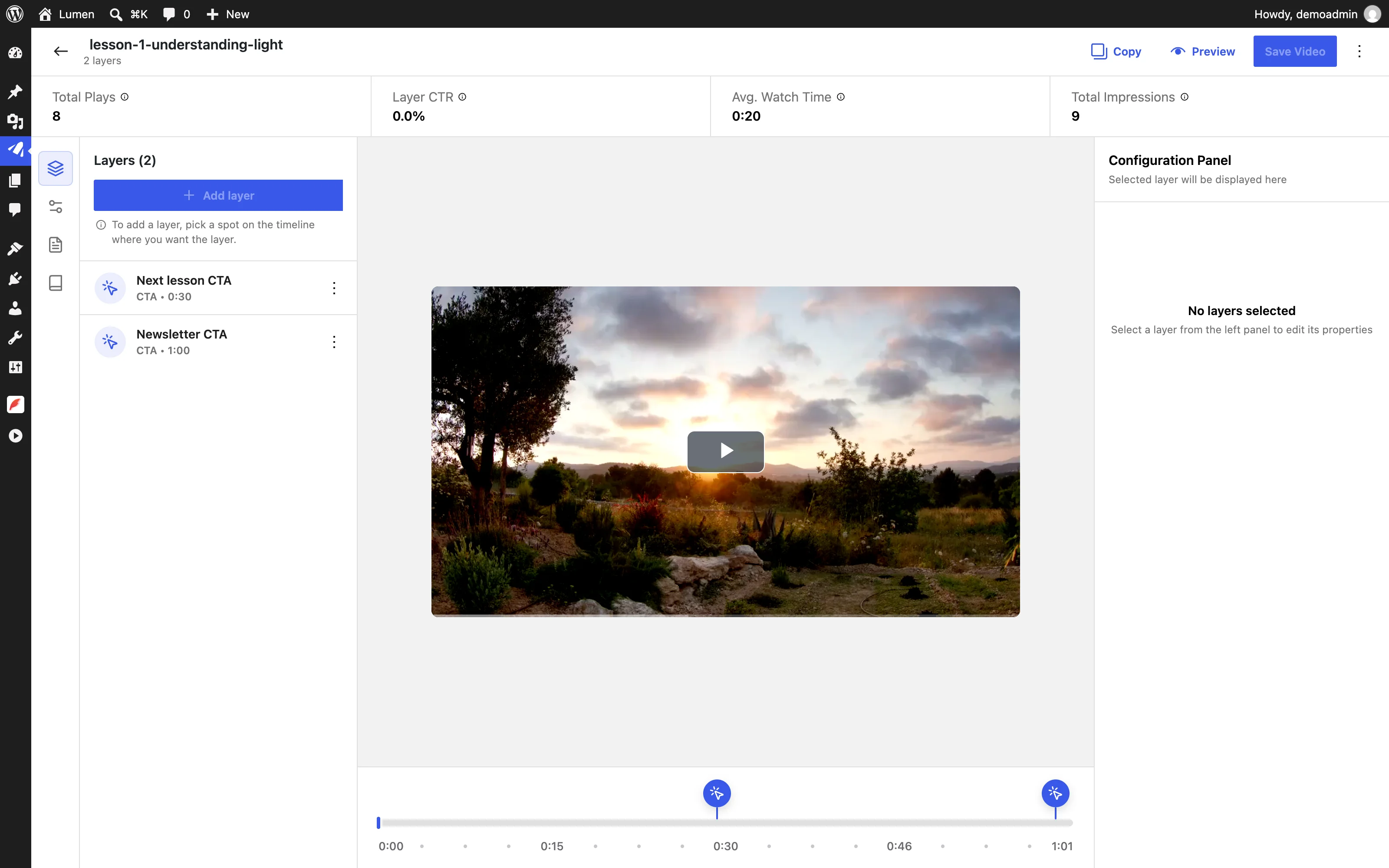
Ask for a call-to-action at 30 seconds, a signup form at the end or a poll halfway through. GoDAM adds the layers, and they open in the video editor like any other, ready to tweak.
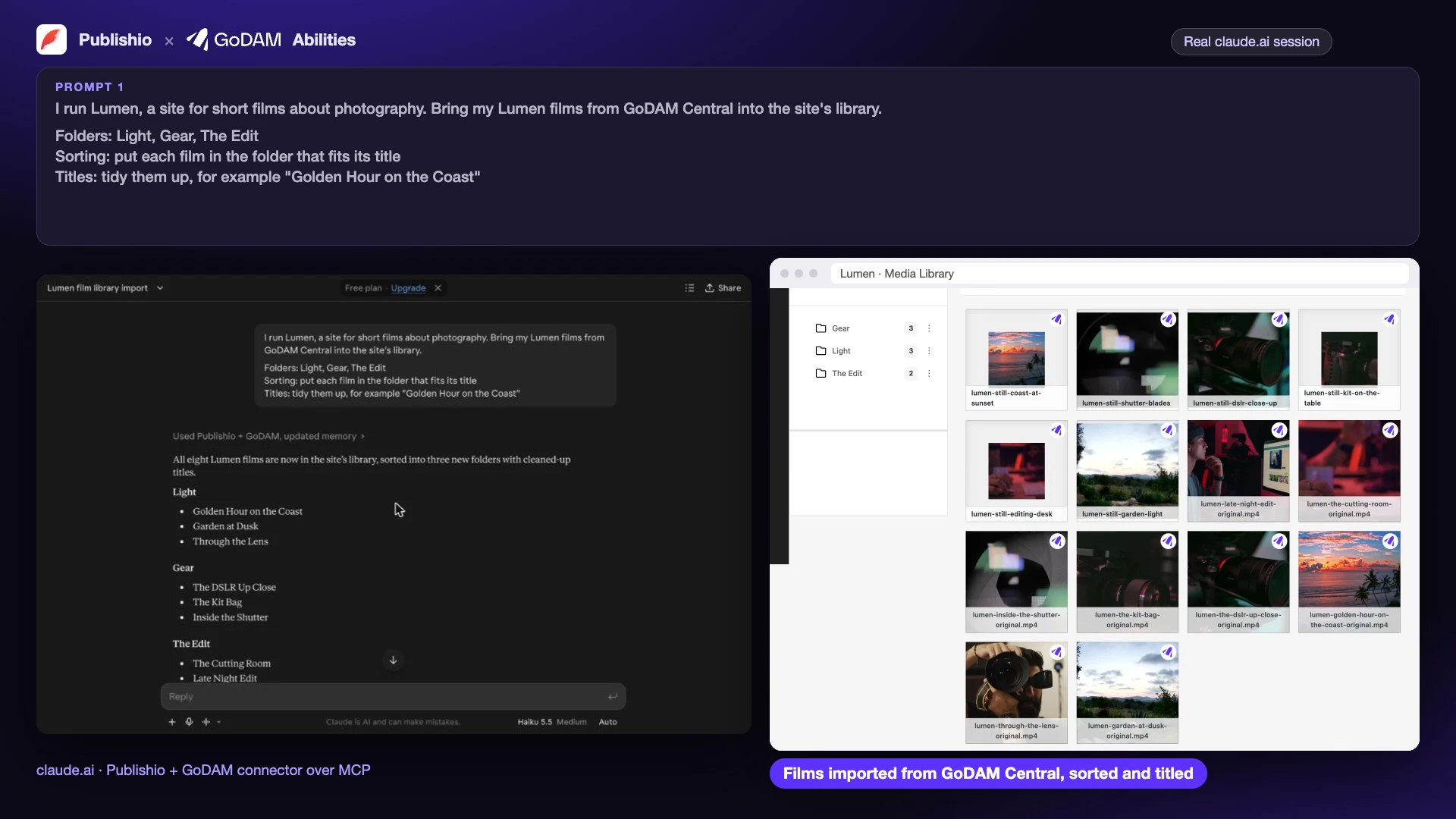
Your Library, Organised
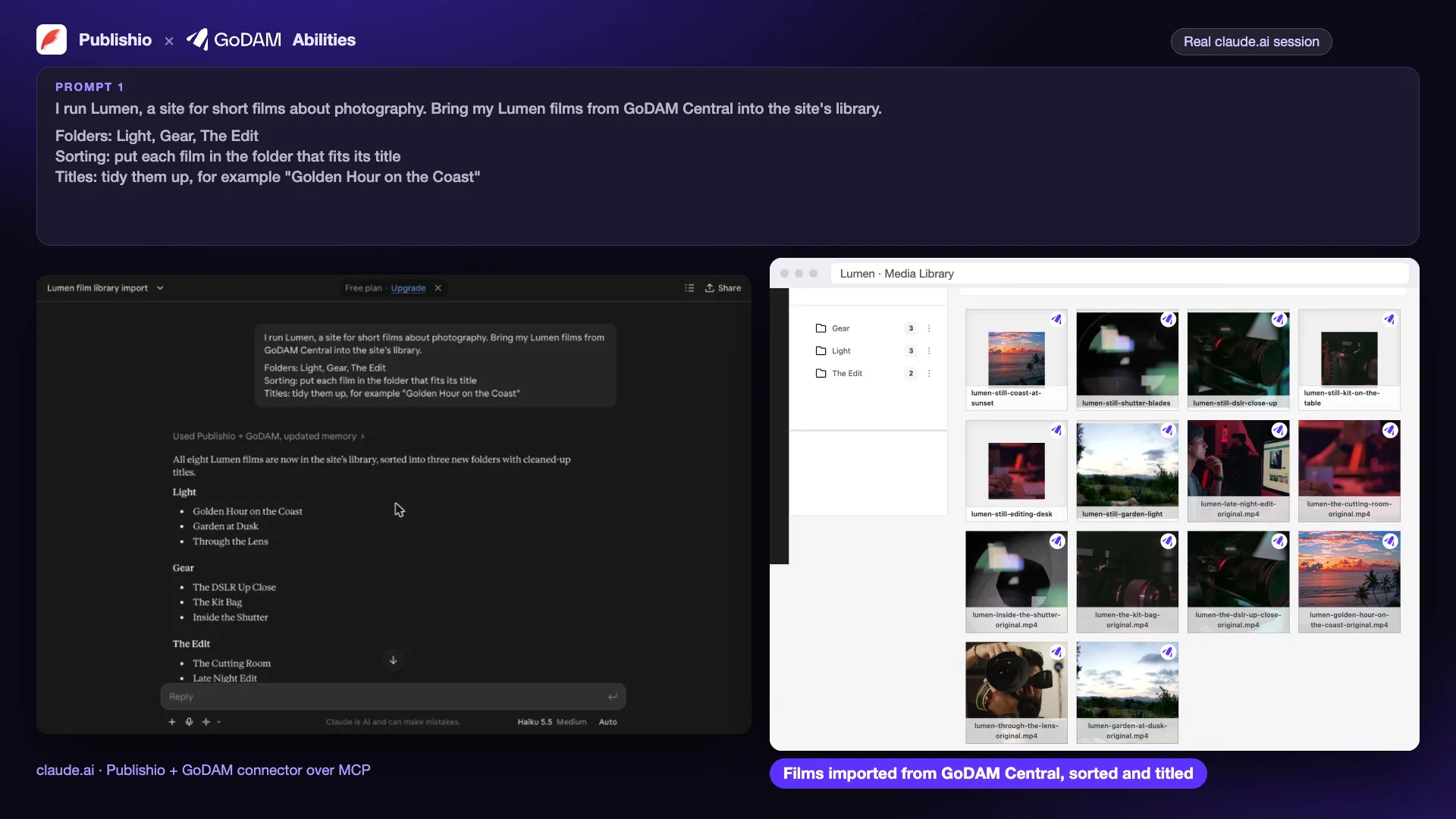
Your agent brings media in from GoDAM Central or a link, sorts it into folders, tidies titles and alt text, and checks what needs attention: failed transcoding, missing transcripts and media not used anywhere.
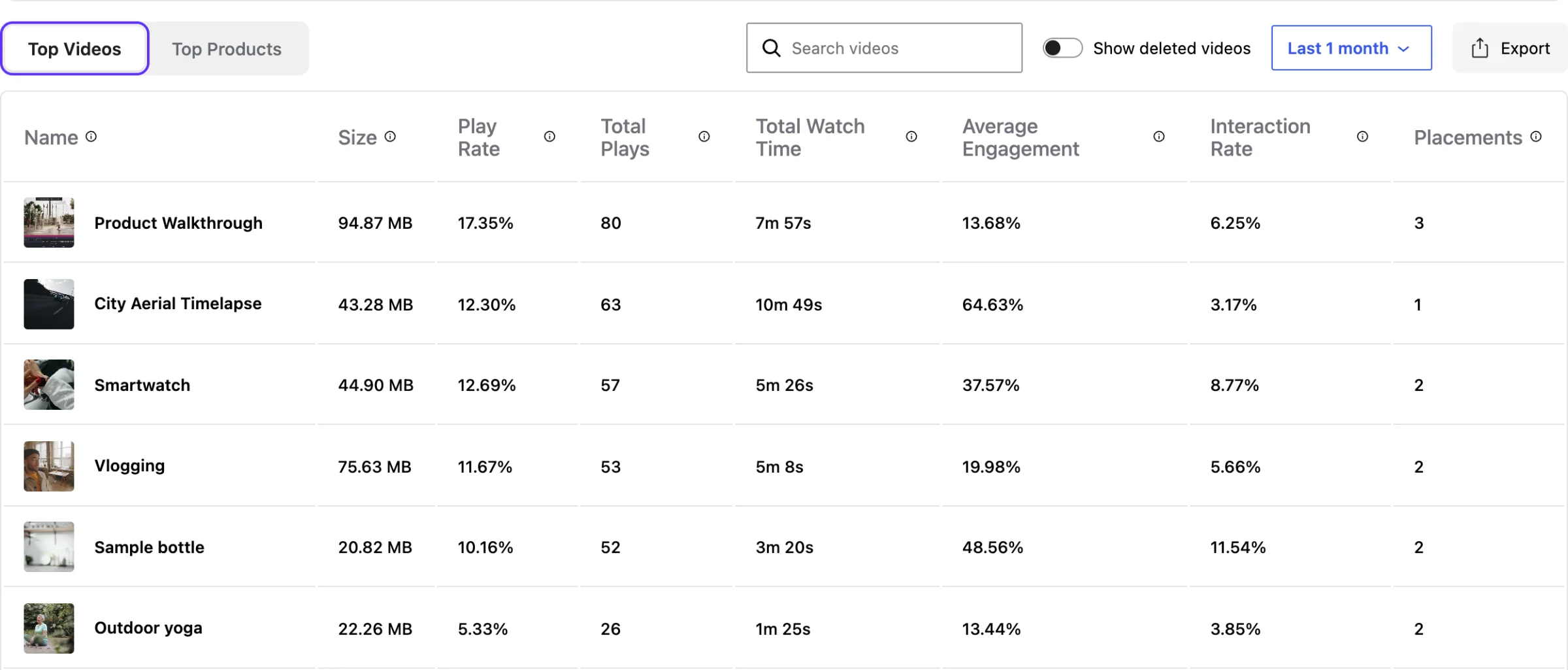
Answers From Your Analytics
“Which videos kept viewers watching last month?” Your agent reads GoDAM analytics and answers in plain words: top videos, engagement funnels, layer clicks and placement performance.
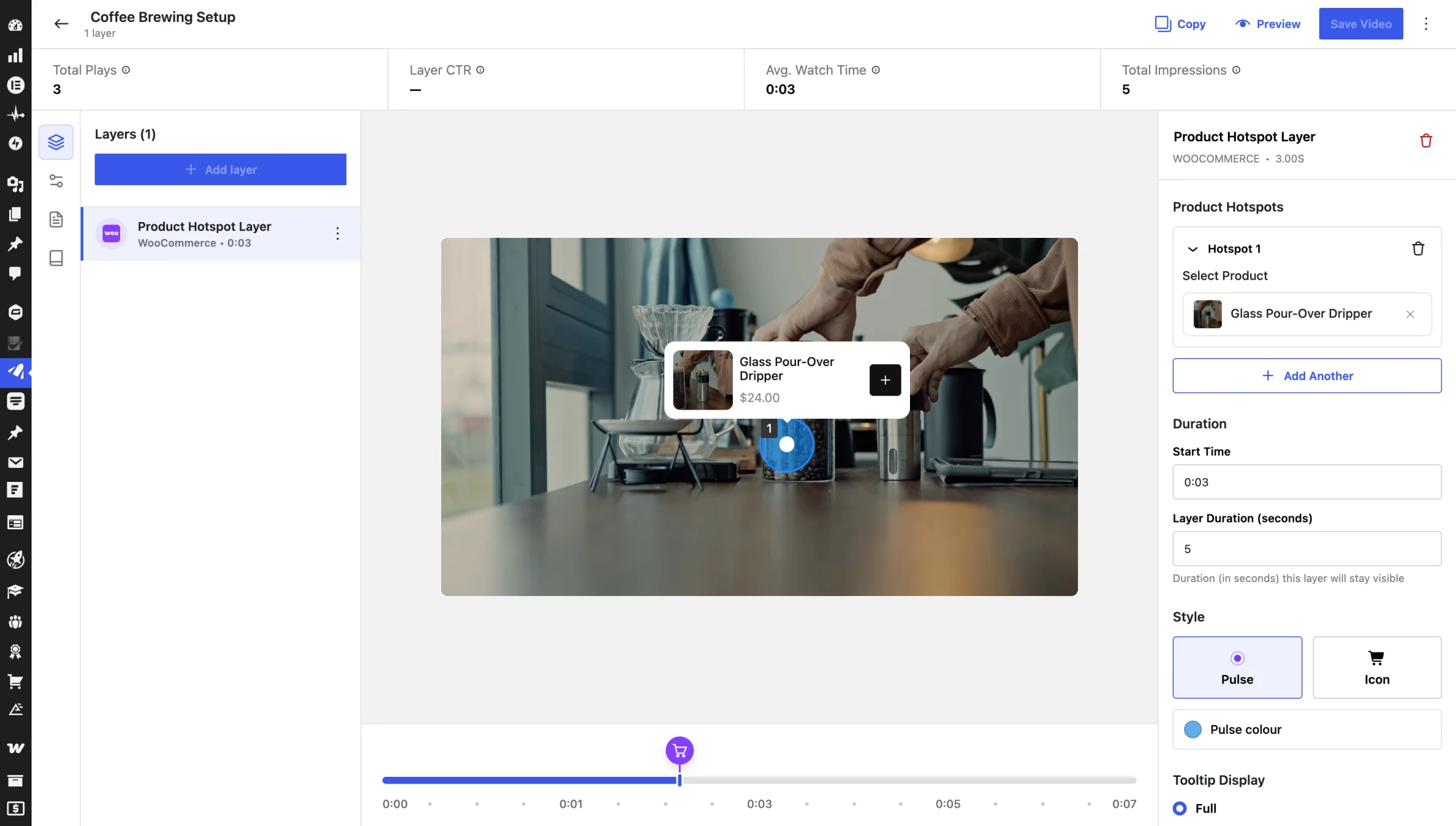
Shoppable Video, Set Up by Your Agent
With GoDAM for WooCommerce, your agent links videos to products, adds product hotspots and builds product reels and Reel Pops. Product changes stay limited to Shop Managers and Administrators.
Connect Your AI Agent in Three Steps
- Update GoDAM to 2.10.0, and GoDAM for WooCommerce to 2.5.0 if you run a store.
- Install the free MCP Adapter plugin from WordPress.org.
- Create an Application Password and add your site to your AI agent.
QnA
Which AI agents work?
Claude Desktop, Claude Code, Cursor and other AI agents that support MCP and can sign in with an Application Password. ChatGPT can’t connect yet: its connectors sign in only through OAuth, which comes later with the one-click connection through GoDAM Central.
Do I need a paid plan?
Many tasks work on any site, including reading a transcript a video already has. Requesting a transcript, analytics, retranscoding and importing from GoDAM Central use GoDAM’s cloud and need a GoDAM plan.
Can the agent delete my media?
No. Agents can add and change media, layers and pages, but they cannot delete media.
Can anything reach GoDAM without the MCP Adapter?
No. Without the MCP Adapter active, GoDAM’s abilities are not listed anywhere, including WordPress’s Abilities API at /wp-json/wp-abilities/v1/. With the adapter active, a signed-in user with an Application Password can also use them there, within their WordPress role. Turn MCP off in GoDAM > Settings > General to hide them everywhere.
Can I stop it making changes?
Yes. Turn off changes in Settings > Writing > GoDAM and AI agents, or turn MCP off in GoDAM > Settings > General.
More Features
Explore More Ways To Power Your Videos
Discover additional tools that help you engage viewers, improve performance, optimize content, and get more value from every video.
Ad-Free Video Player
Deliver distraction-free viewing experiences with a fully branded, customizable video player.
Interactive Video Layers
Add forms, hotspots, polls, and CTAs that turn passive viewers into active participants.
Detailed Video Analytics
Track engagement, watch time, drop-offs, and viewer behavior with actionable insights.
Video Gallery Block
Create beautiful, responsive video galleries directly within WordPress pages and posts.
GoDAM Central Library
Centralize videos, images, audios, and documents for faster collaboration and content management.
Video Engagement
Boost engagement with likes, comments, and viewer interactions.
Let Your AI Agent Run Your Video
Import, organise, add interactive layers and publish, from a prompt, with GoDAM.