GoDAM 2.1 and GoDAM for Woo 2.1 are now available. Along with a set of improvements and refinements, two changes stand out: images can now do more than sit on a page, and analytics can show you where a video was watched, not just how it performed.
One photo, five products
Say you sell furniture and have a good photo of a styled living room.
Until now, that image was mostly a dead end. You could write a caption listing the products, or place product cards underneath it, but readers still had to work out which lamp, sofa, or rug you were talking about.
GoDAM 2.1 changes that with interactive image hotspots.
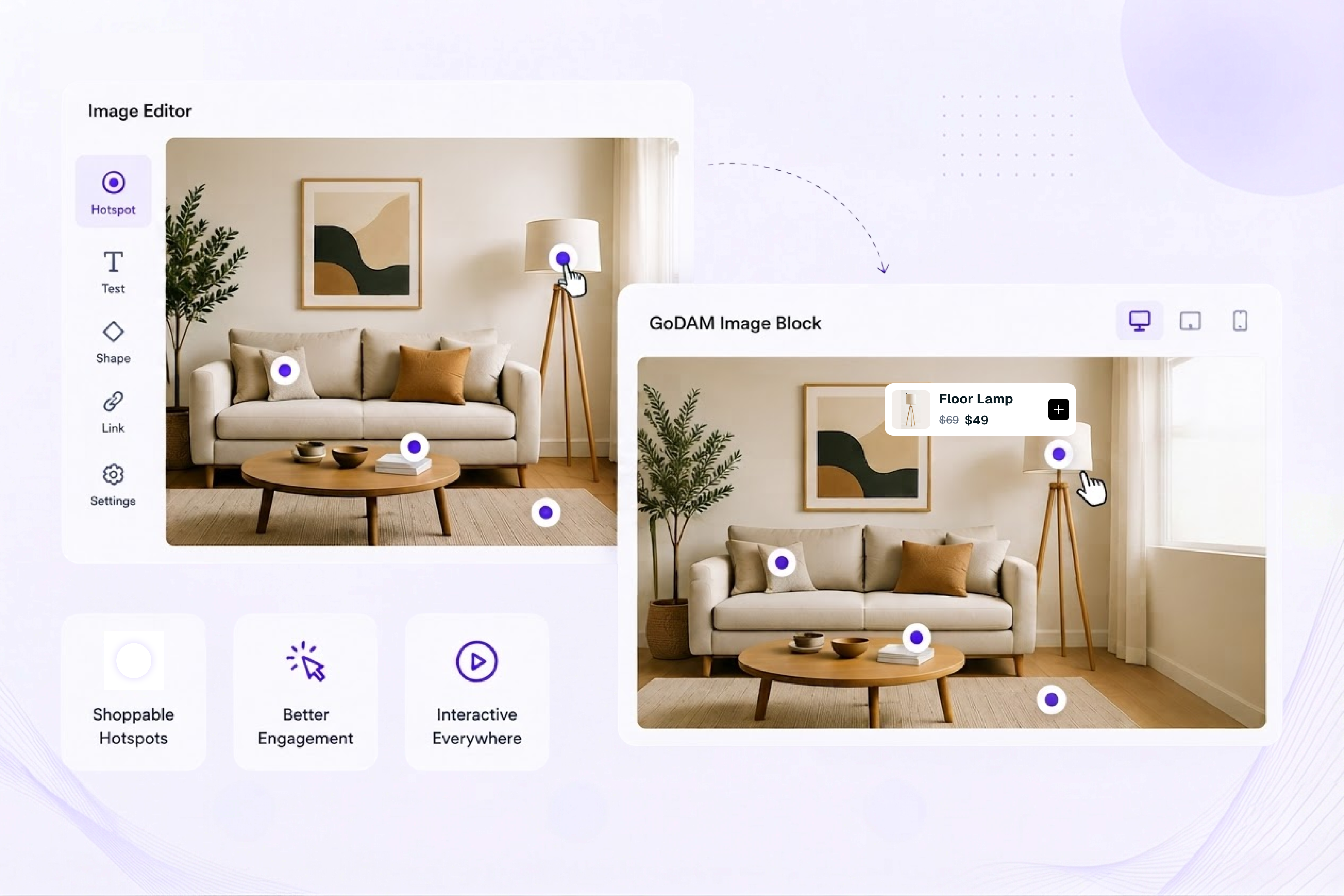
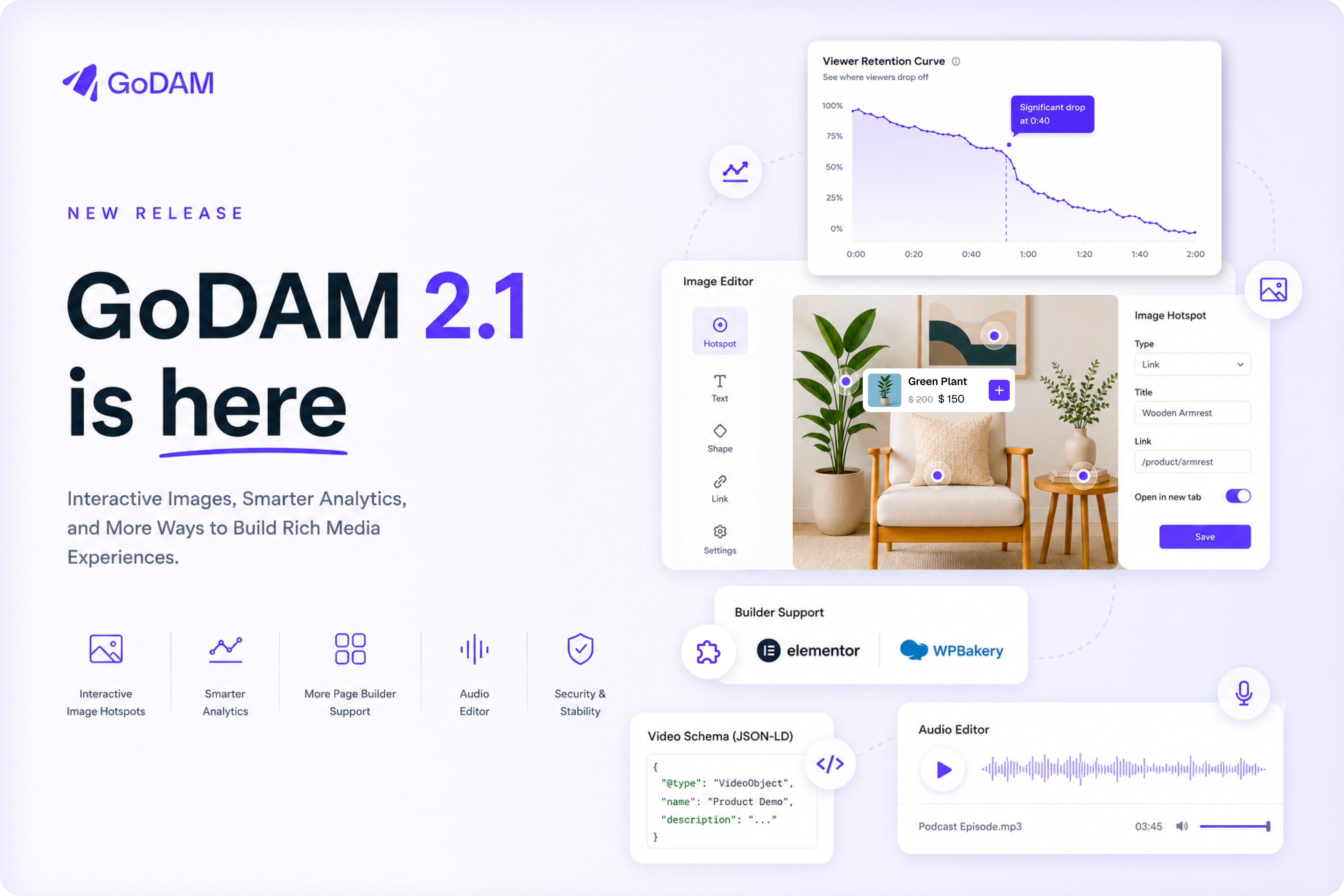
The new Image editor lets you place Hotspot layers directly on an image. Add a dot to the sofa, another to the lamp, and another to the rug. Then use the new GoDAM Image block to place that interactive image anywhere on your site.
If you’ve built an interactive video in GoDAM, the editing experience will feel familiar.
The idea isn’t limited to online stores, either. You could use hotspots on a dashboard screenshot to explain each panel, or on a machine diagram to label individual parts.
If you’ve ever exported a design from Figma as a flat PNG and then explained it with a paragraph underneath, you now have another option.
For GoDAM for Woo 2.1, hotspots can also connect directly to products. Click the lamp, and you can buy the lamp.
We built this because interactive video already gave you a way to make motion content more useful. We wanted images to have that same level of interaction.
Which of your three embeds is doing the work?
Here’s a situation you might recognise: you have one good product video. It sits in the product gallery, runs in a Reel Pop, and someone embedded it in a blog post six months ago. Your overall view count looks healthy. But which of those placements is actually driving the views?
GoDAM has tracked where media is used since 1.13, but that information wasn’t available in analytics. That’s what the new Placements report is for.
Pick a video and you’ll see its plays and watch time broken down across all our supported product surfaces.
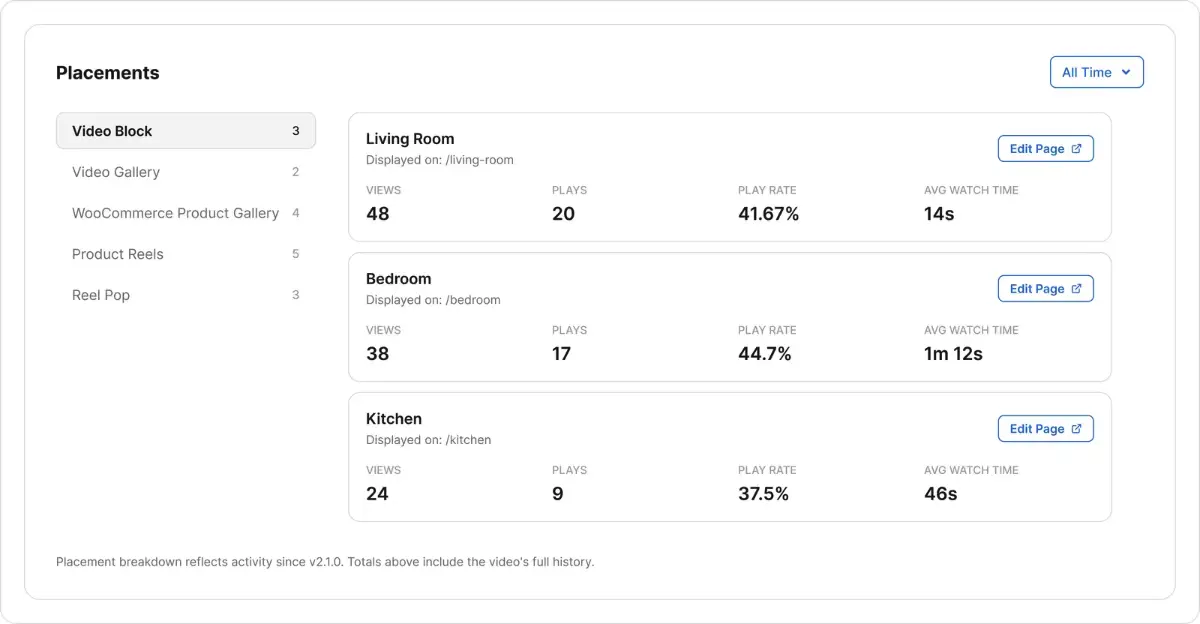
That means you can compare the same video across different parts of your site instead of treating every play as the same.
One detail worth knowing when you look at the numbers: placement totals can be lower than the video’s overall play count. This because we this new interface only surfaces plays where we can reliably attribute placements. In all other cases, plays only count toward the overall number.
Why is everyone leaving at 0:40?
While we were at it, we also decided to use our analytics data to make it easier for you answer this kind of a question. Our per-video heatmap could tell you this if you squinted at enough, but GoDAM 2.1 makes it much easier with a Viewer Retention Curve.
If the line drops sharply at 0:40, you can go back to the video and look at what’s happening there. Maybe there’s a long brand animation before the useful content starts. Remove it, and you can see whether the drop-off changes.
That’s the value of a retention curve: it makes it easier to connect viewer drop-off with what is actually happening in the video.
Analytics also gets a date range picker that works across every metric. So instead of looking at a video’s lifetime numbers, you can ask a more useful question: how did the video we published during a particular campaign actually perform?
Five new widgets for Elementor, two for WPBakery
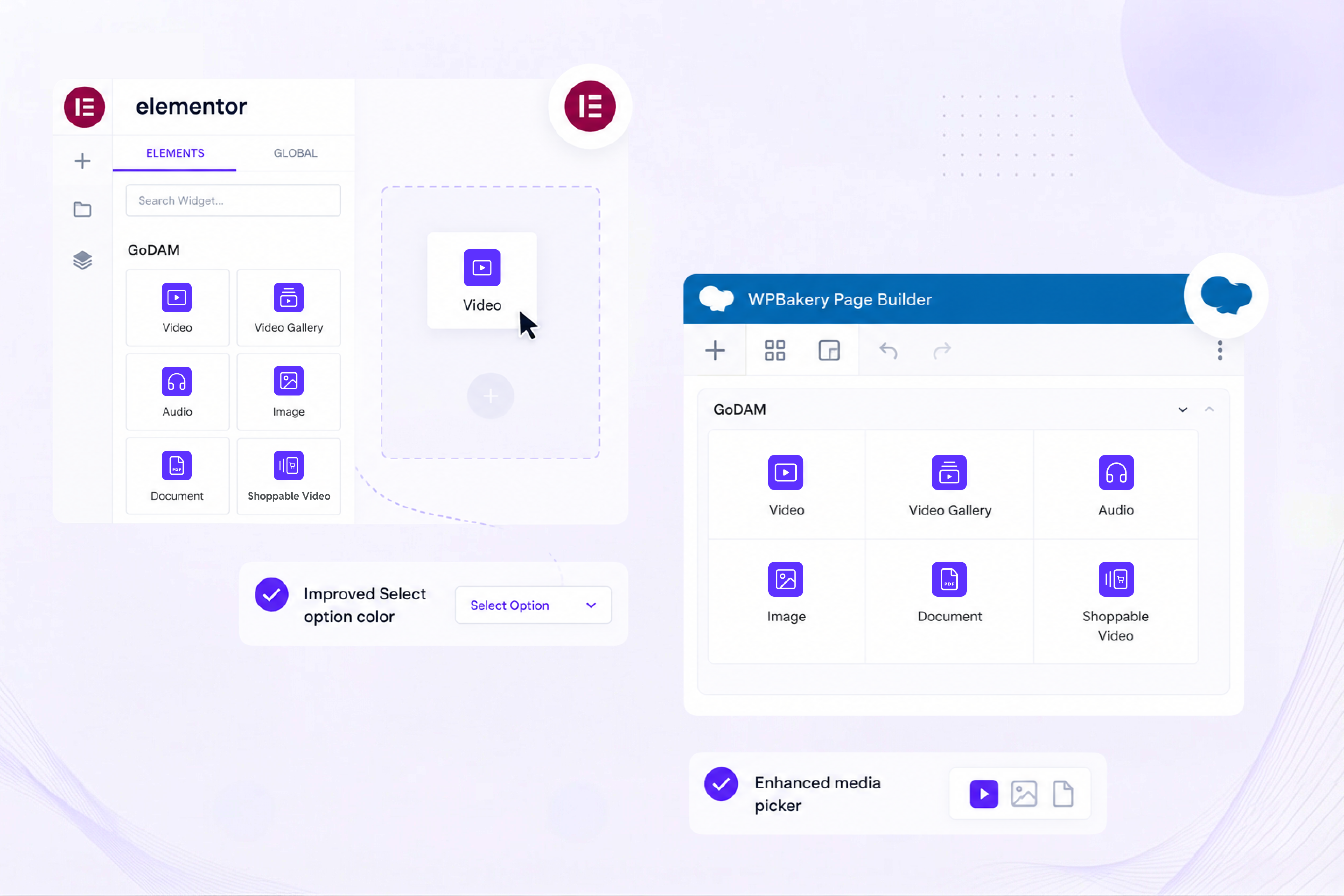
If you build with Elementor, you’ve probably added GoDAM media with a shortcode, a Custom HTML block, or help from a developer. GoDAM 2.1 adds dedicated Elementor widgets for:
- Video
- Video Gallery
- Audio
- Image
- Document
They now sit alongside the other widgets in the Elementor panel.
We also fixed the Select option colour and improved the media picker popup, two areas that have caused frustration for Elementor users.
For WPBakery Page Builder, GoDAM 2.1 adds Document and Image blocks and updates the existing GoDAM blocks.
We’re excited to ship day-one support for WPBakery 9.0 in GoDAM 2.1.
The result is straightforward: no matter your preferred editor, you can work with GoDAM media directly, instead of relying on workarounds.
A few more things worth knowing
This release includes security fixes, with a few other improvements worth calling out.
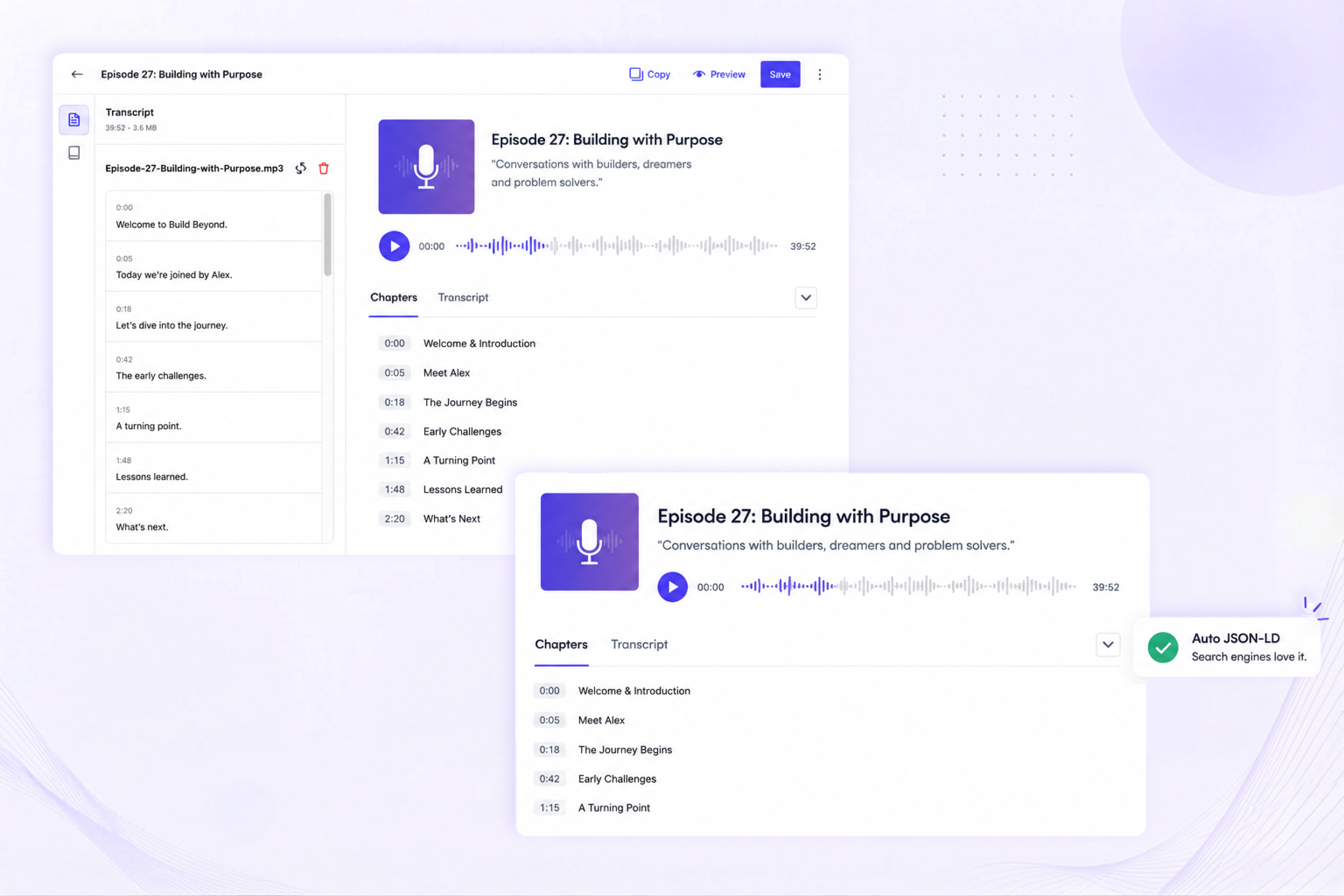
A dedicated Audio editor
Audio attachments now have their own editing screen instead of using the video editor. If you’re publishing a podcast through WordPress, you can now manage audio in an editor designed for it.
Video structured data for better SEO
GoDAM now writes video JSON-LD schema at render time for block templates, template parts, and patterns. That means videos placed in those locations can still get the structured data search engines look for, without you having to configure it page by page.
A more flexible editor
The Video editor canvas now scales to fit its container, which makes it easier to work with on smaller laptop screens. We also made a number of fixes to transcript editing.
What changes in GoDAM for Woo 2.1?
GoDAM for Woo 2.1 builds on the same changes.
- The Shoppable Video block has been redesigned with new attributes and now works with Elementor.
- Product hotspots can be added to image attachments through the new Image editor and the Gutenberg Image block.
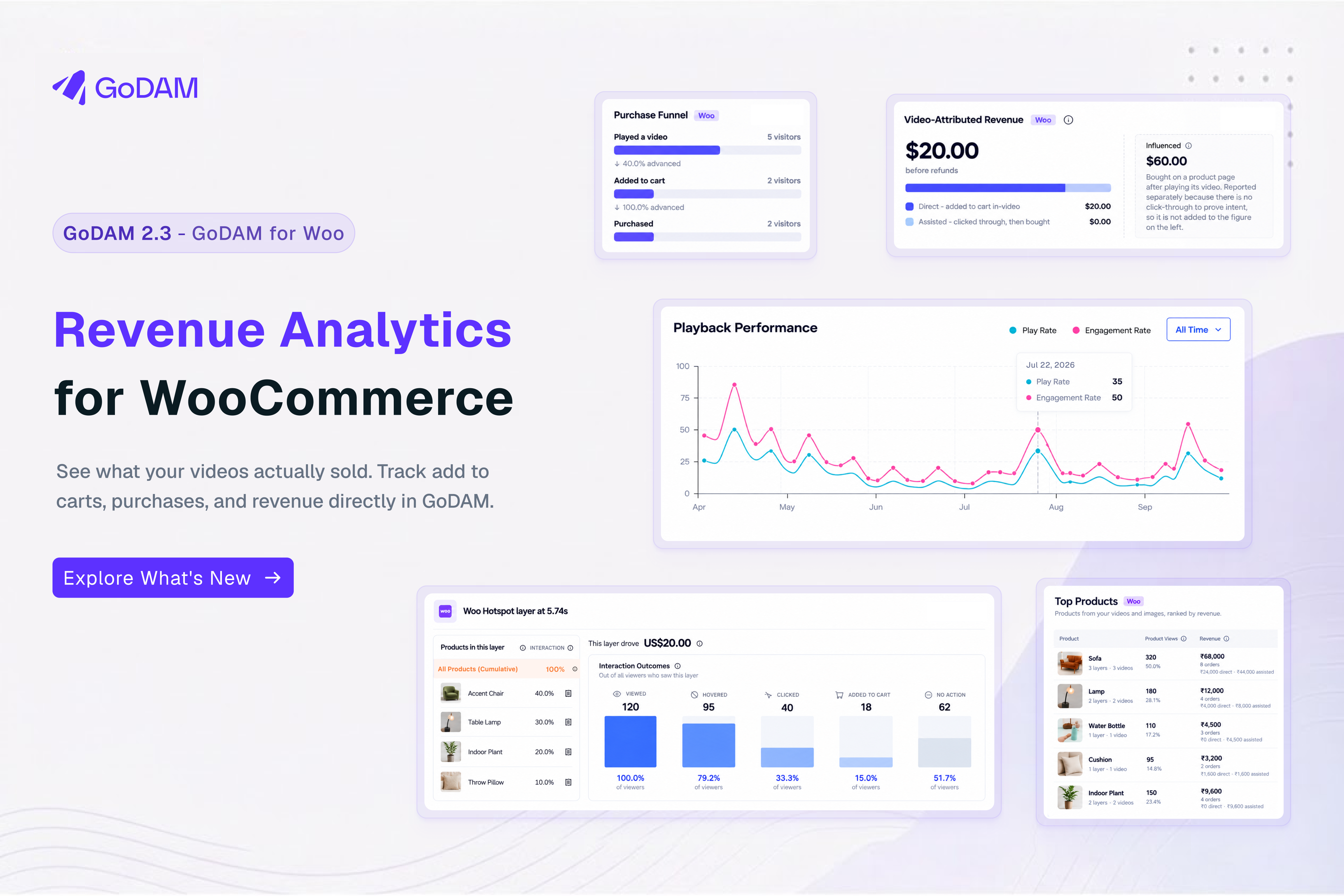
- Reel Pop analytics also gets the new Placements report and date range picker, so you can use the same reporting approach across your video experiences.
- We also cleaned up the hotspot background and icon colours.
GoDAM for Woo 2.1 requires GoDAM 2.1 or later. Update GoDAM first, then update the GoDAM for Woo companion plugin.
GoDAM 2.1 is available now
GoDAM 2.1 gives you more ways to make media interactive, more useful analytics for understanding video performance, and better support for the WordPress page builders you already use.
The biggest change is the new Image editor. We built it because we think images can do more than display information. They can help people explore it.
You can also explore the full changelog and documentation below. If you have any questions, please reach out to us at team@godam.io. We read every email!
Links : GoDAM on WordPress.org | Full changelog | GoDAM documentation