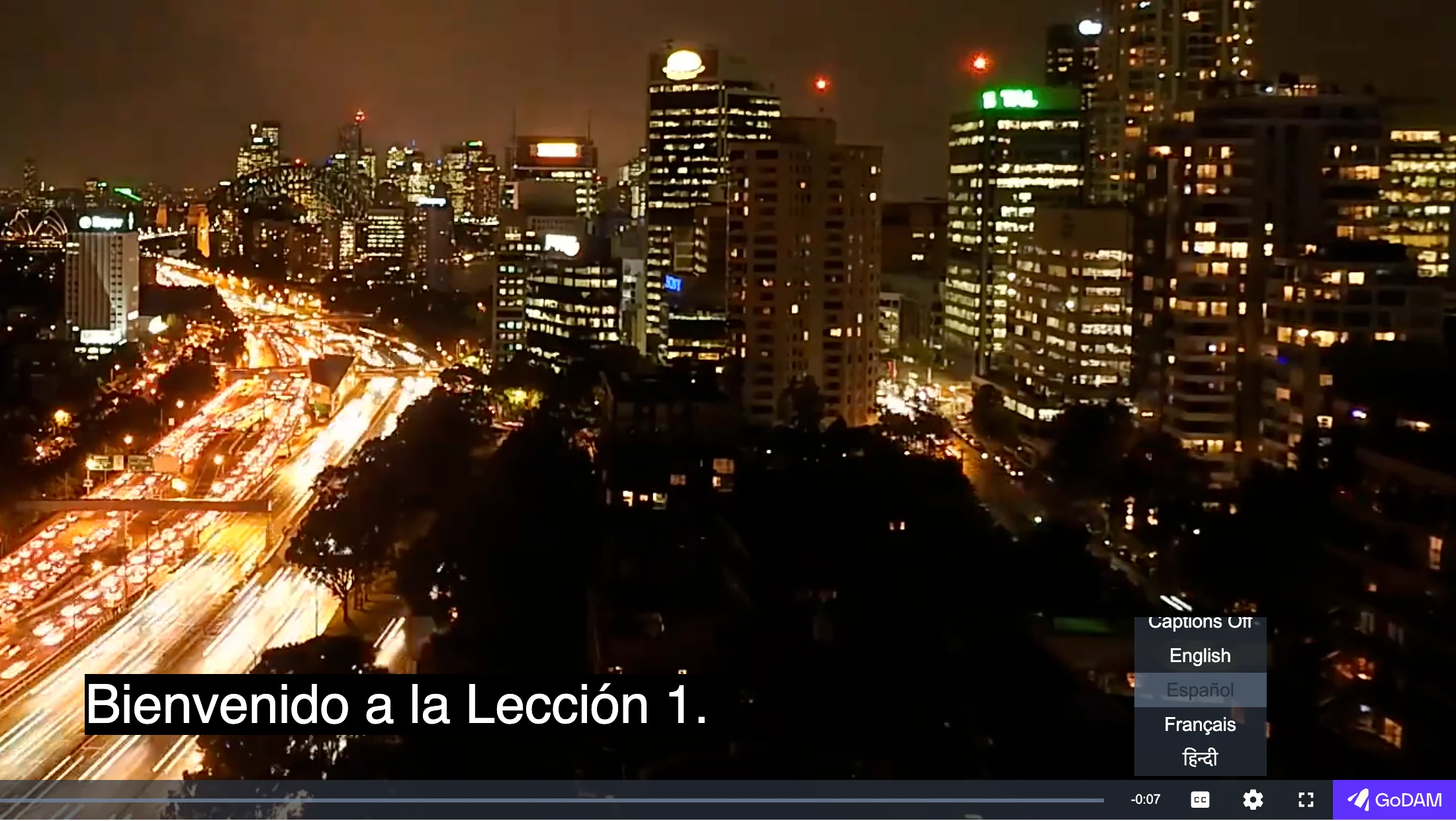
Give a video captions in as many languages as your learners need. Generate them with AI, upload your own files, or both. Visitors choose a language from the subtitles menu in the player.
1. Generate a Transcription
- Go to GoDAM > Media Editor and open a video that GoDAM has transcoded.
- Open the Transcription tab.
- Under Transcription language, pick the language spoken in the video. Choose Auto-detect language if you are not sure, or Multiple languages (code-switching) if speakers switch languages. Account default uses the language set on your GoDAM account.
- Click Generate Transcription. It usually takes a few minutes, and longer videos take longer. GoDAM tells you when it is ready.
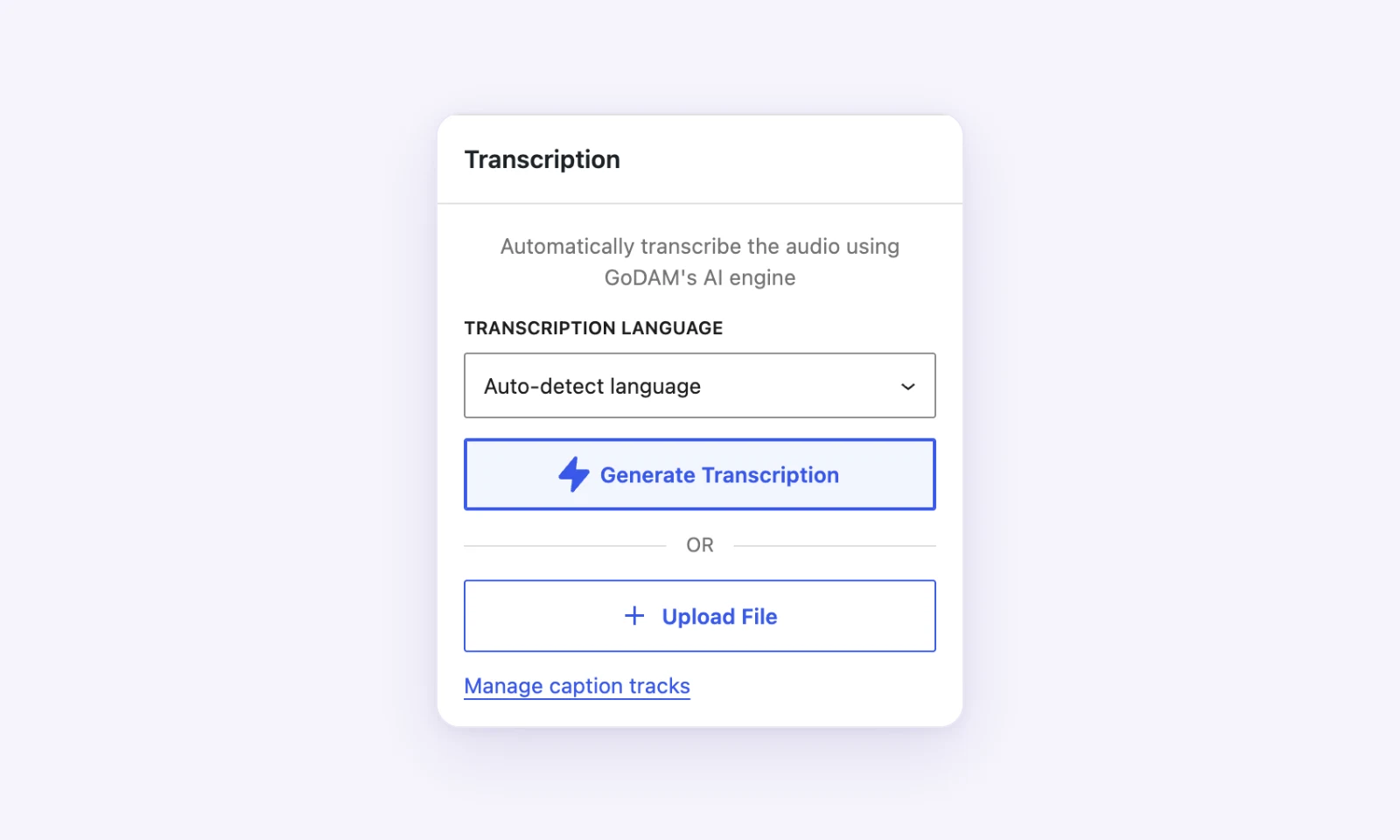
AI transcription supports 18 languages: English, Spanish, French, German, Hindi, Portuguese, Italian, Dutch, Japanese, Korean, Chinese, Russian, Turkish, Polish, Swedish, Indonesian, Ukrainian and Tamil.
2. Add Captions in More Languages
Multi-language captions are part of the paid GoDAM plans.
- In the Transcription tab, click Manage caption tracks.
- Click Add caption track.
- Choose the Language. If it is not in the list, choose Other (enter code) and type its language code, such as
cyorpt-BR. - Enter a Label. This is the name visitors see in the subtitles menu, for example “Español”.
- Click Choose file and pick a
.vttor.srtfile of up to 1 MB. - Tick Set as default if the player should turn this caption on by itself, then click Add caption.
3. Manage Your Captions
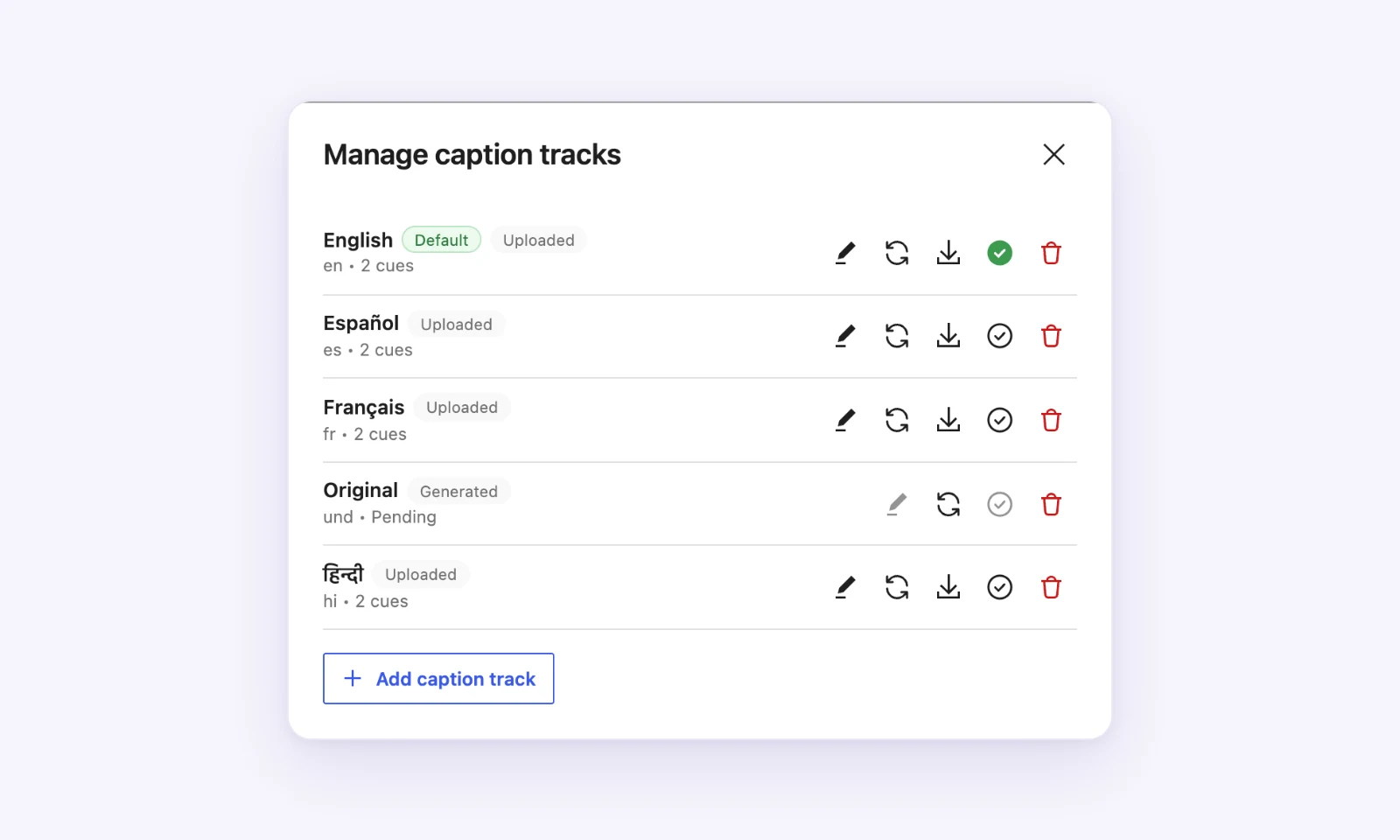
Each caption in the list shows whether it was Generated by GoDAM or Uploaded, and which one is the Default. From its row you can edit the caption text, replace the file, download it, make it the default or delete it.
4. Good to Know
- Captions are stored in GoDAM, not in WordPress. Every site and page that plays the video shows the same captions, and they also appear in GoDAM Central.
- Deleting a caption removes it everywhere and cannot be undone.
- A video can have up to 20 captions.
- On the free plan, Upload File in the Transcription tab still adds one caption file to a video.