A video is often the moment a visitor decides to talk to you. Until now, the form that captures that moment lived somewhere else on the page, and your marketing tool never learned which videos your leads actually watched.
GoDAM 2.6 connects your videos to HubSpot and Marketo. You can show their forms inside your videos, and see in your marketing tool how far your known contacts watch.
Show your Marketo and HubSpot forms inside your videos
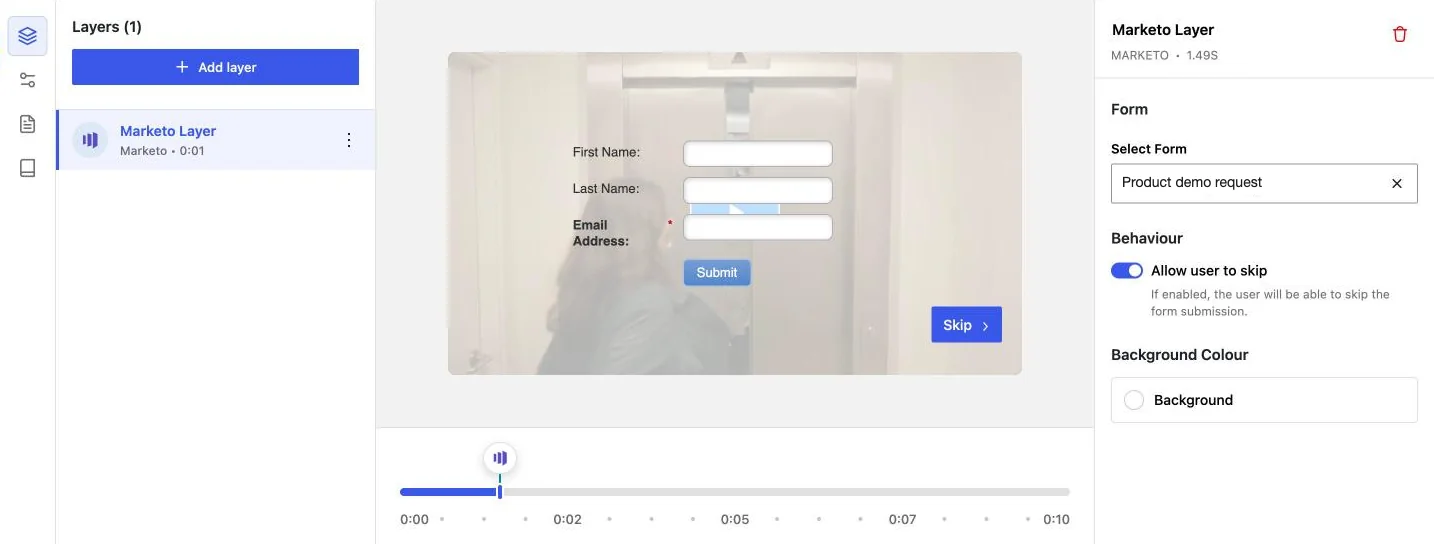
Add a form layer to any video, pick the moment it appears, and choose a form from your Marketo or HubSpot account. The video pauses, the viewer fills in the form, and the lead goes straight into your marketing tool. You see the real form over the video while you edit, so you know exactly what viewers get.
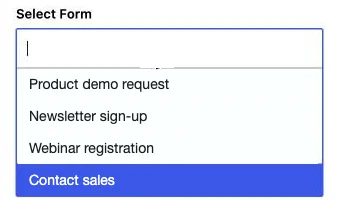
There is nothing to copy and paste. GoDAM lists your forms, so you pick one by name: the forms in your HubSpot account, or the approved forms in your Marketo instance.
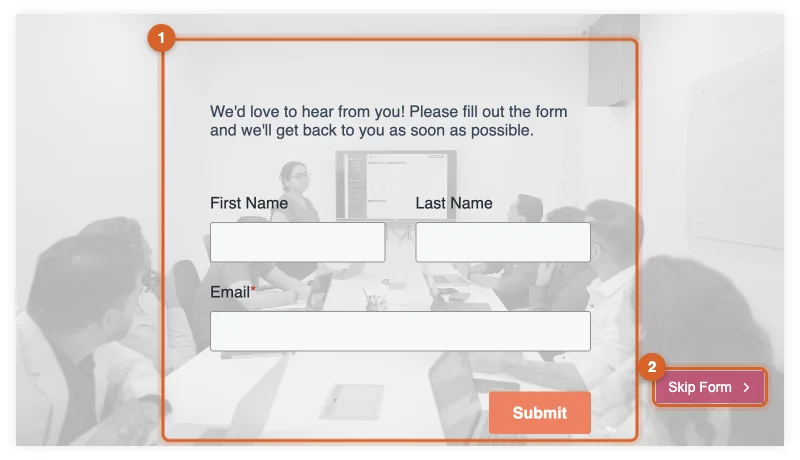
The connection lives on GoDAM Central and is shared by every site on your licence, so your Marketo and HubSpot credentials never sit on your WordPress site. If you already use the HubSpot WordPress plugin, GoDAM can use its connection for forms instead.
See how far your known contacts watch
When a visitor your Marketo or HubSpot account already knows watches a GoDAM video, GoDAM sends how far they got: started, 25%, 50%, 75% and finished. Views show on the contact’s timeline in HubSpot or in the lead’s Activity Log in Marketo, so you can use video engagement in lists, workflows and campaigns like any other activity.
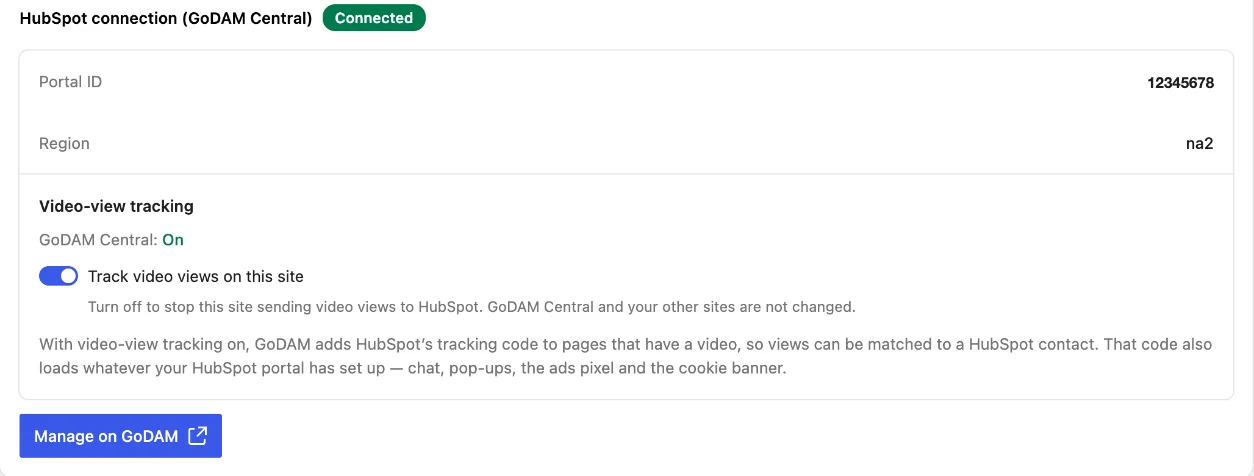
You turn tracking on once in GoDAM Central, and each site can opt out with Track video views on this site under GoDAM > Settings > Integrations. GoDAM adds Marketo’s or HubSpot’s tracking code only to pages that have a video, and respects visitors who send Global Privacy Control.
Also in GoDAM 2.6
- If a Marketo form can’t load, viewers see a short message and a Continue button instead of an empty layer.
- On sites without HTTPS, the editor warns you that Marketo form submissions need HTTPS.
- The Document, Audio and Video Thumbnail blocks no longer collapse inside Row or Stack layouts, and the Document card fits its column.
- Security fixes.
Get started
Update GoDAM to 2.6 from your WordPress dashboard. Then connect your tool under GoDAM > Settings > Integrations and add a form layer to a video. The step-by-step guides are in the docs: Marketo and HubSpot.