Search engines can only show the videos they find. Until now, GoDAM added video data to your pages, but there was no single list of your videos, and the chapters you wrote only helped people who were already watching.
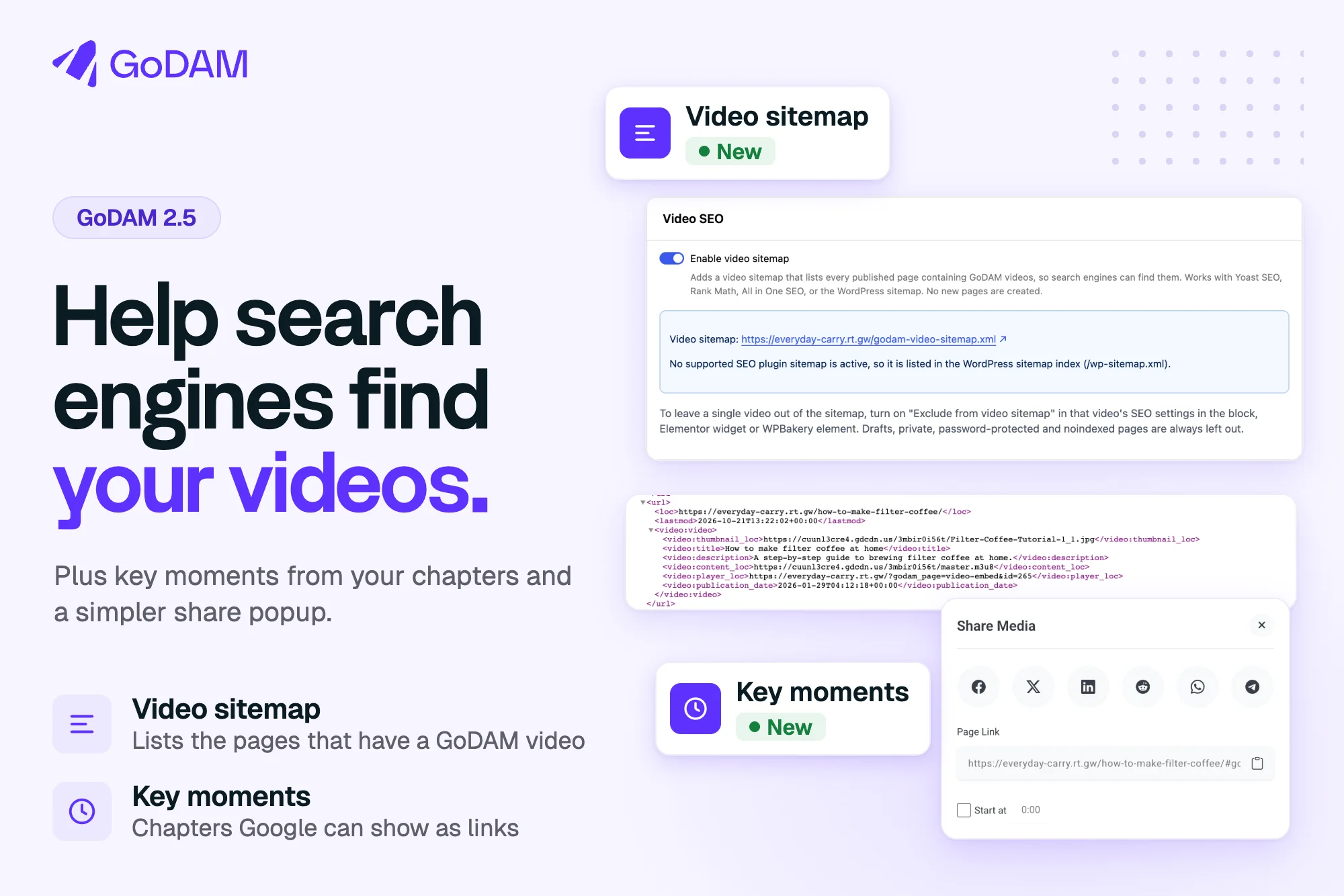
GoDAM 2.5 changes both. A new video sitemap lists the pages that have a GoDAM video, and your chapters can show in Google as key moments. It also cleans up the video data on your pages, simplifies the share popup, and improves viewer privacy in video analytics.
Give search engines one list of your videos
The new video sitemap lists the published pages that have a GoDAM video, with each video’s title, description, thumbnail and video link. It is off by default. To turn it on, go to GoDAM > Settings > SEO, switch on Enable video sitemap and save.
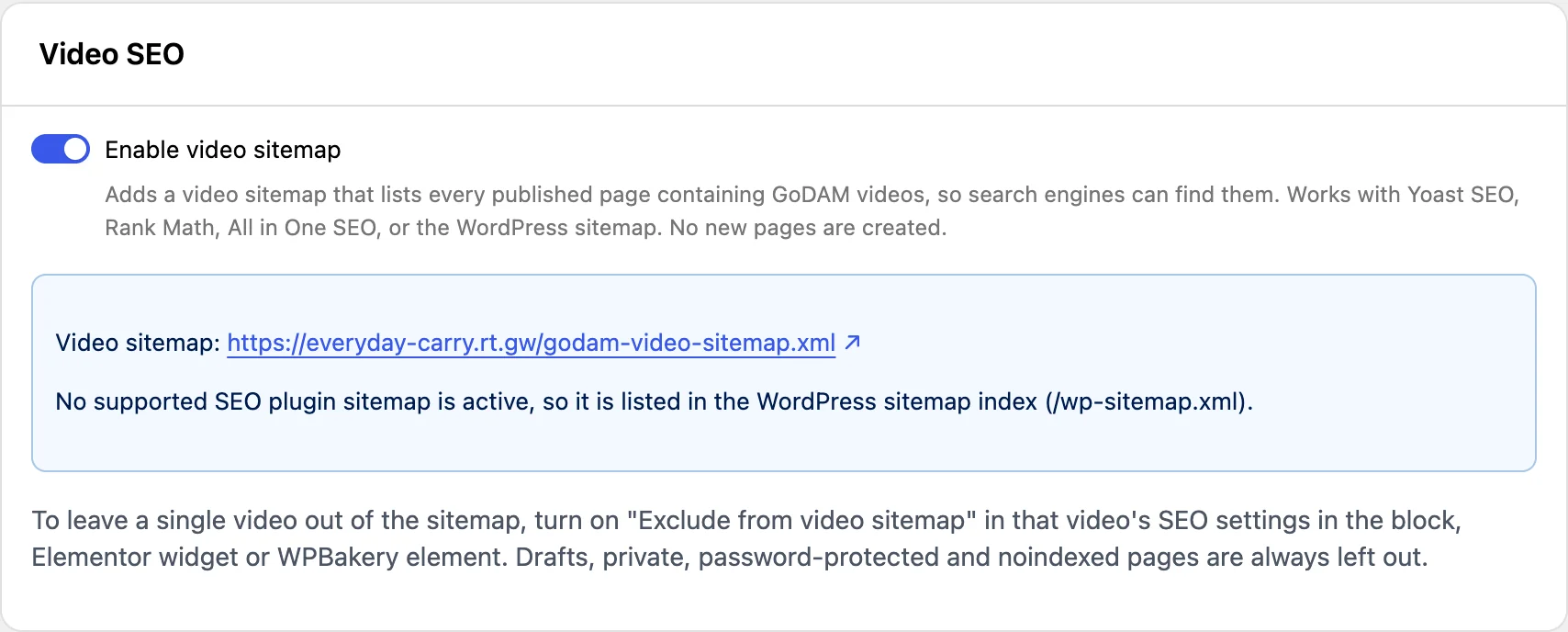
The sitemap is at /godam-video-sitemap.xml. GoDAM lists it in the sitemap index of Yoast SEO, Rank Math or All in One SEO, or in the WordPress sitemap at /wp-sitemap.xml when none of them is active. No new pages are created.

Drafts, private and password-protected pages are always left out, and so are pages your SEO plugin marks noindex. To leave out one video, turn on Exclude from video sitemap in its SEO settings, in the GoDAM block, Elementor widget or WPBakery element.
Turn your chapters into key moments
If a video has chapters, GoDAM adds each one to the video’s search data as a key moment. Google can then show links in search results that jump straight to a chapter, and each link opens your page with the video at that point. If you teach with long videos, you may already have chapters.
There is nothing to turn on. Add chapters and publish the page, and GoDAM includes them for videos of at least 30 seconds. Edit a chapter and the change shows on the next page load, with no re-save. Google decides whether and when to show key moments.
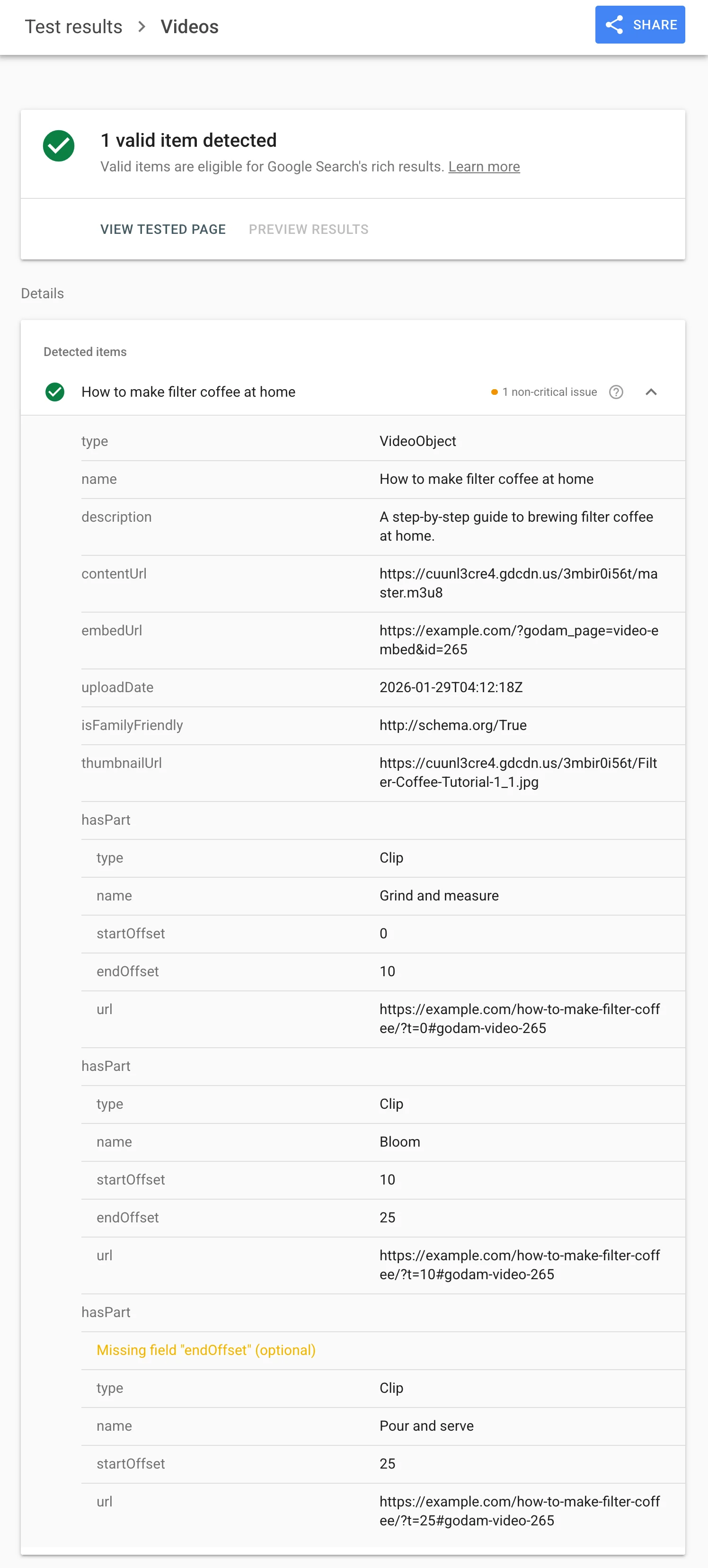
Cleaner video data for search engines
GoDAM already adds video data to your pages. From 2.5 it is more complete, and you do not need to re-save your pages to get it:
- Video link: the video’s HLS stream, a format Google supports, or the original file. The DASH link, which Google can’t use, is no longer sent.
- Embed link: the GoDAM player page for the video. New in 2.5.
- Description: the video’s own description. If it has none, GoDAM uses the start of its transcript, then a short excerpt from the page. If there is nothing to use, the field is left out.
- Upload date and family friendly: an empty upload date is left out instead of sent blank, and Is Family Friendly is sent as a true or false value.
A few more things worth knowing
A warning for file-name titles
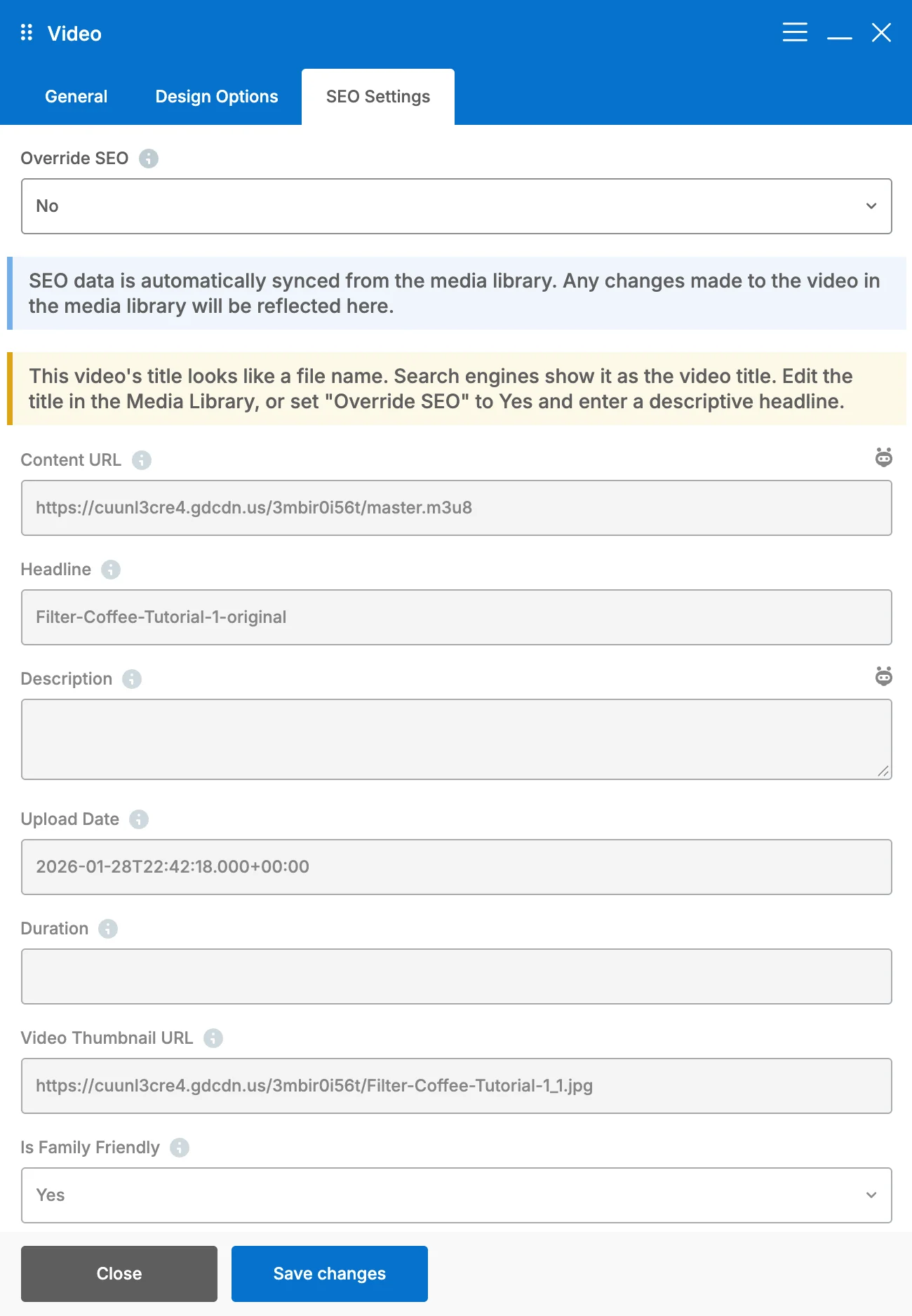
Search engines show a video’s title in results, so a title like “Screen Recording 2024-01-15 at 10.30.45” does not help anyone. The editor now warns when a title looks like a raw file name, in the block editor, Elementor and WPBakery. Give the video a real headline in its SEO settings.
A full SEO Settings tab in WPBakery
The WPBakery GoDAM Video element’s SEO Settings tab now has the same fields as the block editor and Elementor: Content URL, Headline, Description, Upload Date, Duration, Video Thumbnail URL and Is Family Friendly. It also has Override SEO, a link to reset to the media library defaults, and the sitemap exclude switch.
A simpler share popup
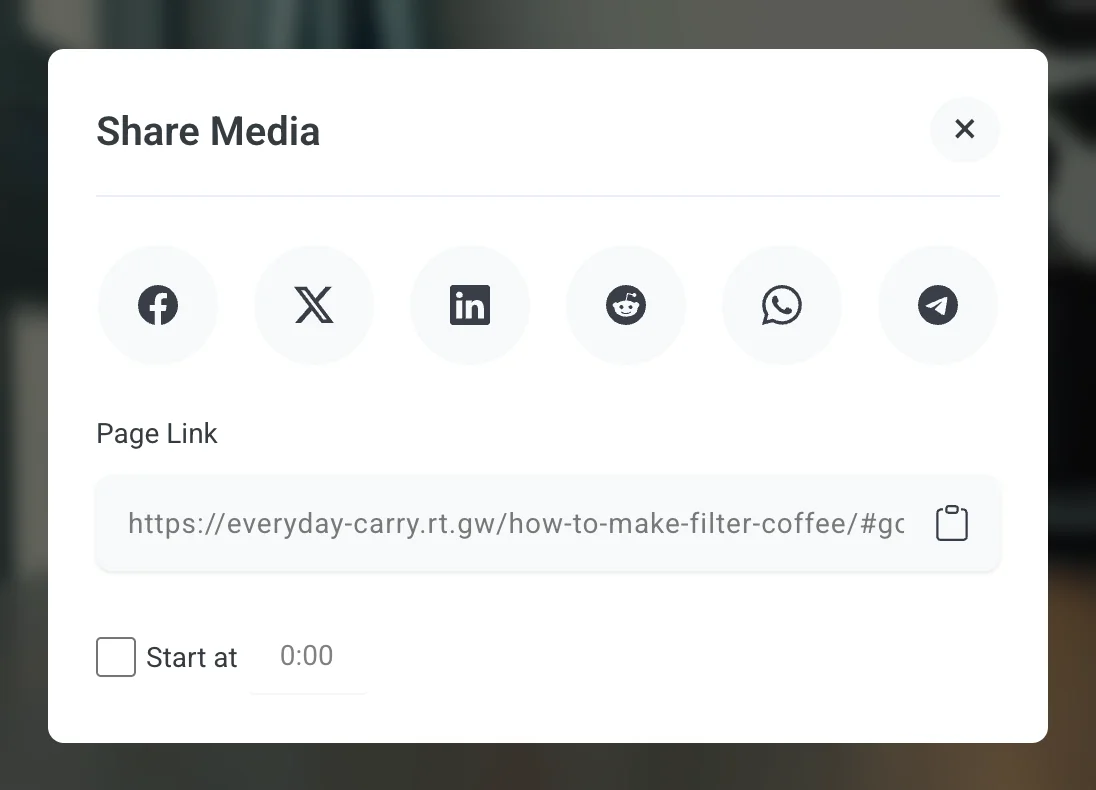
The share popup now shares your page link, and the social buttons use it too. The GoDAM Central and Embed links are gone. With sharing turned on, the share button now shows on videos that were not transcoded as well.
Fixes
- Audio converted to MP3 now shows in the block editor’s audio list, including files converted before this update.
- The Gravity Forms Record field keeps working after an AJAX page change or a failed submit.
- The WordPress admin menu no longer flashes and jumps when a GoDAM page loads.
- Privacy improvements in video analytics.
Update to GoDAM 2.5 from the Plugins screen in WordPress. To set up the sitemap and the SEO fields, read GoDAM Video SEO Settings. To add chapters, read GoDAM video chapters. The full list of changes is in the GoDAM changelog.