
GoDAM adds a media library manager to WordPress, so you can organise videos, images and documents into unlimited folders inside your Media Library and find them again quickly.
These features are free in the GoDAM WordPress plugin. To get started:
- Interface: a tour of the layout, what each part does, and how to search for files.
- User Guide: step-by-step help with common tasks, from uploading and organising files to managing their details and using them in your content.
When a file fails to transcode
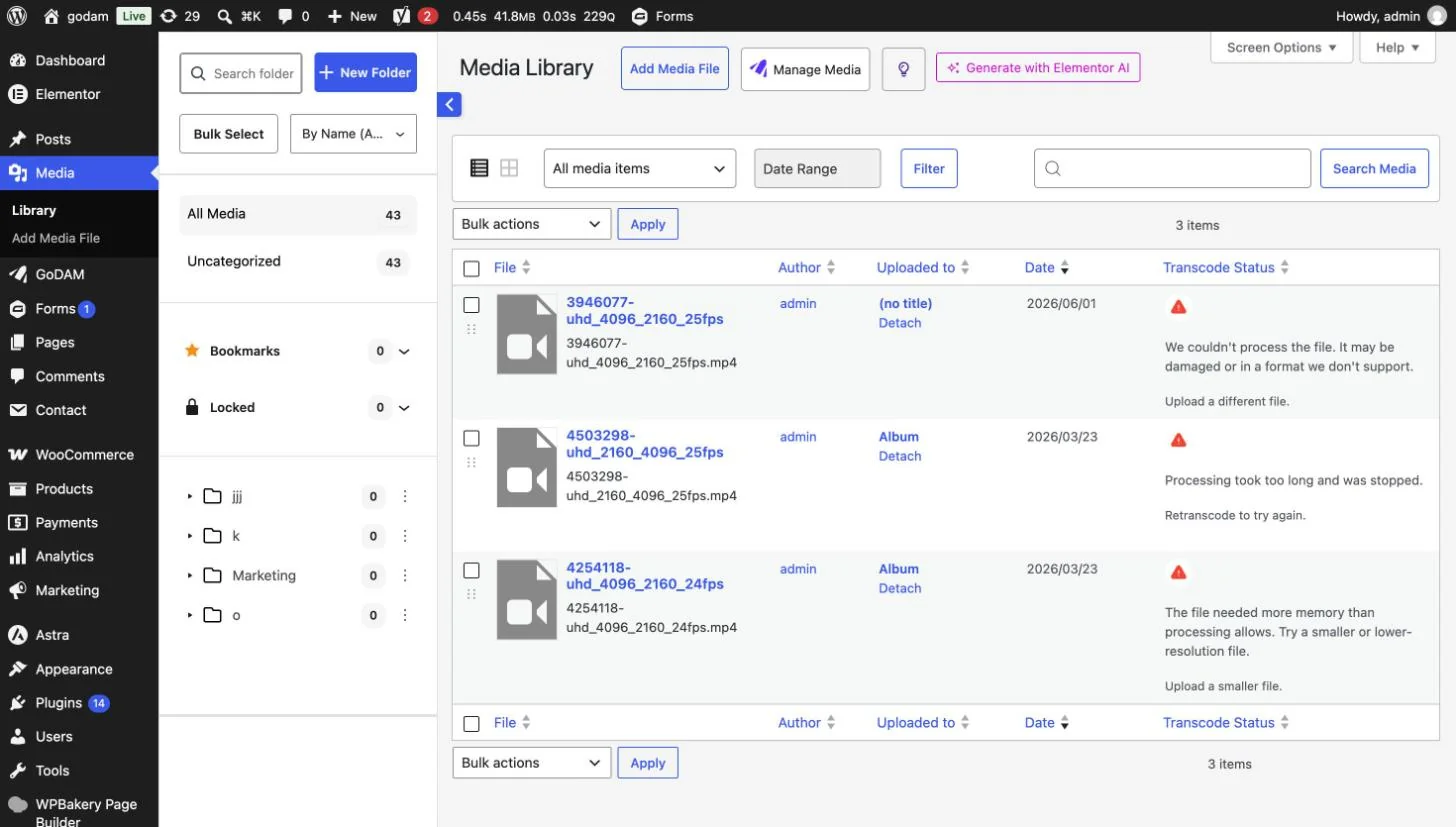
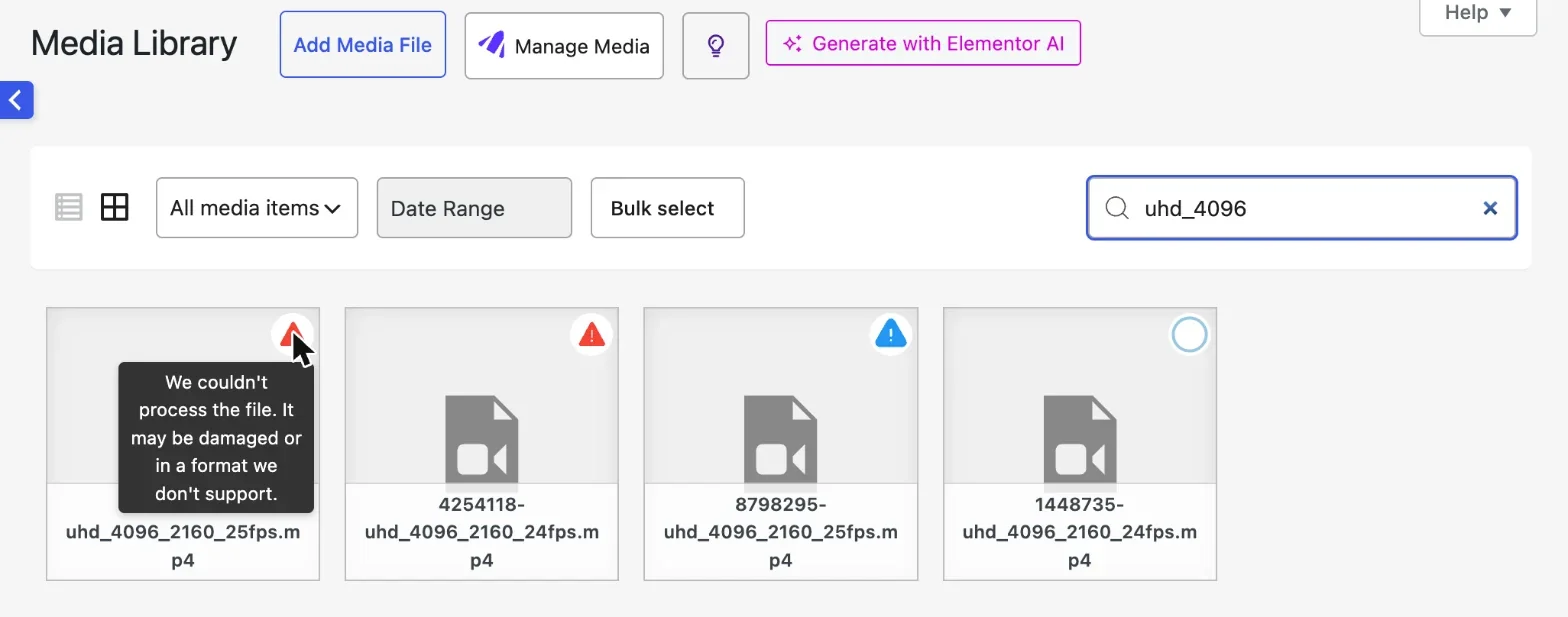
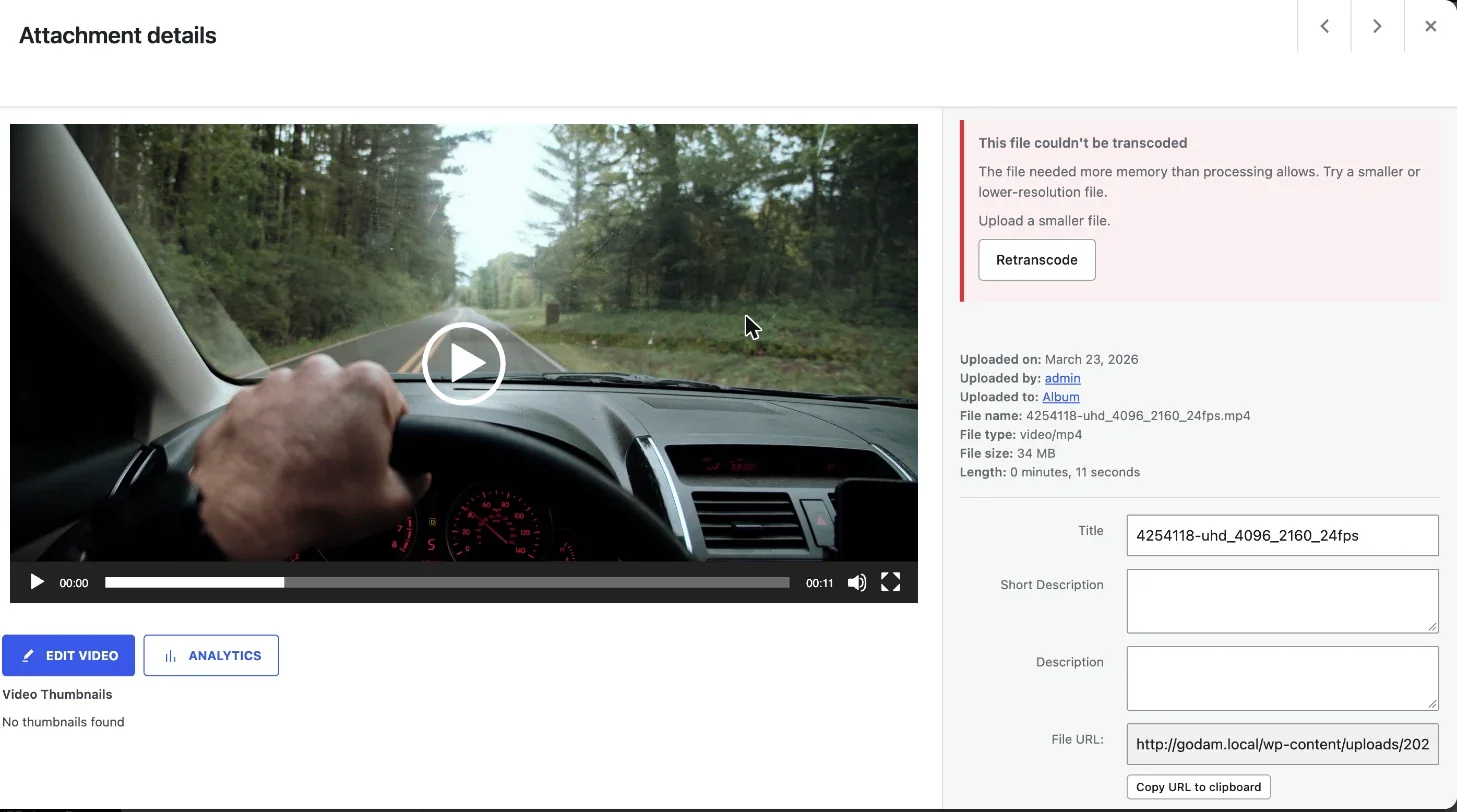
If GoDAM can’t transcode a video, the Media Library tells you why and what to do next. You’ll find the reason in three places.
In list view, the Transcode Status column shows the reason, with what to do next.
In grid view, hover the warning icon on the file to see the reason.
In the attachment details, a panel at the top of the sidebar shows the reason, what to do next, a Retranscode button and, where it helps, Contact support.
| What you see | What to do |
|---|---|
| The file needed more memory than processing allows. | Upload a smaller or lower-resolution file. |
| Processing took too long and was stopped. | Retranscode to try again. |
| We couldn’t download the source file. | Retranscode to try again. |
| We couldn’t process the file. It may be damaged or in a format we don’t support. | Upload a different file. |
| We couldn’t save the processed file to storage. | Retranscode to try again. |
| The license is invalid or inactive. | Check your GoDAM settings. |
| Your plan’s storage limit has been reached. | Upgrade your plan. |
| Something went wrong while processing the file. | Retranscode, and contact support if it keeps failing. |
GoDAM also shows these messages while it’s still working on a file:
- “Couldn’t reach GoDAM. Retrying automatically.”: GoDAM couldn’t be reached and will try again on its own.
- “Failed after 3 retries.”: the automatic retries didn’t work. Retranscode the file, or contact support.
- “This is taking longer than expected.”: GoDAM hasn’t had an update on the file for 24 hours.
Specific reasons appear only for files that fail from GoDAM 2.11.0 on. Files that failed earlier show the general message.