
GoDAM Analytics
Zoom into one video: how it’s watched, which of its interactive layers land, and which pages it performs on.
Where to find it
GoDAM → Media Editor → open a video → Analytics
Or visit the Dashboard and select the video from the Top Videos table.
Insights for this video
The same headline numbers as the dashboard, but for this one video, plus how often the same viewer comes back.
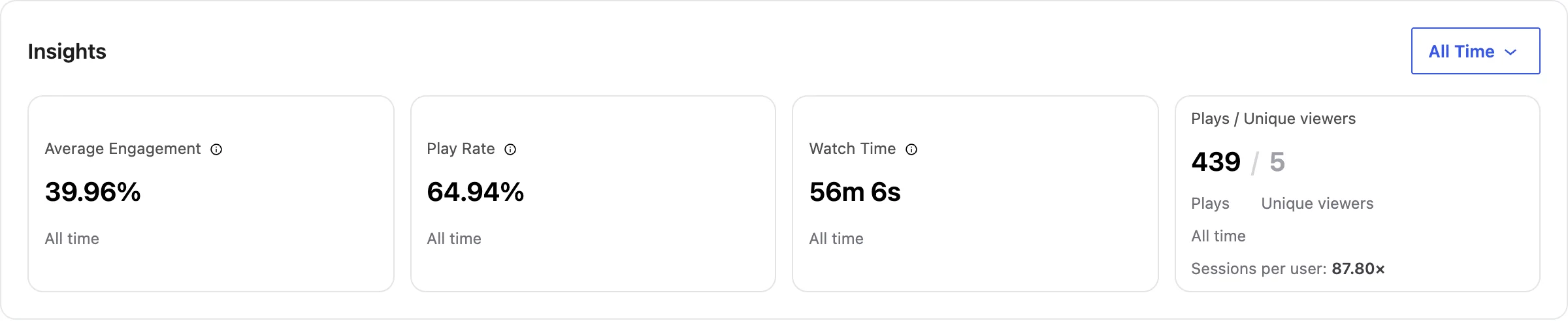
- Average Engagement is how much of the video people watch, on average.
- Plays / Unique viewers shows total plays against distinct people. A big gap means the same people rewatch (see Sessions per user).
- Sessions per user is how many times each unique viewer played this video, on average (total plays divided by unique viewers). A high number, like 87.80x, means a small group is rewatching a lot.
High engagement is a video worth featuring more widely; low engagement with high plays means the opening isn’t holding people.
The video layer timeline
If your video has interactive layers (hotspots, CTAs, forms, polls), this plots each one at the moment it appears, with how it performed. Click a layer to see exactly what viewers did with it.
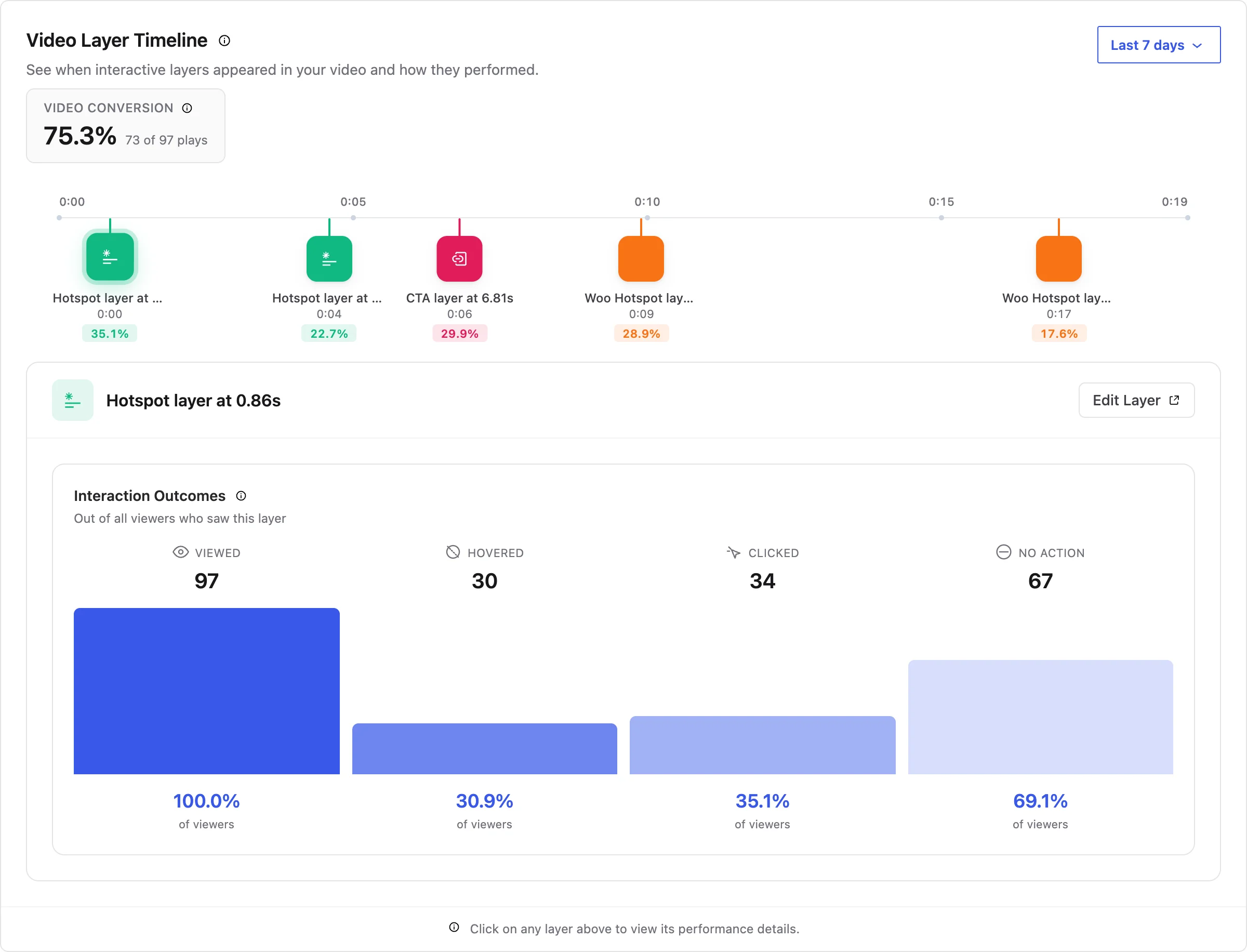
Reading a layer: a layer with lots of viewed but no clicked is being seen but not acted on. Try moving it to a calmer moment in the video, or making its label clearer.
Placement breakdown
The same video often lives on more than one page. This shows how it did on each, so you can tell where it’s pulling its weight. Placements are grouped by how the video is embedded (Video Block, Reel Pop), with a count for each; pick a group to see its pages.
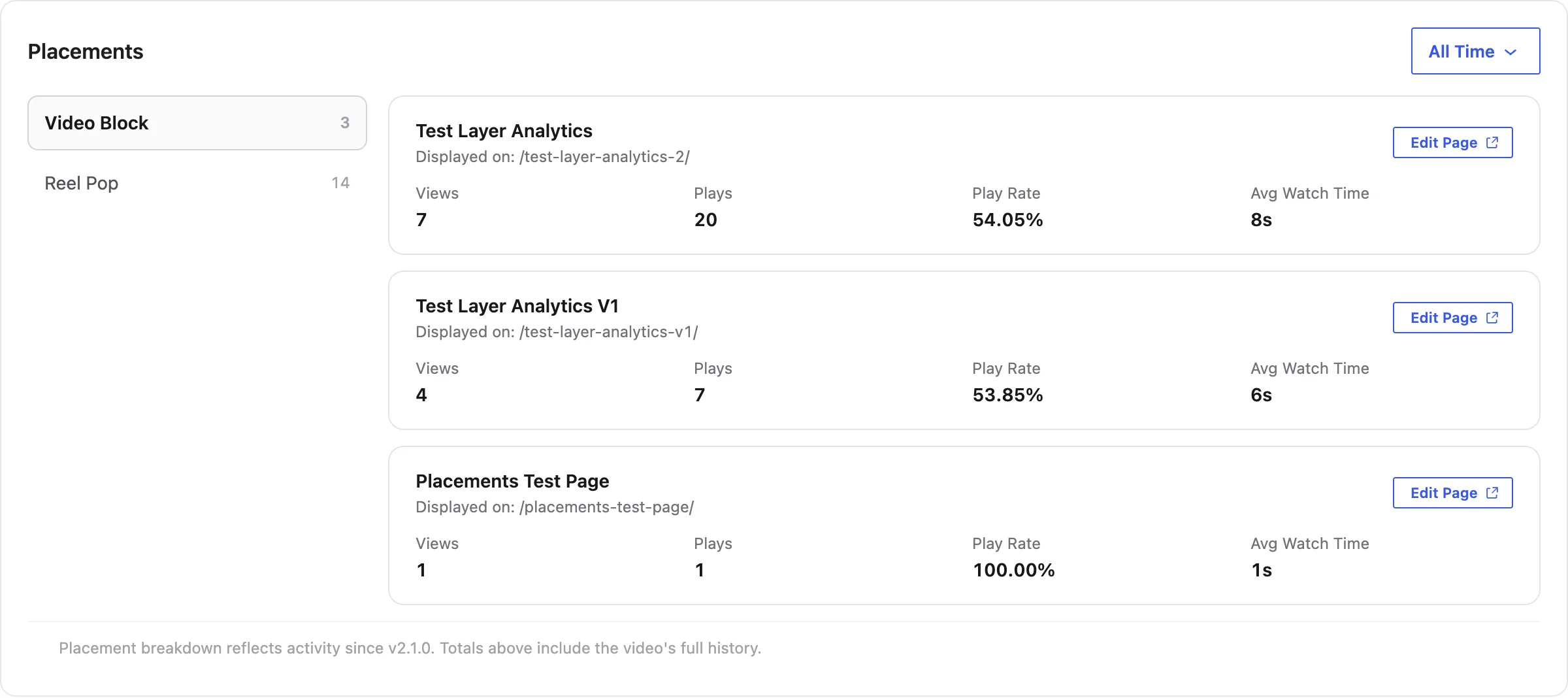
If you run a WooCommerce store
With the GoDAM for Woo add-on active, Shop managers and Administrators also see what this video sold: Video to Cart and Video to Purchase, the Video-Attributed Revenue card (Direct and Assisted), the Purchase Funnel, and, in the layer timeline, the revenue each Woo hotspot drove from in-video adds. See What a single video earned and Which hotspot sold it.
Troubleshooting
The numbers look behind. Analytics update periodically (up to about 30 minutes), so brand-new plays can lag. Give it a little time.
A new video shows nothing yet. It needs at least one real play before any numbers appear.
The layer timeline is empty. This video has no interactive layers, or they haven’t been seen yet. Add hotspots, CTAs, forms or polls in the Media Editor.
“Analytics is temporarily unavailable.” The dashboard couldn’t reach the GoDAM analytics service. This is usually temporary, refresh in a few minutes.
Have questions? Reach out to our support team, and we’ll be happy to help.