
GoDAM Analytics
Your account-wide view: every video added together, so you can see at a glance whether people are watching your videos and how far they get. These are the base analytics every GoDAM user gets; if you run a WooCommerce store, revenue and shopping metrics are covered separately in Revenue Analytics.
What you’ll need
- You’re on GoDAM 2.1 or later, installed and connected to your account.
- At least one video that has been played, so the numbers have something to show.
- The Dashboard is for Editors and above. Authors can open a single video’s Analytics page. Store data is for Shop managers and Administrators; see Who can see it.
Where to find it
WordPress admin → GoDAM → Dashboard
Heads up: the numbers refresh on a schedule, not the instant something happens. Brand-new activity can take up to about 30 minutes to appear.
Plays and unique viewers
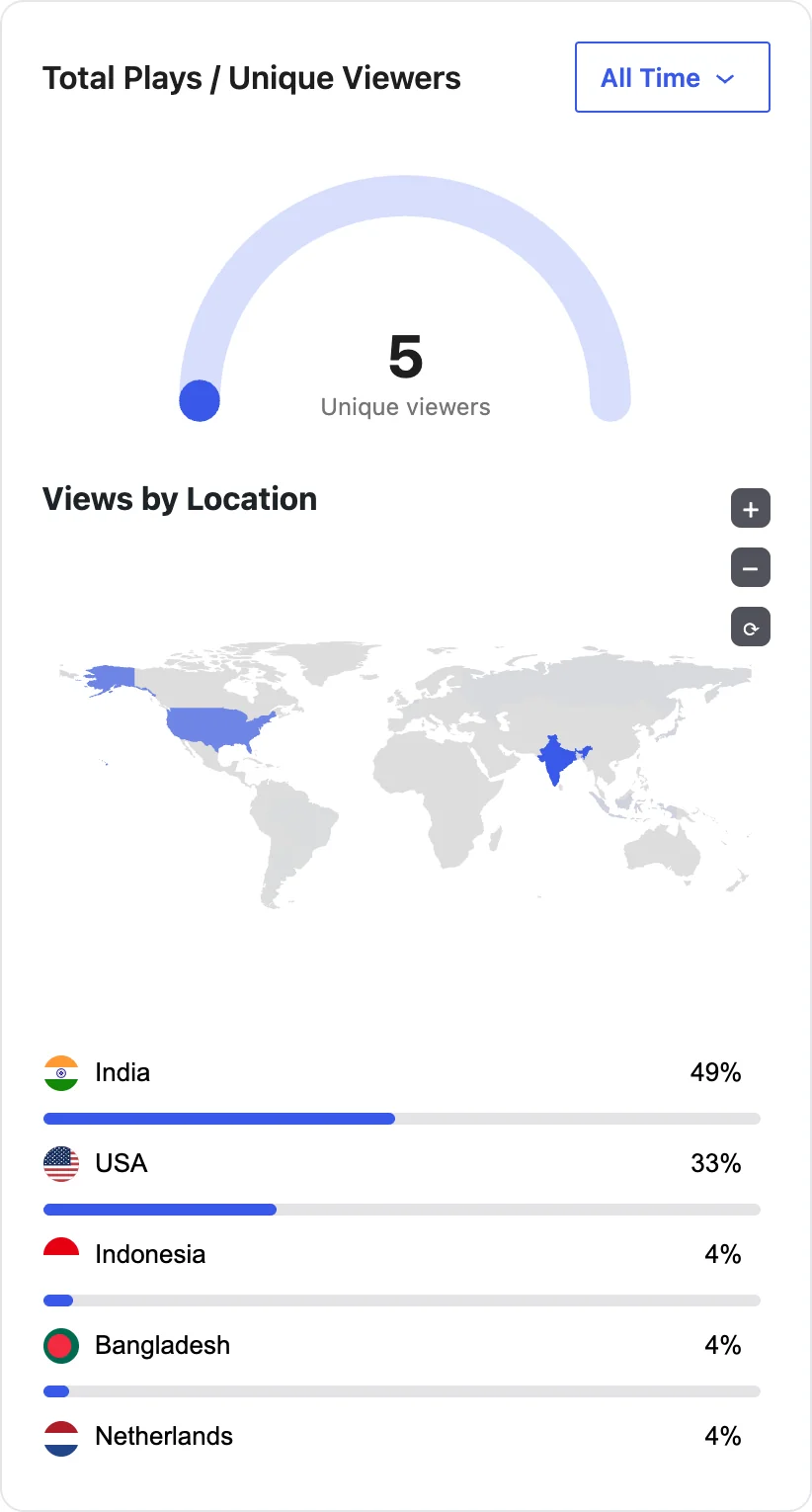
The half-circle shows how many unique people watched out of the number of plays, and the map breaks views down by country.
Insights
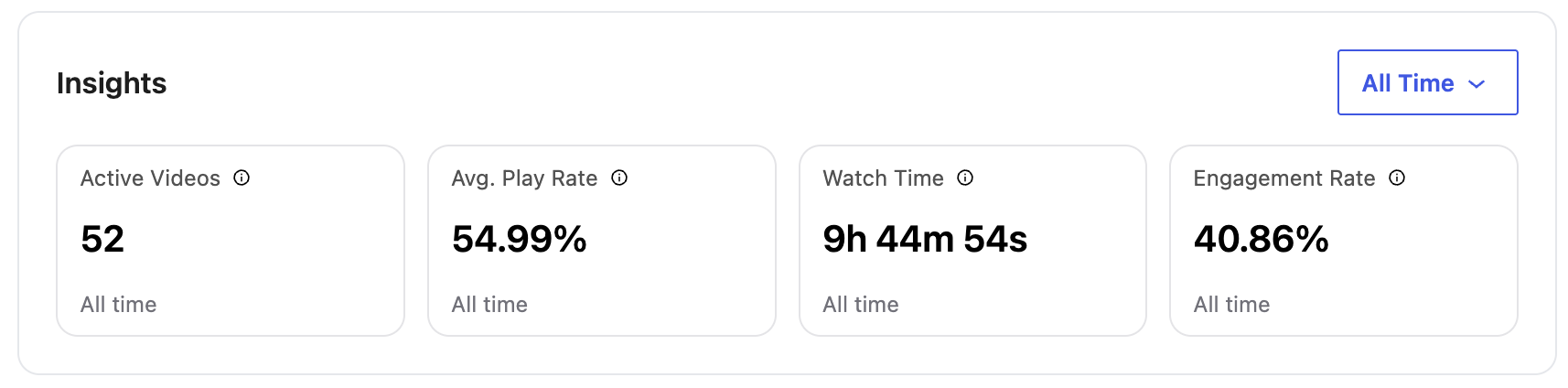
Four headline numbers for the whole account.
- Active Videos is how many different videos people viewed or played.
- Avg. Play Rate is the share of page visitors who pressed play: total plays divided by page loads.
- Watch Time is the total time watched, across every play.
- Engagement Rate is how much of each video viewers watched, on average, across all plays.
On a WooCommerce store, Shop managers and Administrators also see Video to Cart and Video to Purchase in this card. See Cart and purchase rates.
A low play rate means the thumbnail or placement isn’t inviting the click. A high play rate with low watch time means people start but drop off early.
Playback performance over time
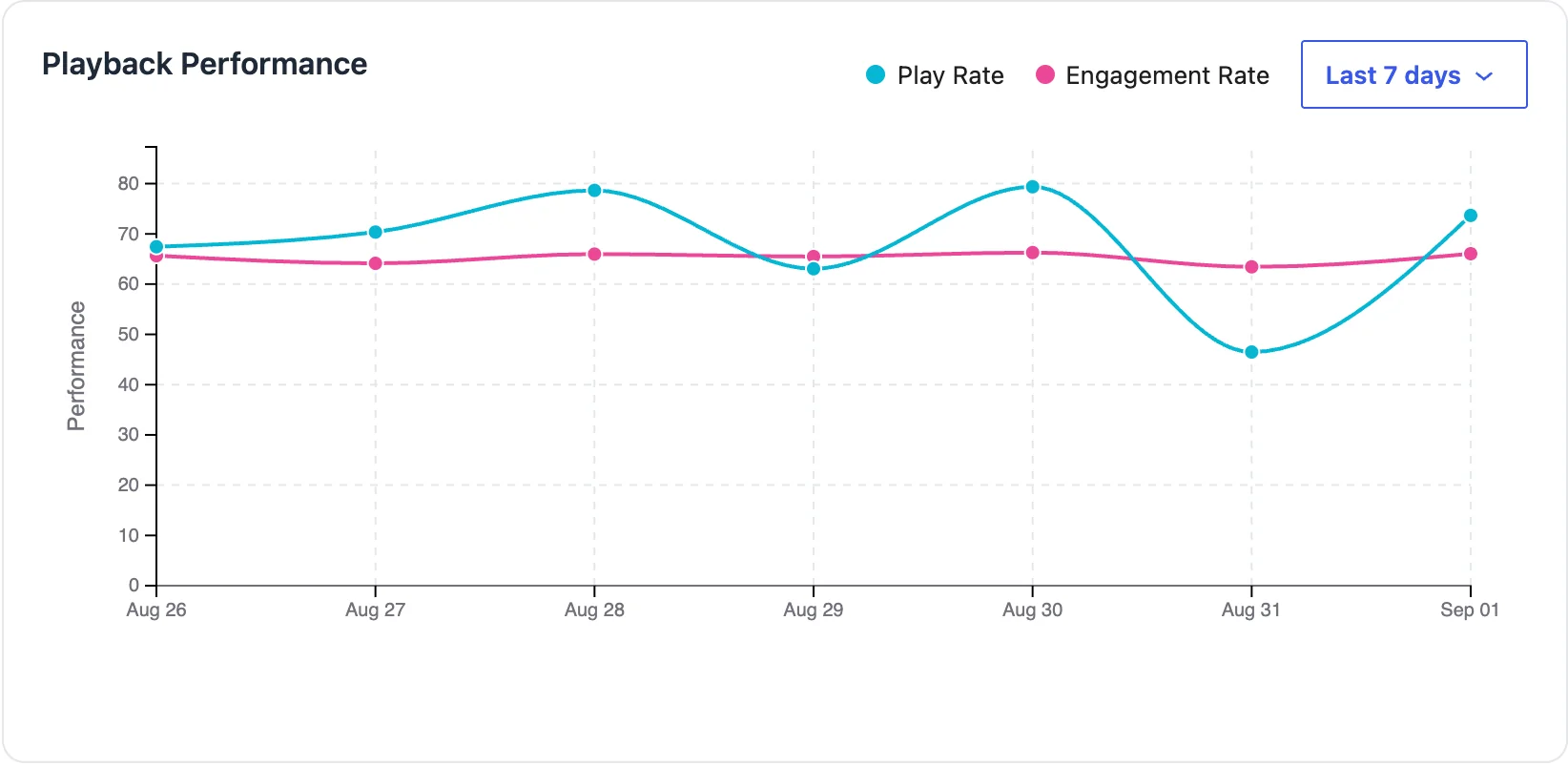
Play rate and engagement plotted across the window you pick (Last 7 days, and so on), so you can spot a trend rather than read a single number.
Top videos
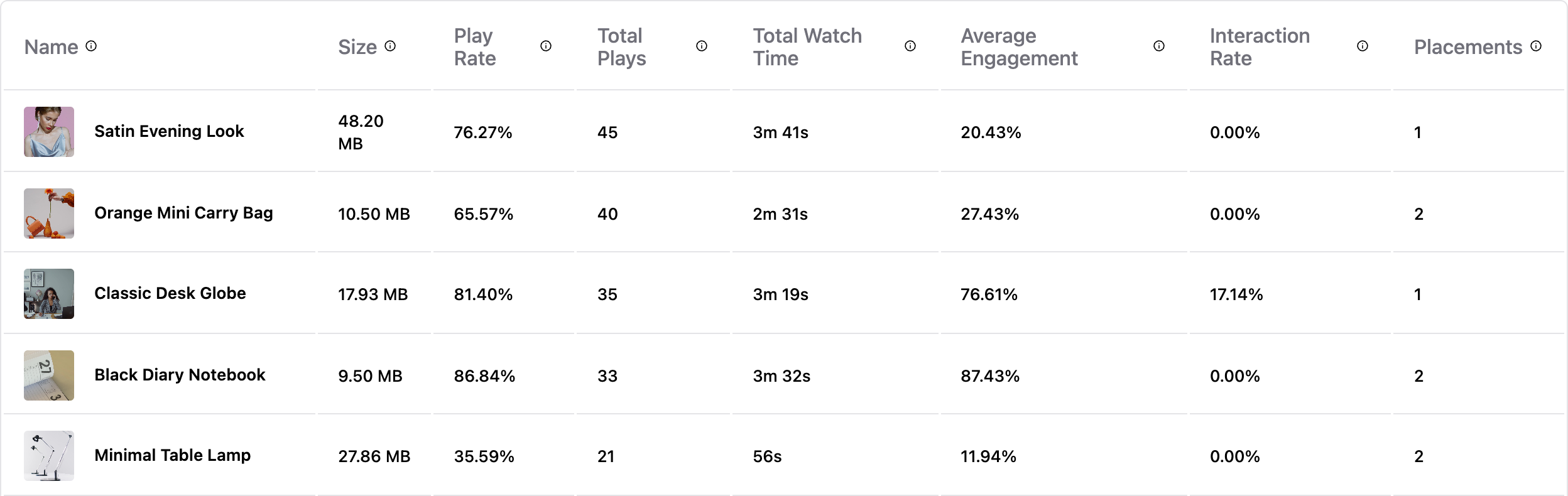
Every video ranked, with the numbers that matter for reach and attention.
The columns:
- Play Rate, Total Plays, Total Watch Time: reach and attention.
- Average Engagement: how much of the video people watch, on average.
- Interaction Rate: the share of viewing sessions that acted on an interactive layer: clicked a hotspot or CTA, submitted a form, voted in a poll, or added to cart. Hovers don’t count. It’s how you tell which videos move people to act. A video with no interactive layers shows a dash.
- Placements: how many places the video appears on.
If you run a WooCommerce store
With the GoDAM for Woo add-on active, Shop managers and Administrators also see the store’s side of the Dashboard:
- Video to Cart and Video to Purchase, inside Insights.
- The Video-Attributed Revenue card, with its Direct, Assisted and Influenced split.
- Two funnels: the Purchase Funnel and Funnel by placement.
- A Top Products tab next to Top Videos.
- The Google Analytics status strip.
All of them are explained in Revenue Analytics.
Understanding the numbers
| Term | What it means |
|---|---|
| A “play” | The viewer actually started the video, not just had it load on the page. Play rate and watch time are both measured against real plays. |
| The time filter | Each card has its own range control (All Time, Last 7 days, a custom range). Change one and only that card re-scopes. |
| Refresh | Numbers update on a schedule (up to about 30 minutes), so very recent plays may not appear right away. |
Have questions? Reach out to our support team, and we’ll be happy to help.