
The GoDAM Audio Widget allows you to seamlessly embed, stream, and configure audio files hosted on your GoDAM CDN directly within the Elementor page builder. Whether it’s podcasts, interviews, audio guides, or music tracks, this widget ensures smooth playback, faster delivery, and full customization, perfect for creators who care about performance and user experience.
Step 1: Go to the Elementor Editor Screen
Open any page or post with Elementor that you wish to edit, or create a new one.
Step 2: Search for “GoDAM Audio” in the Widget Panel
In the Elementor editor’s left panel, search for “GoDAM Audio” in the widgets search bar.

Step 3: Drag and Drop the GoDAM Audio Widget onto Your Page
Drag the “GoDAM Audio” widget from the left panel and drop it into any section or column on your Elementor page where you want the audio player to appear.

Step 4: Provide the Audio Source
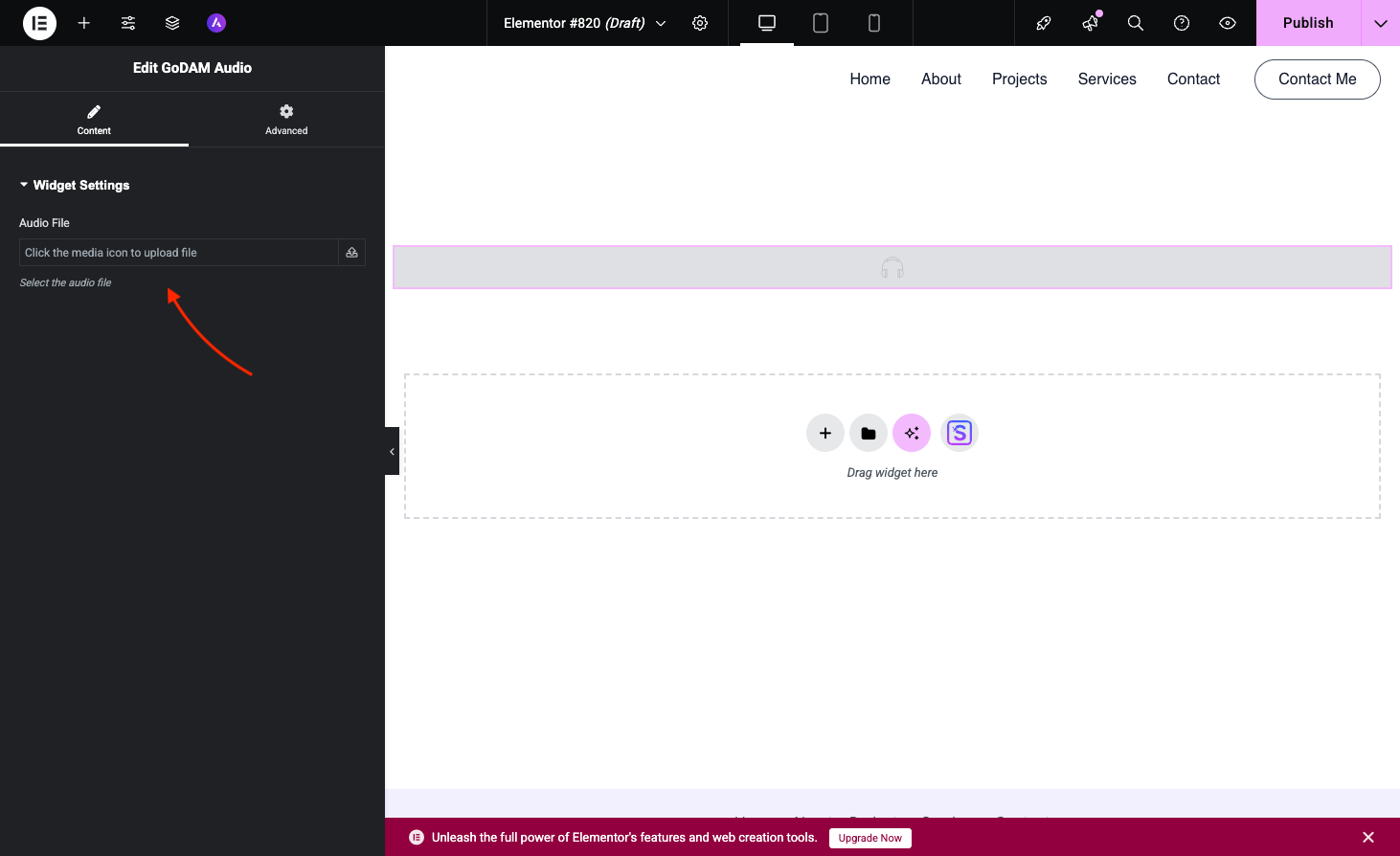
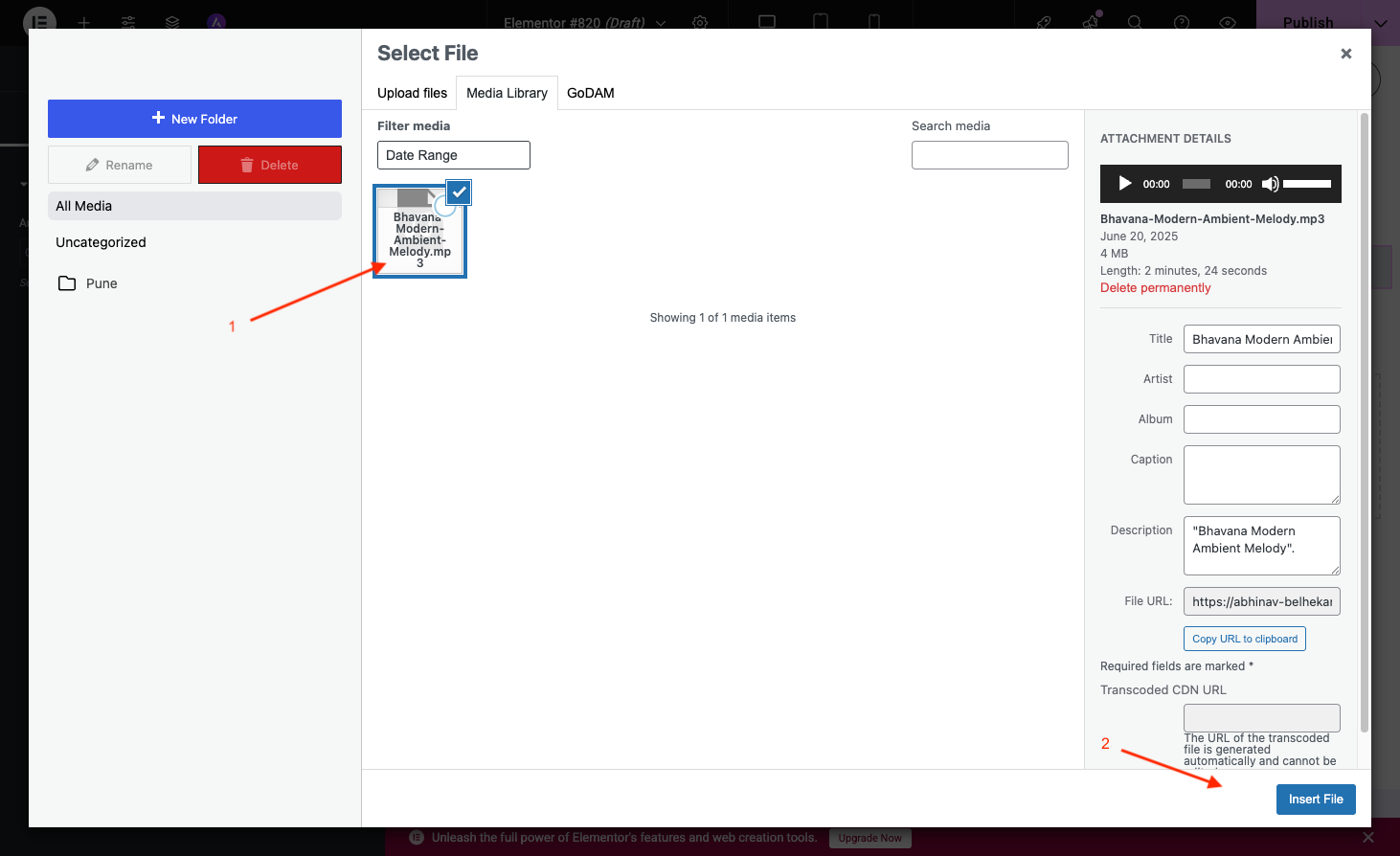
After dropping the widget, the Elementor content panel on the left will prompt you to select an audio file. Click on the button to either upload a new audio file directly into the block or choose an existing one from your GoDAM Media Library. The audio will be streamed via the GoDAM CDN for faster and more reliable delivery.
Step 5: Configure Playback and Appearance Settings
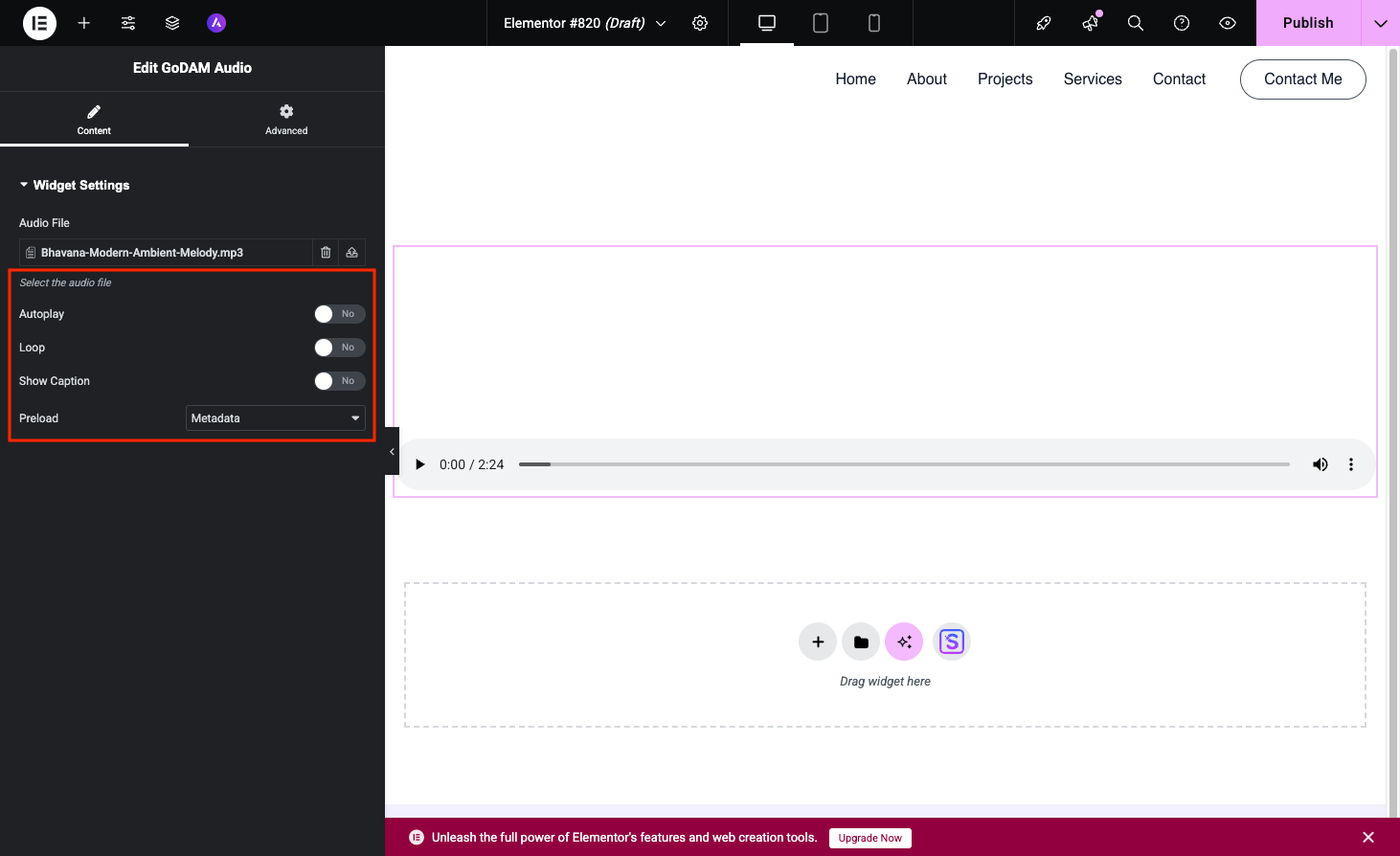
Once the audio file is selected, the Elementor panel on the left will display all the configuration options for your GoDAM Audio Widget.
To host videos in GoDAM central cloud storage, deliver them using global CDN and use advanced video capabilities with video layers inside Elementor, install GoDAM.