
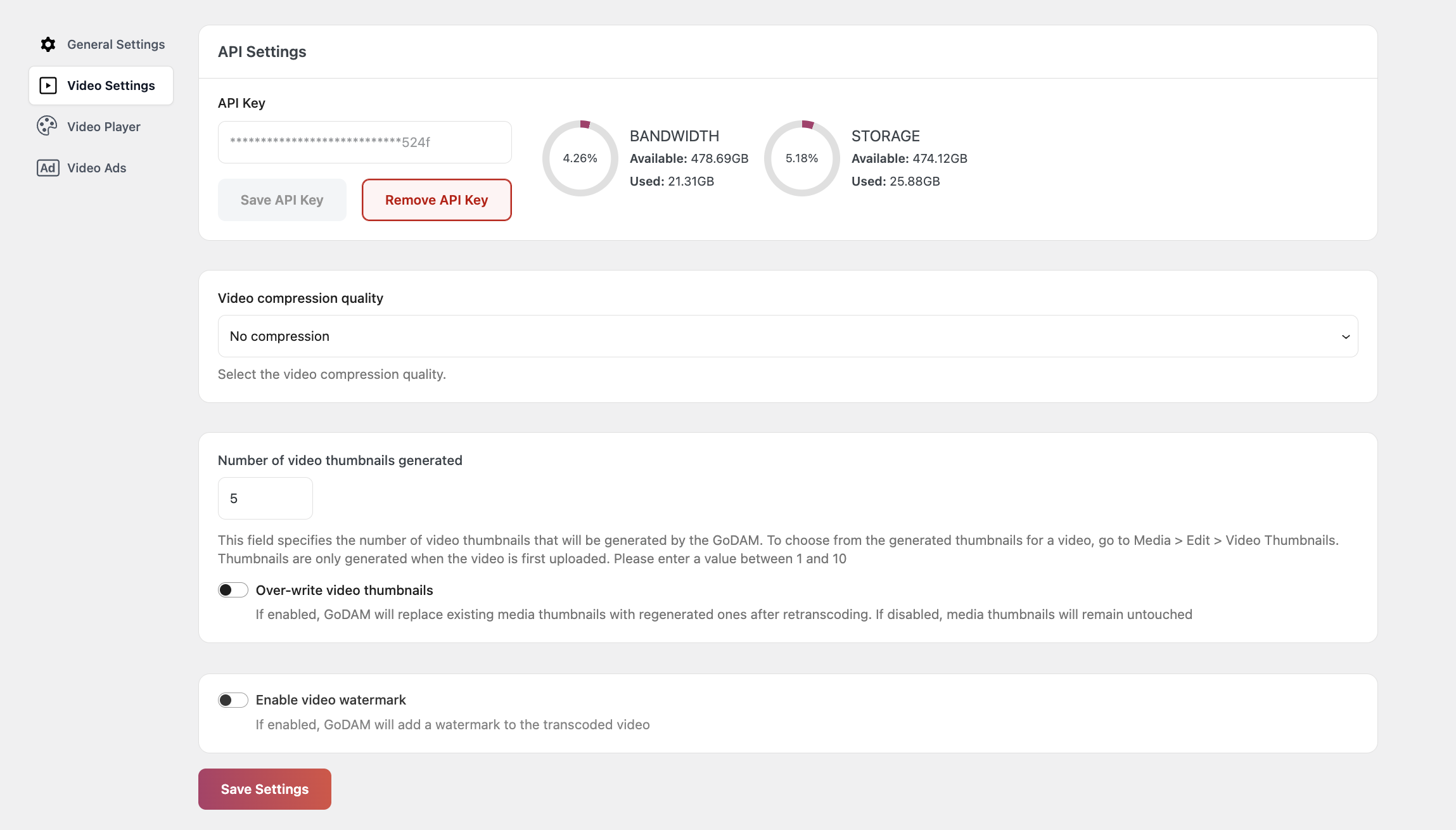
1. API Settings:
After installing Transcoder, you must enter a unique API key into the plugin’s interface. Transcoding services will remain unavailable until the license key is saved. Refer to this guide to understand how to activate your API key.
2. Video Compression Quality: If enabled, the integrated transcoding process will generate multiple video files with varying bitrates. This allows for adaptive streaming, where the video playback automatically adjusts to the viewer’s internet speed, ensuring smooth playback across different connection qualities, or the user could select a video quality within the video.
2. Number of video thumbnails generated: The Transcoder plugin automatically generates a set of video thumbnails each time a video is transcoded. Under this setting, you can set the Number of Video Thumbnails Generated setting to define how many thumbnails are created during transcoding.
Configuration Options:
- Default setting: 5 thumbnails
- Maximum allowed: 10 thumbnails
- Customizable through the Number of Video Thumbnails Generated setting
NOTE:
Users can select one of the generated thumbnails by navigating to Media > Library > Edit in the WordPress backend.
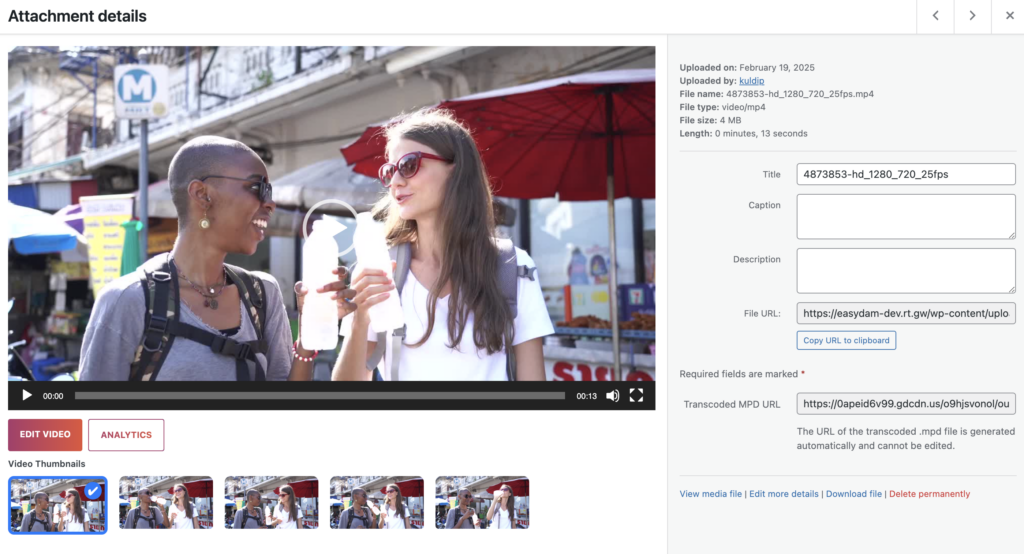
3. Over-write video thumbnails after re-transcoding: This setting provides an option to override existing thumbnails whenever a video is re-transcoded. If this setting is enabled, newly generated thumbnails will replace the old ones. If disabled, the existing thumbnails will remain unchanged.
4. Video Watermark:
This setting allows you to enable or disable a custom watermark for all transcoded videos. By default, the watermark feature is disabled.
Features:
- Toggle watermark on/off (disabled by default)
- Choose between text or image watermarks
- Flexible positioning options
Image Watermark Specifications:
- Recommended width: 200px
- Recommended height: 70px
- Supports common image formats