
Video Chapters for Easy Navigation
Create a structured, interactive viewing experience by adding timestamped chapter markers that let viewers instantly navigate, revisit, and engage with key moments in your video content.
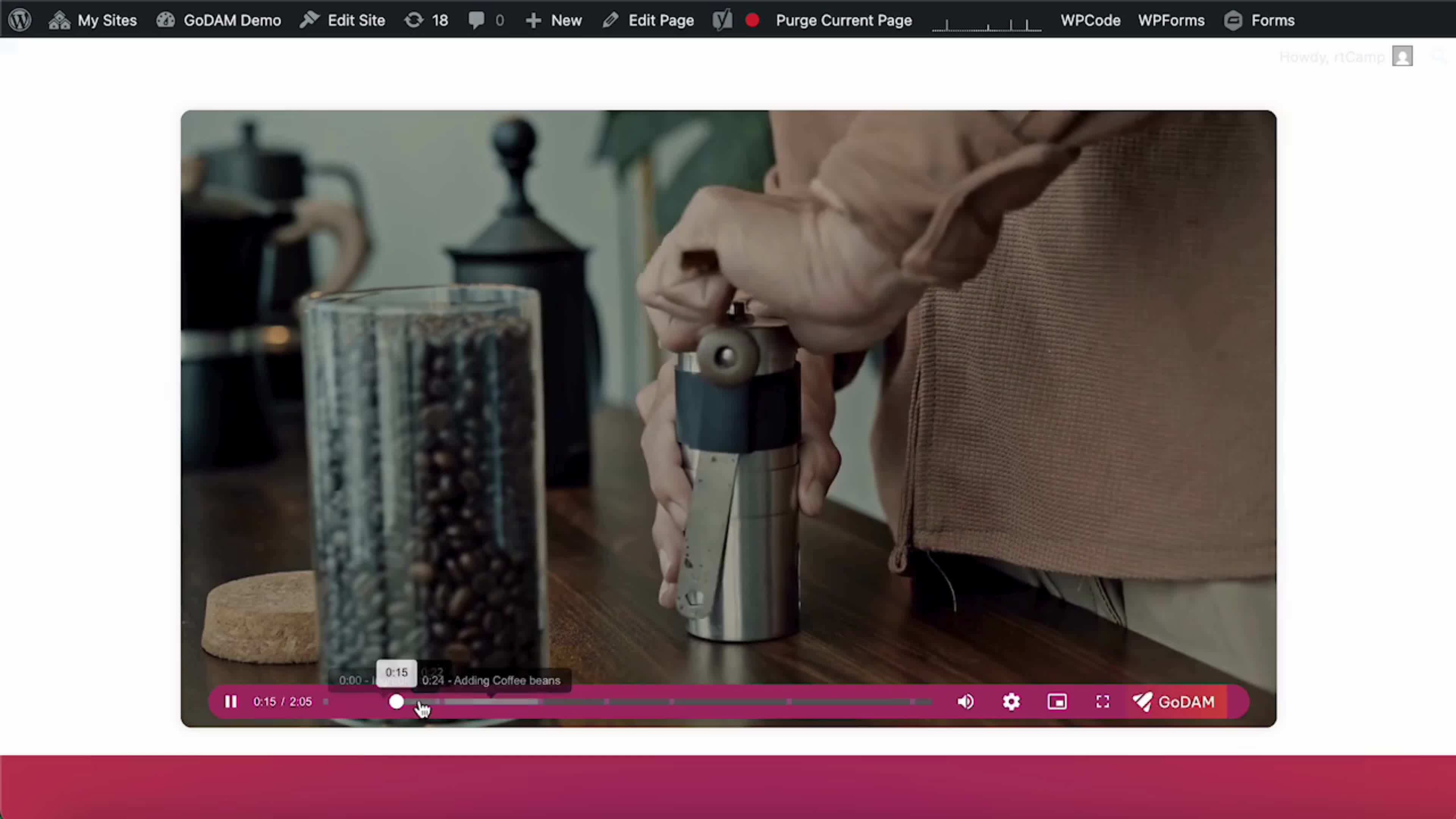
Key Features
Interactive Video Navigation
Chapters divide your video timeline into clickable segments, allowing users to skip ahead or replay specific sections with ease.
Precision Timestamp Control
Tailored Formats for Every Video Length, whether your video is 30 seconds or 3 hours, timestamps adapt accordingly.
Comprehensive Chapter Creation
Use the Video Editor to add chapters with a name and timestamp, edit existing markers, or remove them with a click.
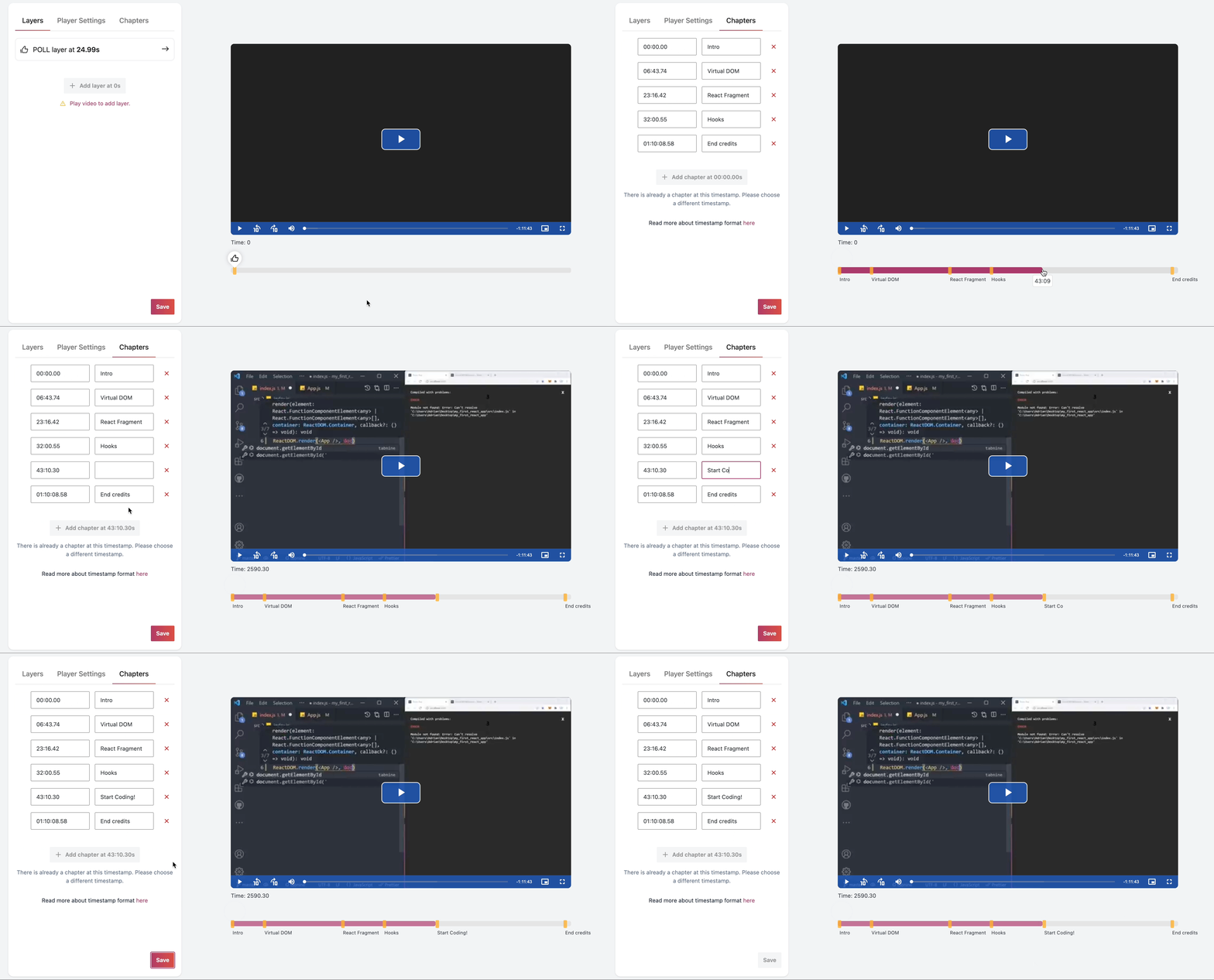
Add Chapters with a Click
Open the GoDAM Video Editor, select the desired video, and navigate to the “Chapters” tab to begin adding chapters to your content.
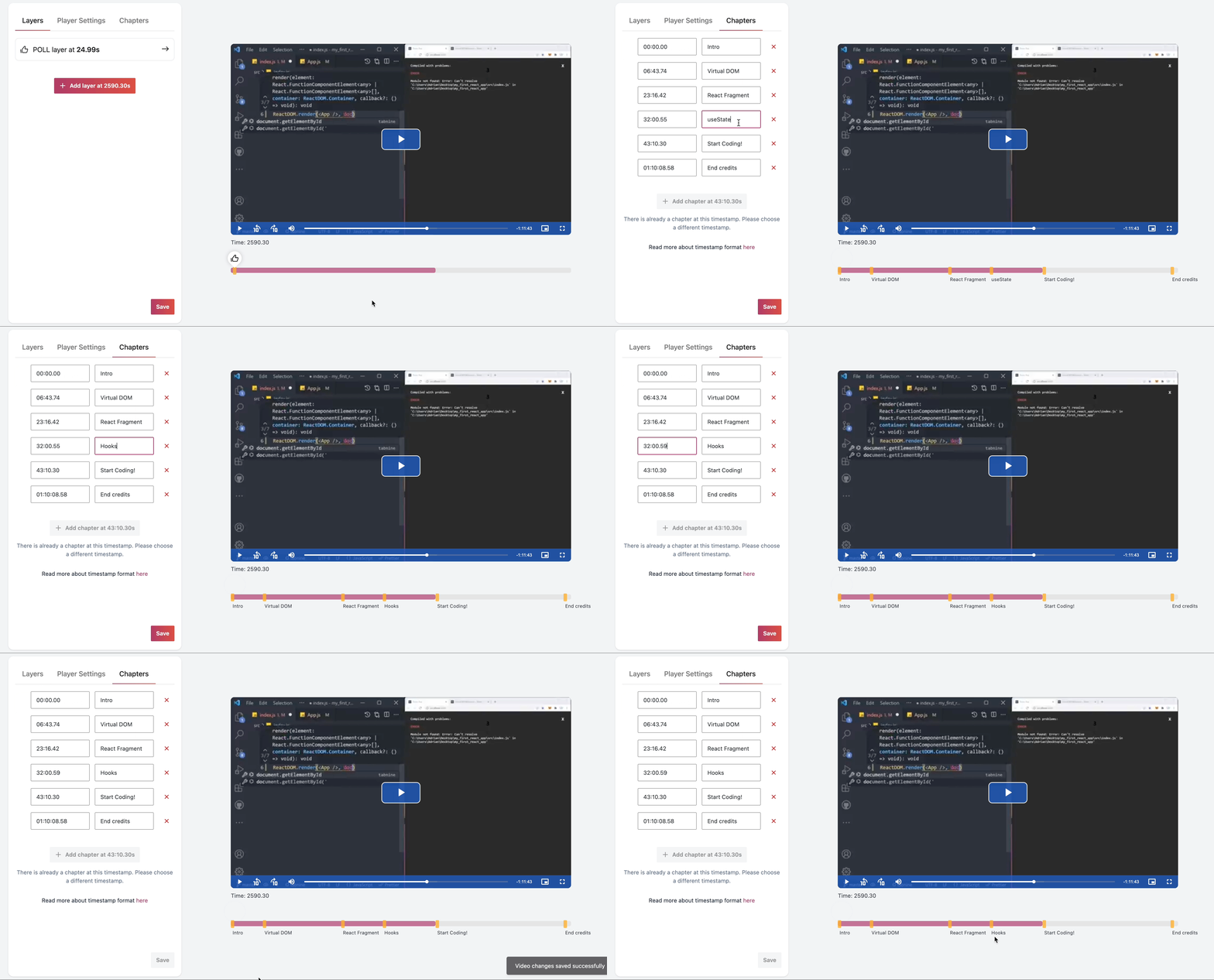
Edit & Delete Chapters
Modify chapter names or delete outdated ones directly in the Chapter tab.
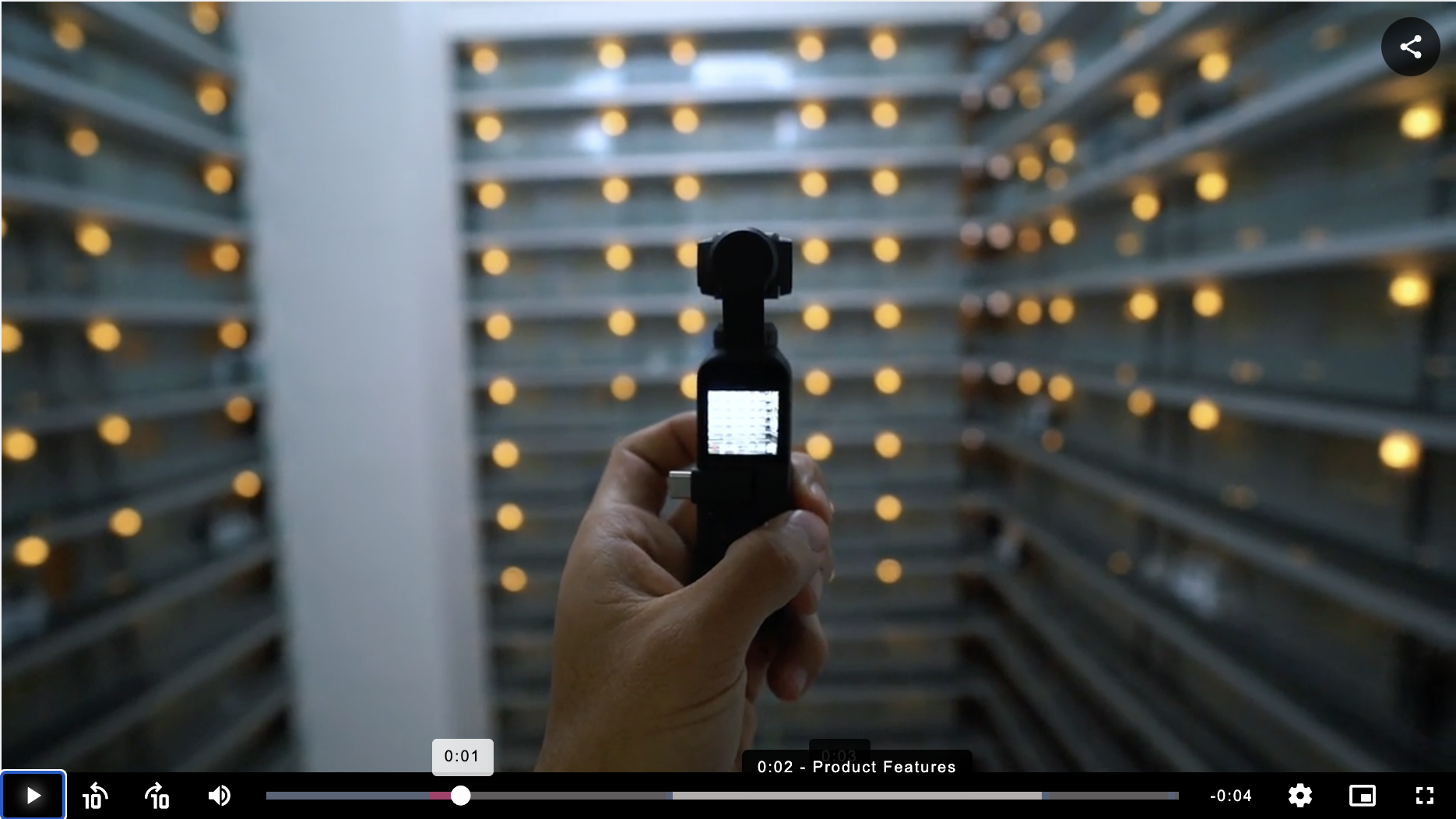
How it appears
Chapters appear on hover for easy navigation and part understanding, and on clicking on them, they take the user to the part of the content.
All-in-one Video Platform
Ad-free
Video Player
Interactive Video Layers
Detailed Video Analytics
Media Library Manager
Video Gallery Block
Video SEO
GoDAM Central Library
Forms Recorder
Chrome Screen Recorder

Unlock More Value from Your Videos
If you are already spending on video production, a video marketing tool helps you
increase returns through engagement and lead capture.