
Simply uploading a video isn’t the finish line. To truly grow your revenue, you need to understand how those videos perform. Are viewers dropping off after three seconds? Are they clicking your “Buy Now” hotspots? Should a video be replaced with another video?
GoDAM’s Video Analytics for WordPress provides the granular, first-party data you need to move beyond vanity metrics and make data-driven decisions that scale your ecommerce business.
Why E-commerce Marketers Need Video Analytics
Most site owners rely on “total views,” but smart marketers dig deeper. Video insights help you close the gap between attention and conversion by answering critical questions:
- Which videos drive the most sales? Identify which product demos are actual lead magnets
- Which are the best video formats? Identify which videos are engaging customers the most
- Where are viewers losing interest? Spot the exact second people stop watching so you can tighten your storytelling
- Is your thumbnail working? Track your Play Rate to see if your visuals actually entice people to click
- Where is your traffic coming from? Use geographic data to tailor localized campaigns or region-specific landing pages
Key Metrics to Track for Your Online Store
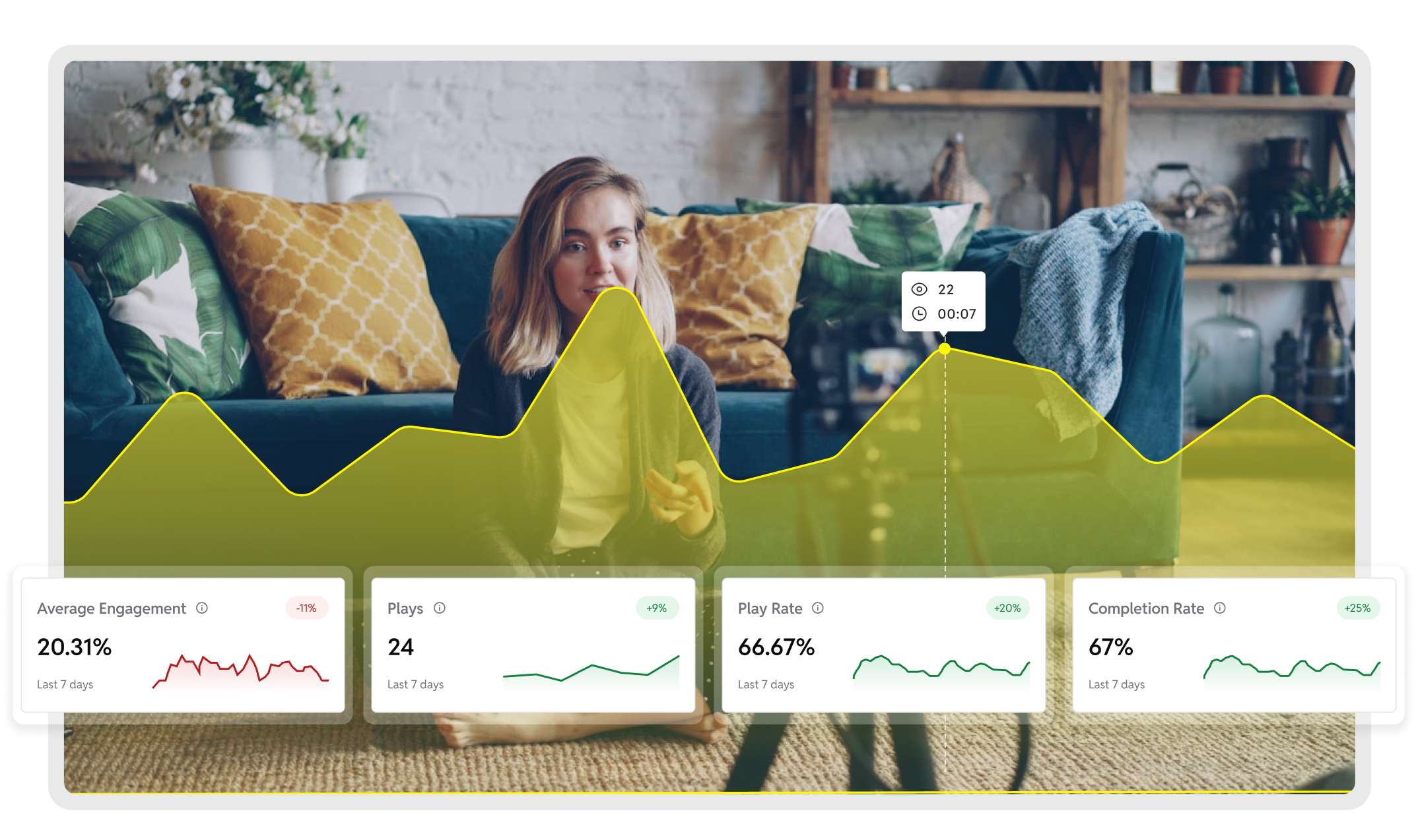
Top-Level Store Video Summary
This tells about the overall video summary of your online store.
Total Active Product Videos
Shows how many GoDAM videos are currently embedded across your WooCommerce store and actively being watched by shoppers. This helps you understand whether your product catalog is visually optimized or missing conversion-boosting video content.
Why it matters for WooCommerce:
Stores with more active product videos typically see higher trust, longer session time, and stronger purchase intent.
Action Step →
If active videos are low, add videos to more product pages, category pages, landing pages, and homepage sections. Refresh outdated product videos or replace weak performers. More active videos = more shopper engagement = higher conversion potential.
Total Video Plays
Represents the total number of times shoppers watched your product videos across the store. This indicates how many buying decisions were influenced by video content.
Why it matters for WooCommerce:
Higher play counts mean shoppers are interacting with your product demonstrations, reviews, and explainer videos.
Action Step →
If plays are low, embed videos closer to the “Add to Cart” button, include them in product galleries, feature them in email campaigns, or highlight video-enabled products in promotions.
Product Video Play Rate
Measures the percentage of shoppers who clicked Play after a product video loaded. This reflects how compelling your product thumbnail, first frame, and placement are.
Why it matters for WooCommerce:
Low play rate often means customers aren’t convinced the video will help them decide.
Action Step →
Test better product thumbnails, add benefit-driven captions like:
- See how it works in 30 seconds
- Watch before you buy
- Real customer demo
Also, position videos above the fold near product images, preferably in the product image gallery.
Total Watch Time
Shows the total amount of time shoppers collectively spent watching your product videos. This indicates how deeply customers are researching before buying.
Why it matters for WooCommerce:
Longer watch time strongly correlates with higher purchase confidence.
Action Step →
If watch time is low:
- Start videos with the product’s biggest benefit immediately
- Remove long brand intros
- Show real usage quickly
- Break long product demos into short feature-focused clips
Playback Performance Trends
Tracks how Play Rate, Engagement, and Watch Time change over time for your store’s videos.
Why it matters for WooCommerce:
This helps you measure whether newly added product videos are improving sales engagement.
Action Step →
If performance drops:
- Check if recent videos are too long
- Test customer testimonial videos instead of studio shots
- Compare last 7 days vs previous month to identify winning formats
Shopper Views by Location
Shows which countries your WooCommerce video viewers come from.
Why it matters for WooCommerce:
Different markets respond to different product messaging styles.
Action Step →
If certain countries show strong engagement:
- Create localized product videos
- Add subtitles in local languages
- Run geo-targeted ads for those regions
- Show region-specific pricing or offers
Top Performing Product Videos
Automatically ranks your WooCommerce product videos based on engagement, plays, and viewer interaction.
Why it matters for WooCommerce:
These videos represent your highest conversion potential.
Action Step →
- Feature top videos on homepage
- Push these products in ads
- Replicate their video style for other products
- Re-edit or replace bottom-ranked videos
Individual Product Video Analytics
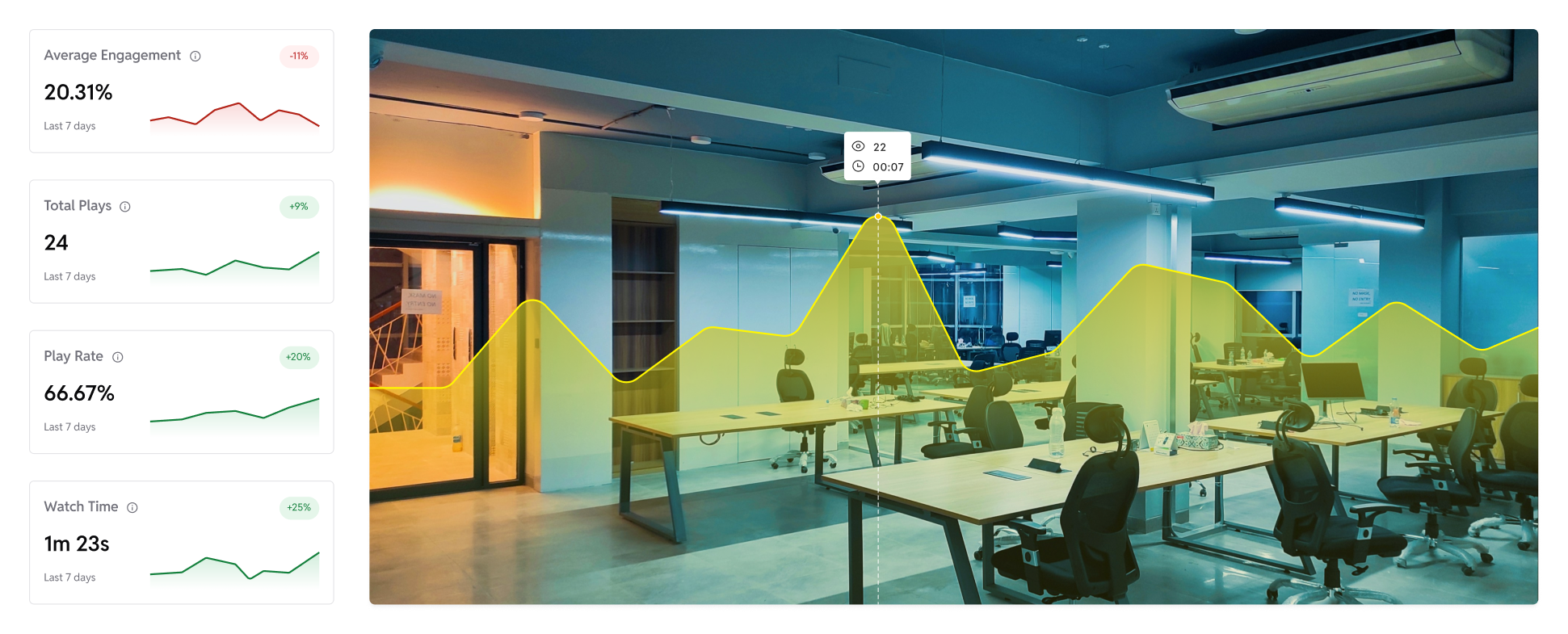
When viewing analytics for a single WooCommerce product video.
Average Viewer Engagement
Shows the average percentage of the product video watched by shoppers.
Why it matters for WooCommerce:
If customers drop early, they may not see the features that justify the purchase.
Action Step →
- Put the strongest selling point in the first 20 – 40 seconds
- Show product in real use immediately
- Avoid slow intros
- Teasers that engage the viewer in the first 3 seconds
Total Plays (Per Product Video)
Indicates how many times this specific product video was viewed.
Why it matters for WooCommerce:
Helps identify which products shoppers research most.
Action Step →
If low:
- Move video position higher in product gallery
- Add it near product description
- Highlight in marketing emails
- Use reel pops formats (coming soon in GoDAM)
Play Rate (Per Product Video)
Shows how many shoppers clicked play when the video appeared on the product page.
Action Step →
- Replace thumbnail with real usage photo
- Add overlay text (“Watch Demo”)
- Test autoplay muted preview
Watch Time (Per Product Video)
Shows cumulative time spent watching this specific product video.
Action Step →
If low:
- Cut unnecessary sections
- Add chapter-style feature highlights
- Include more UGC style videos in your WooCommerce online store
- Add video hooks that keep the visitor engaged till the end
Viewer Heatmap
Displays exactly where shoppers replayed, skipped, or dropped off during the product video.
Why it matters for WooCommerce:
This reveals:
- Which product features shoppers care about
- Where confusion happens
- Where buying intent peaks
Action Step →
- Move high-interest moments earlier
- Place CTA buttons near peak engagement timestamps
- Re-edit confusing sections
Video Views by Shopper Location
Shows which countries watched this specific product video.
Action Step →
- Translate videos for top countries
- Create region-specific landing pages
- Run more ad campaigns for the same product in the popular regions
- Promote best-performing localized versions
Views by Store Page Source
Reveals which WooCommerce pages generated the most views for this video.
Examples:
- Product page
- Blog article
- Homepage banner
- Category page
Action Step →
- Remove the video from weak placements
- Embed similar videos in high-performing page types
Product Video Performance Comparison Tool
Compare two WooCommerce product videos side-by-side across:
- Views
- Engagement
- Watch time
- Play rate
Action Step →
- Use top performers as video production templates
- Re-shoot weak product videos
- Compare the old vs updated versions before replacing
Optimize Your Video Strategy with Comparisons
One of GoDAM’s most powerful features for WooCommerce owners is Performance Comparison as mentioned above. You can compare two videos side-by-side on key metrics like watch time and engagement.
Use this to:
- Test “Studio Professional” vs. “UGC/Unboxing” styles to see what your audience trusts more (Pro tip: Use GoDAM form recorder to collect UGC videos)
- Compare different CTA timings to see which drives more clicks
- Decide which videos to keep further and which to replace
- Look, if you need to use more Shoppable videos in your online store
The GoDAM Advantage: High Performance & Deep Insights
A beautiful video gallery is useless if it’s slow. GoDAM ensures your media never slows down your WooCommerce store by offloading videos to cloud storage and delivering them via a global CDN with 110+ locations.
Combined with Adaptive Bitrate Streaming, your videos play buffer-free on every device, ensuring your analytics reflect true user interest rather than frustration over loading times.
Final Thoughts
If you are a WooCommerce store owner, understanding how your product media performs is essential for improving shopper trust and increasing sales. GoDAM Video Analytics for WooCommerce helps you track plays, engagement, watch time, and viewer behavior so you can optimize your product videos, identify what influences buying decisions, and continuously improve conversions.
By using real video insights instead of guesswork, you can refine your content strategy, highlight winning products, and turn video views into measurable revenue growth.
Links: Video commerce | Shoppable videos | Start for free
Leave a Reply