


If you are searching for a simple and reliable video gallery WordPress plugin, this guide will show you exactly how to create a clean, responsive video gallery using GoDAM and display it either with Elementor or Gutenberg.
GoDAM works as a native digital asset manager inside WordPress and helps you manage images, videos and audio more efficiently. It is useful for anyone who wants to upload, embed, and display media without relying on external, non-WordPress-first platforms like YouTube or Vimeo. You can create video galleries using GoDAM easily without much effort.
How to Create a Video Gallery
Step 1: Install and activate the GoDAM plugin from WordPress plugin repository
Step 2: Upload the videos that you need in your video gallery to your WordPress media library
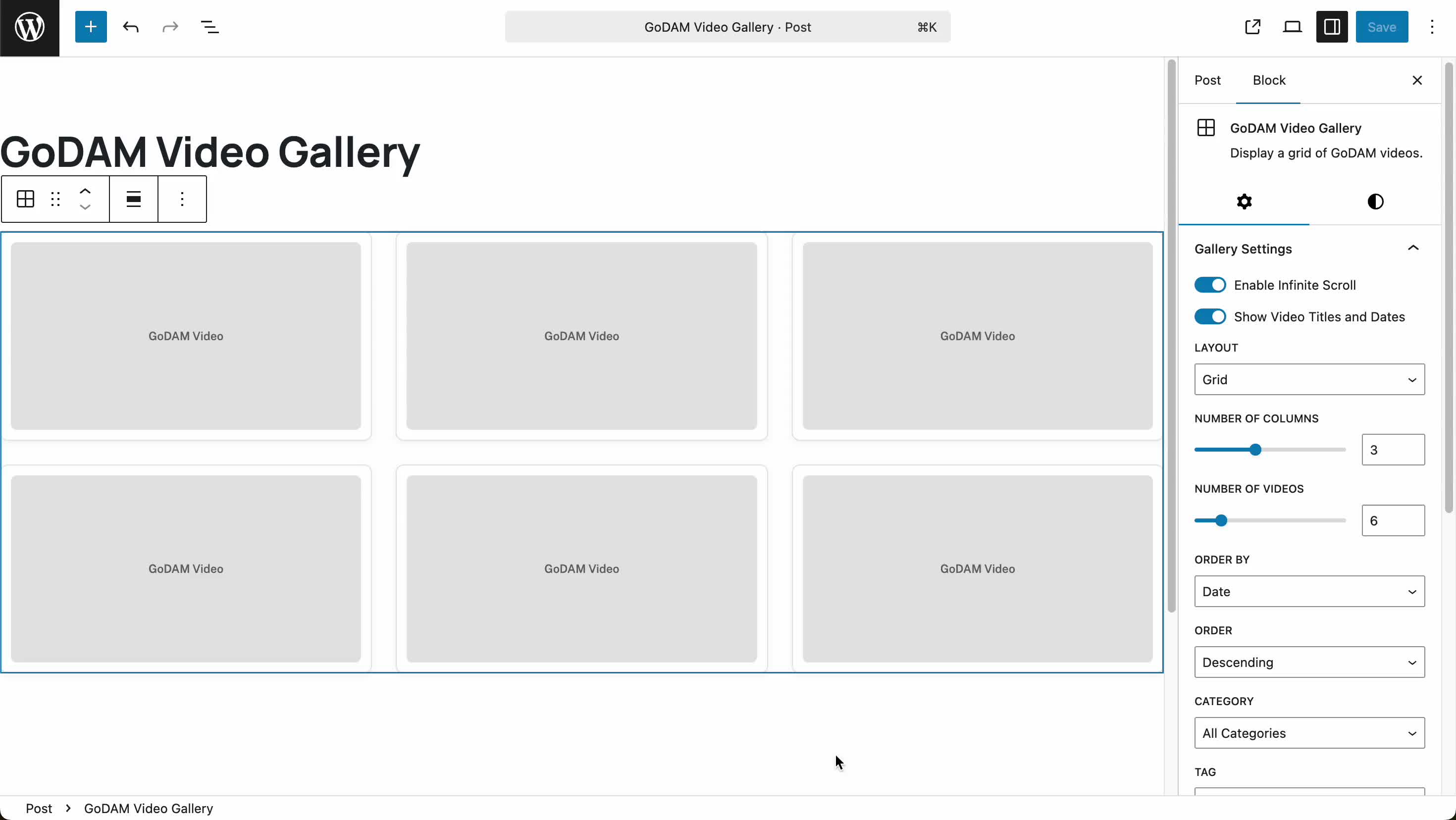
Step 3: Go to any page or post, search for “GoDAM Galley block” in case you are using the Gutenberg block editor or “GoDAM Gallery widget” if you are using Elementor.
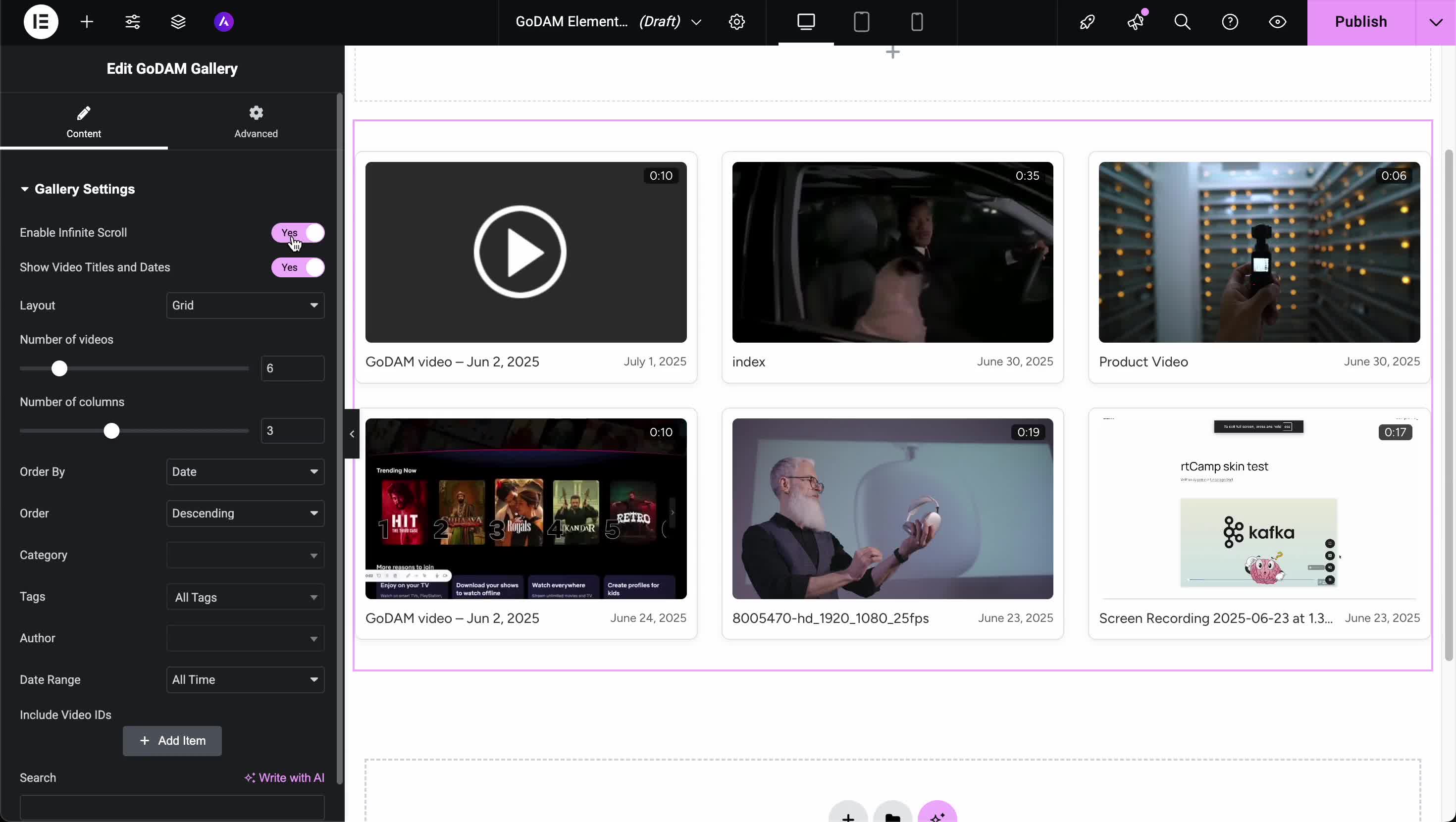
Step 4: Configure your video gallery (by default it loads recently uploaded videos), you can optionally:
- Choose the individual video IDs you want to display in your video gallery
- Use infinite scroll instead of load more button
- Change the layout from grid to list view
- Customize the number of columns and no of videos
- Show video title and date
- Enable likes & comments
- Order by date, category, tags, author etc
Check our GoDAM video gallery in real & try our demo (for Elementor version).
The foundation of any good video gallery is the videos themselves. You can design the best layout, but if the videos load slowly or the player feels outdated, the whole gallery will feel weak. GoDAM helps avoid these problems.
When you upload a video, it is automatically stored in the cloud and delivered through a global CDN so it loads quickly for everyone. The videos also play using adaptive bitrate technology, which means the video adjusts its quality in real time based on the viewer’s internet speed. This gives a smooth, buffer-free viewing experience without interruptions.
You can also change the player theme to match your brand. If you want to protect your content, you can add watermarks to your videos as well.
You can also understand how the videos in your gallery are performing. GoDAM gives you detailed video insights such as total views, engagement rate, heatmaps to see where viewers drop off, watch time, and even traffic by location. This helps you know what is working and what needs improvement.
If you want to monetize your video galleries and earn revenue, GoDAM allows you to run video ads on your videos. You can use your own self-hosted ads or connect ad networks like Google AdSense.
[BONUS] Advanced Video Marketing Features
GoDAM provides video marketing features that help you capture leads directly from your videos. This can improve your conversion rates, turn your videos into revenue-generating assets, increase your video marketing ROI and support the overall growth of your business. Watch the video on GoDAM video layers below:
Apart from videos you can also organize your media library files into folders and subfolders using GoDAM. You should definitely check out all the features.
Links: Documentation | Screen Recorder | Start 7-Day Free Trial