
Whether you are building a blog, online course, membership site, business site, or product pages, choosing the right video hosting platform has a direct impact on performance, user experience, and conversions.
Although WordPress allows self-hosting of videos, it is not a scalable or reliable approach. Most hosting providers are not designed for video encoding, adaptive streaming, or high-volume delivery. This often results in slow page loads, buffering, bandwidth overuse, and site instability.
Video hosting platforms are purpose-built to address these challenges. They combine enterprise-grade infrastructure with specialized video hosting infrastructure, adaptive bitrate streaming, and global CDN delivery to ensure consistent, high-performance playback across geographies and devices, even at scale.
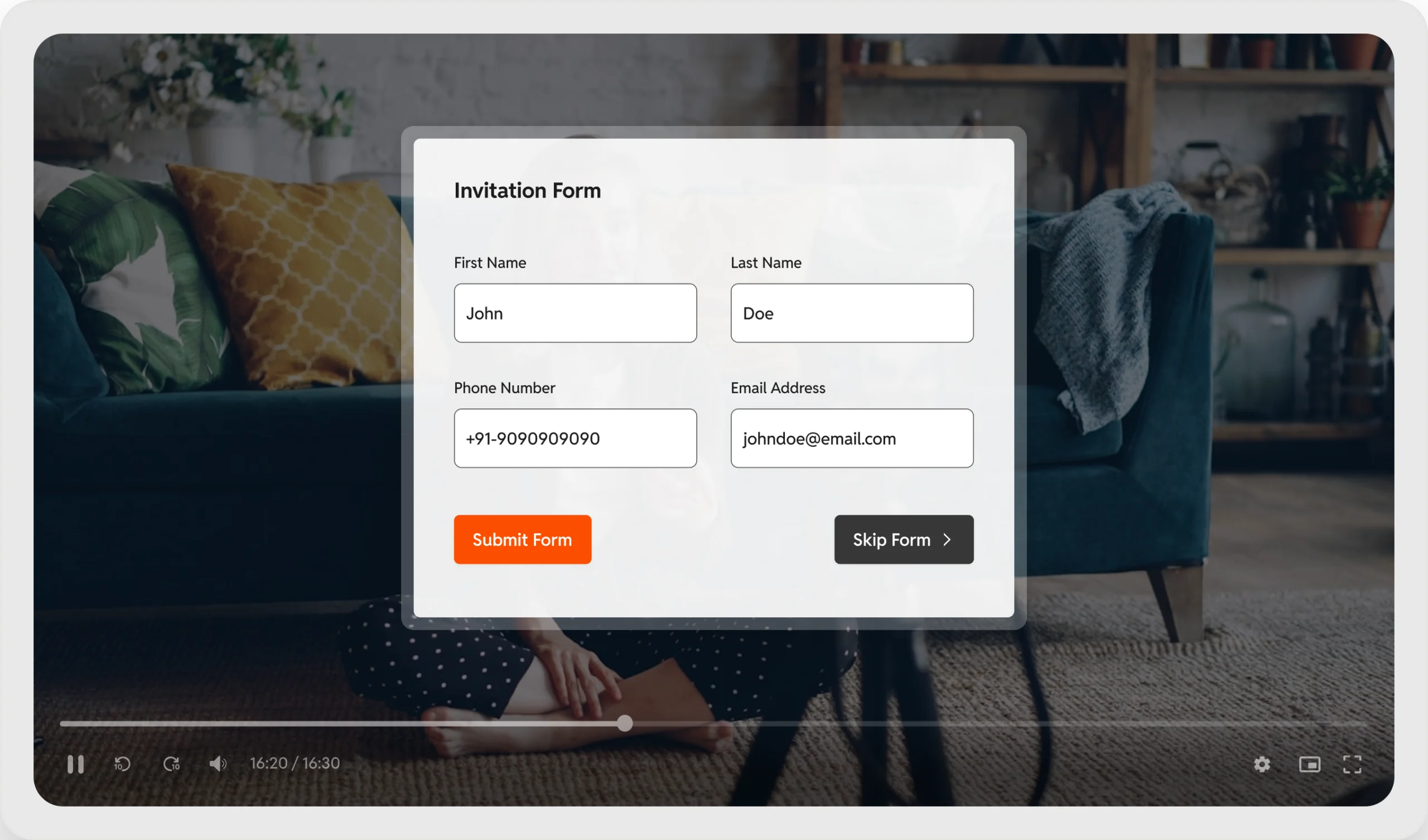
Modern video platforms go far beyond basic video hosting and management. They introduce interactive video capabilities that turn videos into conversion assets, enabling lead capture inside videos, interactive hotspots, in-video surveys and polls, and other engagement-driven experiences.
Let’s explore the top options available in 2026.
GoDAM
GoDAM is a WordPress-native video hosting and video marketing platform built to handle large video libraries, deliver them globally through a high-performance CDN, and stream them using adaptive bitrate technology. Beyond hosting, GoDAM enables marketers to turn video into a conversion engine directly within WordPress with features like in-video lead generation, shoppable videos, calls-to-action, polls, and a fully customizable video player. It also integrates seamlessly with more than 12 popular WordPress plugins, including Gravity Forms, LifterLMS, Elementor, WP-Polls, and more.
Pros:
- Native WordPress integration – upload & embed videos without leaving the dashboard
- Adaptive bitrate streaming & optimized CDN powered playback for all devices & browsers
- Fully customizable ad-free video player
- Interactive tools – forms, CTAs, hotspots, ads in videos
- Transcodes video automatically to modern video formats (MPEG-DASH, HLS)
- Video performance insights to optimize content strategy
- Supports up to 2GB per upload (from GoDAM Central Library)
Cons:
- Still newer compared with legacy hosts like YouTube, Vimeo
- Some niche category features might be missing such as DRM (*part of roadmap)
- No live video streaming (*part of roadmap)
Pricing:
- Free plan (60-day access)
- Paid plan starts at $7.5 per month for 100GB storage & bandwidth (unlimited sites & users)
Vimeo
Vimeo is a well-established video hosting platform known for high-quality, ad-free playback and strong privacy controls. It is commonly used by creators, agencies, and businesses that want professional video delivery without ads or distractions. Vimeo videos are hosted externally and embedded into WordPress using blocks, shortcodes, or iframe embeds.
Pros:
- Ad-free, high-quality video playback (supports 4K)
- Reliable global CDN delivery
- Strong privacy controls
- Customizable player with brand colors and controls
- Built-in analytics for views and engagement
- Video streaming
Cons:
- Not WordPress-native, and the official WordPress plugin has not been updated since 2023
- Advanced video marketing features are locked behind the enterprise plan
Pricing:
- Free plan available with limited storage
- Paid plans typically start around $12/month (limited users per plan)
Wistia
Wistia is a video hosting platform built specifically for businesses and marketers. Its core strength lies in video marketing features like lead capture, deep analytics and CRM integrations. Wistia treats video as a marketing asset rather than just media content, making it a popular choice for SaaS companies and B2B brands.
Pros:
- Video analytics and engagement tracking
- Built-in lead capture forms and conversion tracking
- Professional and ad-free video player
- Strong integrations with CRMs and marketing tools
- Designed specifically for teams focused on video marketing
- Video streaming
Cons:
- Higher pricing compared to most alternatives
- Not WordPress-native; relies on embeds
- Less cost-effective for large video libraries
Pricing:
- Free plan available with limited features & video counts
- Paid plans typically start around $79 per month, increasing based on video count, advanced marketing capabilities & number of users
VideoPress
VideoPress is WordPress’s native video hosting solution, available through Jetpack. It allows users to upload, host, and embed videos directly within the WordPress editor, offering a simple and seamless experience for WordPress site owners who want basic video hosting without external platforms.
Pros:
- Deep, native WordPress integration
- Simple upload and embed workflow
- Ad-free video playback
- Global CDN delivery included
- Supports 60FPS & 4K playback
Cons:
- No video performance analytics and engagement insights
- No interactive or video marketing-focused tools
Pricing:
- Paid VideoPress plans start around $10/month, often bundled within Jetpack plans
YouTube
YouTube is the world’s largest video platform and the most widely used option for hosting and embedding videos on WordPress sites. While not designed as a professional video hosting solution, it remains popular due to its free hosting, reliability, massive reach and discoverability.
Pros:
- Free and videos can be embedded on any site.
- Highly reliable and works fine across all major browsers & devices
Cons:
- You might lose revenue as users get redirected upon clicking some components on the player
- Customizing the video player is prohibited
- No interactive or video marketing features
Pricing:
- Free
PrestoPlayer + Bunny
PrestoPlayer is a popular WordPress video player plugin designed for site creators who want more control over video playback and presentation. Its basic version provides an enhanced player that supports embedding videos from platforms like YouTube. However, by itself, PrestoPlayer is not a complete video hosting solution, since videos uploaded still remain on your web hosting server and are not automatically offloaded to cloud infrastructure.
To enable scalable hosting and delivery, PrestoPlayer offers integration with Bunny.net, a separate video hosting and CDN provider, available in its paid plans. This setup allows users to store and stream videos through Bunny’s global network while using PrestoPlayer as the front-end player inside WordPress. While powerful, the configuration requires connecting multiple services and managing separate subscriptions for both PrestoPlayer and Bunny.net. The platform includes useful features such as video playlists, player customization, chapters and more.
Pros:
- Video player with customization options
- Supports playlists, video chapters
- Supports private videos
Cons:
- Not a complete hosting solution without external services
- Complex configuration across multiple platforms
- Separate payments for the player and hosting
Pricing:
- PrestoPlayer: Paid plans typically start around $99/year (on offer $79/year)
- Bunny.net: Usage-based pricing for storage and bandwidth (pay-as-you-go) – $1 monthly minimum
Final recommendations
- Best for WordPress-native teams → GoDAM
- Best for creative professionals → Wistia
- Best free option → YouTube
FAQs
Should you host videos directly on WordPress?
Hosting videos directly on WordPress is not recommended for most sites because video files consume large bandwidth and server resources, which can slow down page load times. Using a dedicated video hosting platform with CDN delivery ensures faster playback, scalability, and better performance.
Is YouTube good for business websites?
YouTube is a good option for free video hosting and discoverability. However, it offers limited control over branding, player customization, and viewer experience, which may not suit professional or conversion-focused websites and often leads to traffic leakage.
What is adaptive bitrate streaming?
Adaptive bitrate streaming automatically adjusts video quality in real time based on the viewer’s internet speed and device capability. This ensures smooth playback with minimal buffering while maintaining the highest possible video quality. GoDAM supports adaptive bitrate streaming out of the box in its paid plans that start at $7.5 per month.
What is the best WordPress video hosting for courses?
The best WordPress video hosting for courses depends on your needs, but platforms with cloud storage, CDN streaming, and LMS integrations work best. Look for solutions that support secure playback, adaptive streaming, and seamless WordPress embedding for reliable course delivery. GoDAM integrates natively with LifterLMS.
What is interactive video?
Interactive video is a type of video that allows viewers to actively engage with on-screen elements such as clickable hotspots, forms, quizzes, polls, or calls-to-action. Instead of passive watching, users can take actions inside the video, which improves engagement, learning, and conversions. GoDAM is an interactive video platform solution for WordPress users.
Links: Video marketing | Lead capture inside video | Start for free