

We are excited to roll out GoDAM 1.6, a release focused on WPBakery page-builder compatibility, finetuning conversion tools, strengthening form-based media capture to support audio files, and improving SEO features, analytics, and security across the platform.
What’s New in GoDAM 1.6
Things that have been newly added:
WPBakery Page Builder Integration
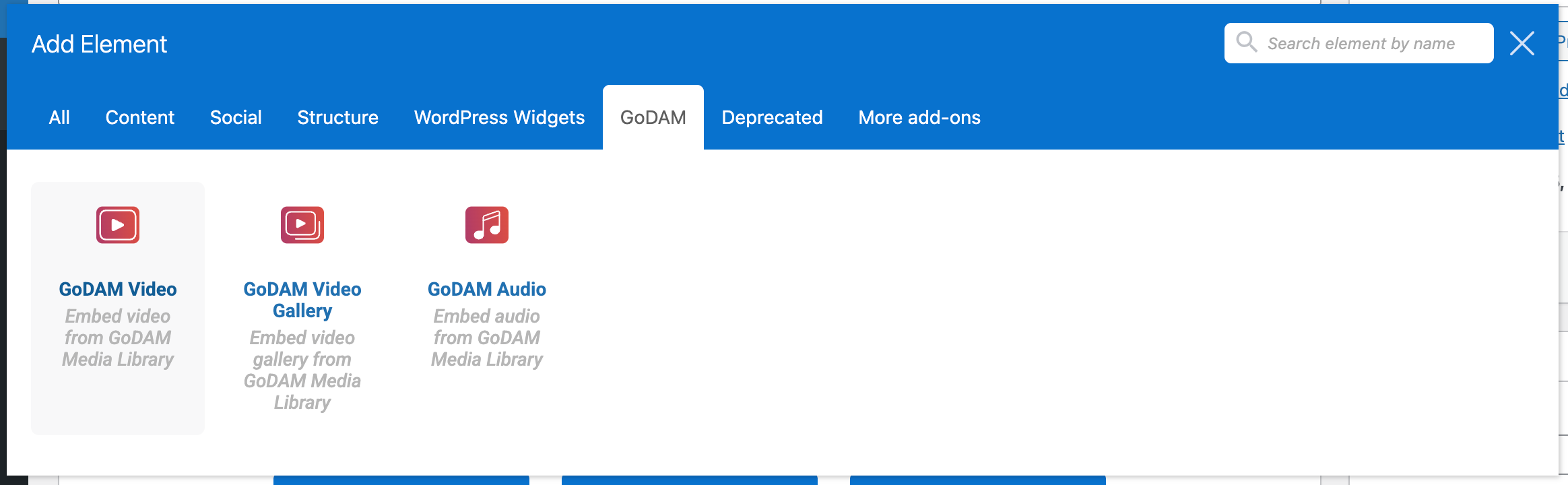
GoDAM now works seamlessly with WPBakery Page Builder. You can add GoDAM Video, Audio, and Gallery blocks directly inside WPBakery layouts, making it easier to use GoDAM on WordPress sites that rely on WPBakery. Special thanks to the WPBakery team for their support and collaboration throughout the development.
Card CTA Layer
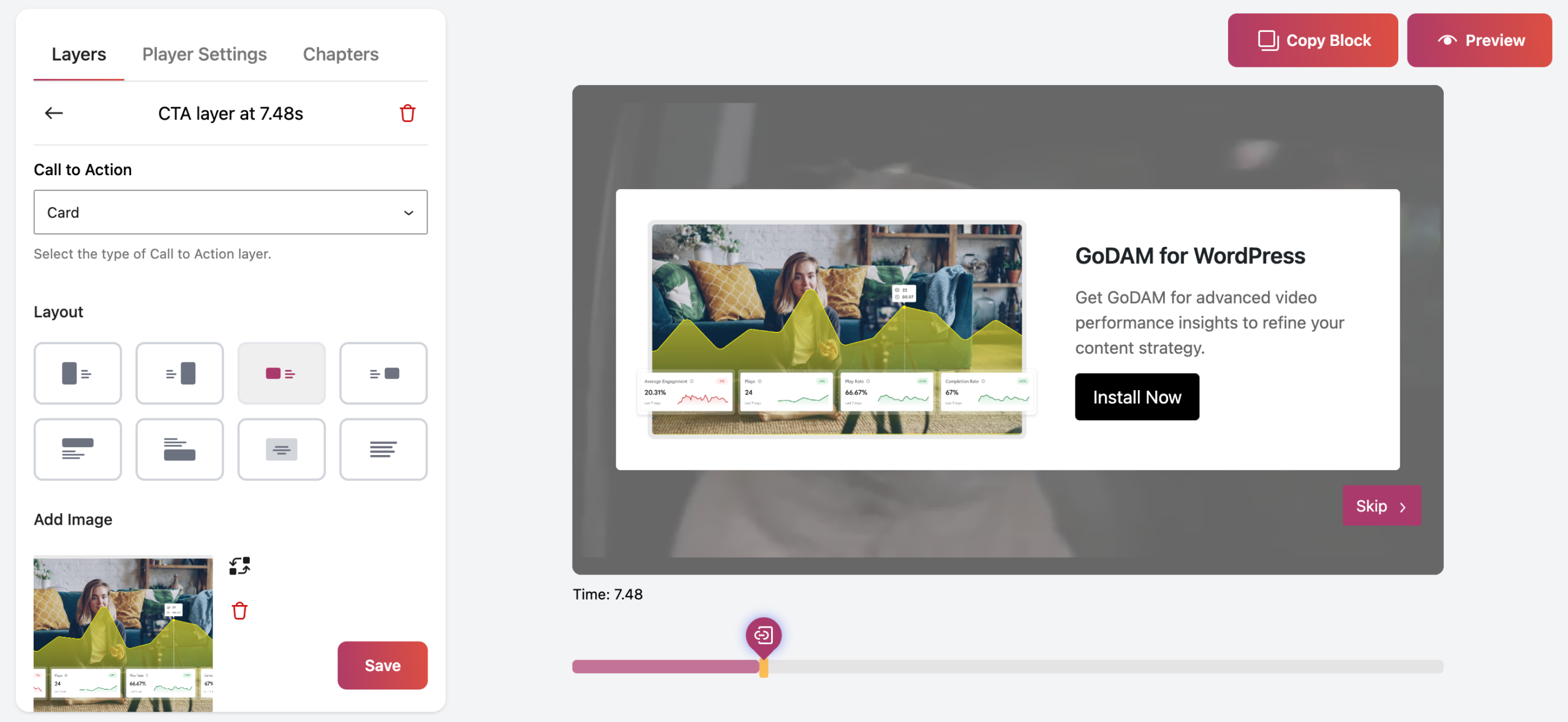
If you are looking to add CTAs inside videos, GoDAM now introduces a new Card CTA layer alongside existing HTML and Text CTAs. You can place Card CTAs in 8 different layout positions, add an image, title, description, and URL, customize the CTA button, and even apply a background for better visibility. We have removed image CTAs.
Card CTAs are ideal for prompting actions or highlighting important information during playback. With the option to skip, they remain engaging without disrupting the viewer experience, making your CTAs more effective and inclusive.
Custom Icons for Hotspot Layers
Hotspot layers now support custom SVGs and image icons, allowing you to:
- Match brand identity
- Use meaningful visual cues
- Create more intuitive interactive experiences
This makes GoDAM’s interactive video hotspot more customizable.
Audio Recording for Forms
We have extended GoDAM Recorder’s audio recording input field support across more WordPress form builders:
- WPForms
- SureForms
- Everest Forms
This makes GoDAM an even more helpful tool for audio or voice-based feedback collection, testimonials, and surveys.
Video Duration Limit for Gravity Forms Recorder Input Field
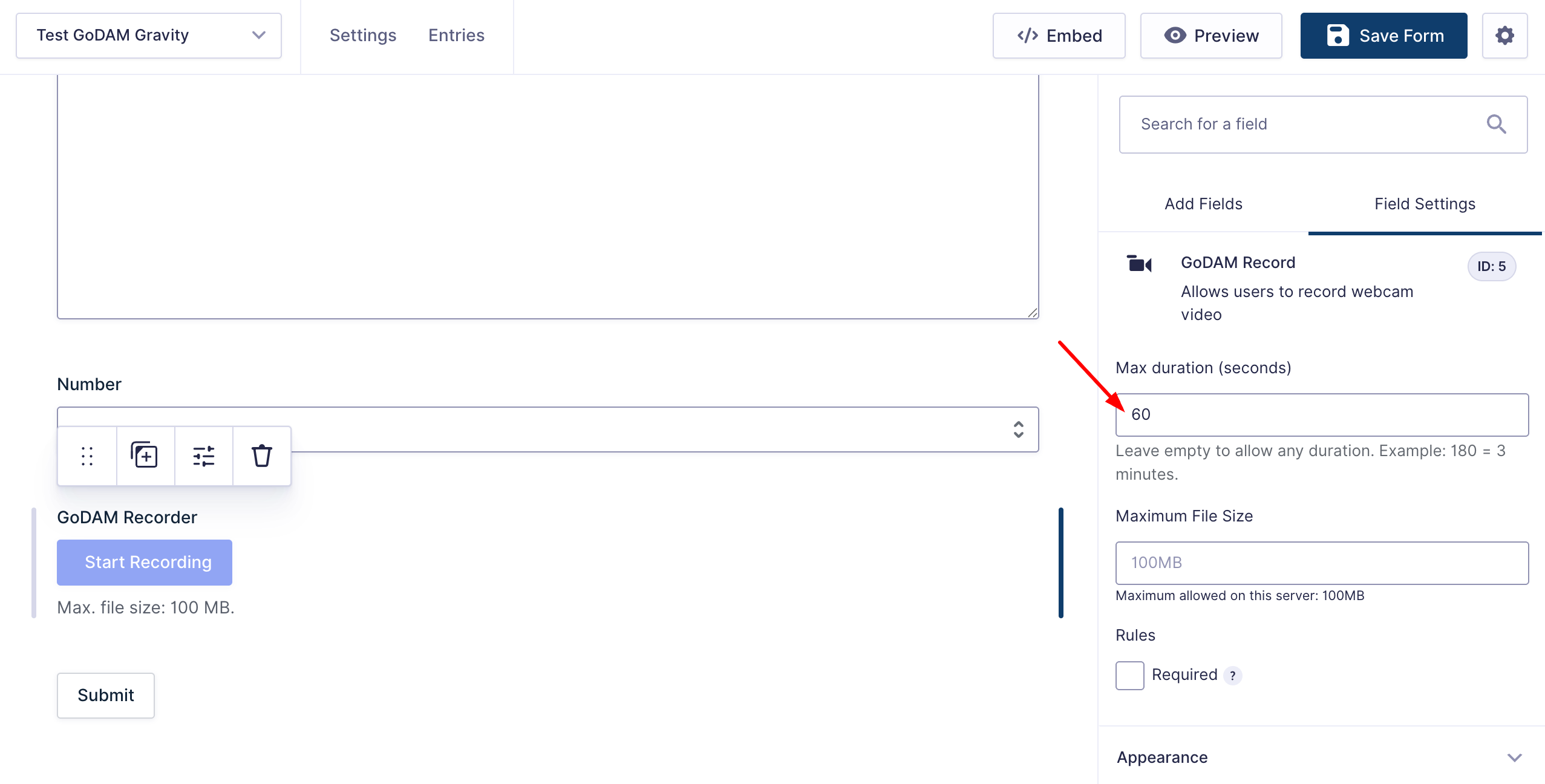
You can now set a maximum video duration limit when using GoDAM Recorder with Gravity Forms, helping you:
- Control file sizes
- Standardize submissions
- Improve moderation workflows
Fixes & Refinements
- Unified URL validation messages across layers
- We have made several enhancements to video SEO reliability to ensure your videos remain eligible for indexing and rich results
- Improved admin page styling and Media Library UI
- Fixed issues affecting Analytics accuracy and reliability
- Multiple internal fixes for smoother overall performance
- We have also included important security fixes and strongly recommend that you update to the latest version of GoDAM.
We strongly recommend updating to GoDAM 1.6 to take advantage of expanded builder support, more powerful CTAs, improved form recording, better SEO handling, and increased stability.
As always, if you spot anything or have feature requests, feel free to reach out.
Read more on the full release changelog.
Links: Video layers | All features | All integrations | Gravity Forms | Start for Free